Yealink - USB C Content Sharing Cable with HDMI Adapter
Reviews coming soon
About this product
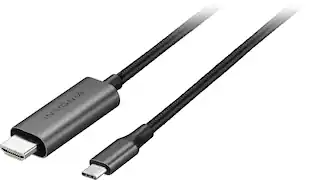
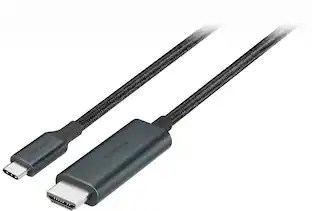
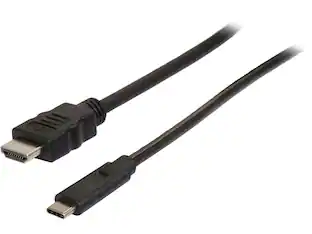
The USB C Content Sharing Cable with HDMI Adapter is designed to facilitate effortless content sharing during video conferences. It features a USB Type-C connector on one end and an HDMI connector on the other, ensuring high-quality video and audio transmission. This cable is specifically compatible with Yealink MTouch Plus and MTouch E2 video conferencing systems, providing a plug-and-play solution for seamless integration.
High-Quality Video and Audio Transmission
Supports HDMI digital audio/video output for seamless content sharing.
Universal Compatibility
Compatible with Yealink MTouch Plus and MTouch E2 video conferencing systems.
Plug-and-Play Functionality
Easy to use with no additional drivers or software required.
- Cable Length3.94 feetConnector Type (End 1)USB-CConnector Type (End 2)RJ45
Reviews
This product doesn't have any reviews yet.
Compare similar products
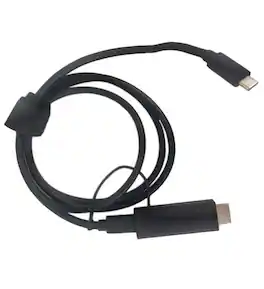
The USB C Content Sharing Cable with HDMI Adapter is designed to facilitate effortless content sharing during video conferences. It features a USB Type-C connector on one end and an HDMI connector on the other, ensuring high-quality video and audio transmission. This cable is specifically compatible with Yealink MTouch Plus and MTouch E2 video conferencing systems, providing a plug-and-play solution for seamless integration.
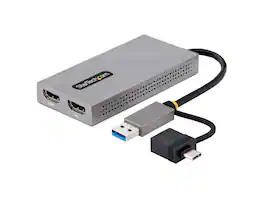
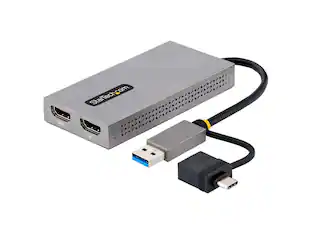
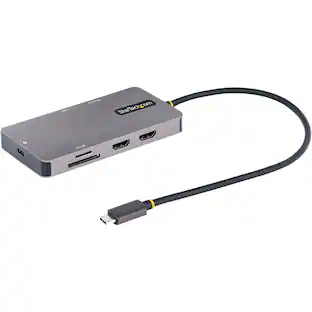
StarTech.com USB to Dual HDMI Adapter, USB A/C to 2x HDMI Displays (1x 4K30Hz, 1x 1080p), Integrated USB-A to C Dongle, 4in/11cm Cable, USB 3.0 to HDMI Display Adapter, Windows & macOS

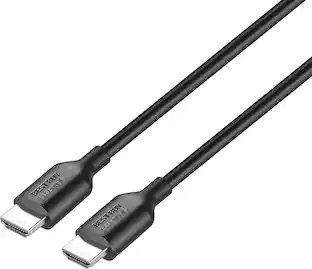
Whether it’s for work or play, don’t settle for anything less than high-quality images and sound. The Best Buy essentials 6' 4K Ultra HD HDMI Cable is compatible with laptops, computers, game consoles, TVs and other HDMI-enabled devices. It supports up to 4K Ultra HD resolution at 60 Hz, granting high-quality, impressive life-like images. Nickle-plated connectors make this cable corrosion resistant and give it long-lasting use, while a fully shielded design prevents signal interference. This 6 ft. cable is a convenient length to reach your devices. And our cable is backed by Best Buy, so you can have confidence in its quality.

This 2-meter charge cable is made with a woven design — with USB-C connectors on both ends — and is ideal for charging, syncing, and transferring data between USB-C devices. It supports charging of up to 240 watts and transfers data at USB 2 rates. Pair the USB-C Charge Cable with a compatible USB-C power adapter to conveniently charge your devices from a wall outlet and take advantage of fast-charging capabilities. USB-C power adapters sold separately.
| Pros for Yealink - USB C Content Sharing Cable with HDMI Adapter | |||
|---|---|---|---|
| There were no pros for this product— | There were no pros for this product— | Compatibility, Quality, Length, HDMI, Ease of use | Compatibility, Overall Performance, Cable Length, Flexibility |
| Cons for Yealink - USB C Content Sharing Cable with HDMI Adapter | |||
| There were no cons for this product— | There were no cons for this product— | Lag, Refresh Rate | Data Transfer, Heat Dissipation |
Specs
Be the first to ask a question.
We’ll try to get your question answered within 24 hours by a Best Buy customer or brand representative.
Find more like this







More to consider
Explore tech essentials Sponsored
 $38.99The price was $45.99
 $124.99The price was $129.99