60th Anniversary SaleEnds Sunday. Exclusions, terms and conditions apply.Shop now

Skip to contentGo to Product Search
Main Content

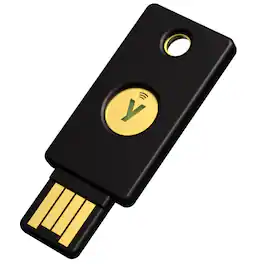
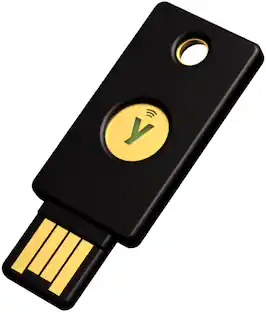
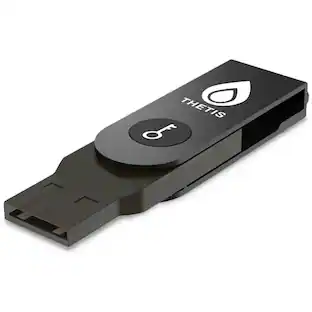
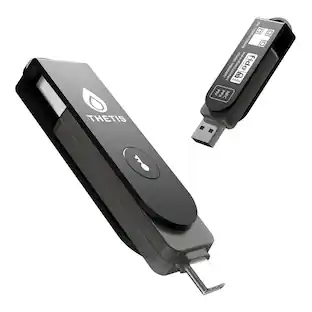
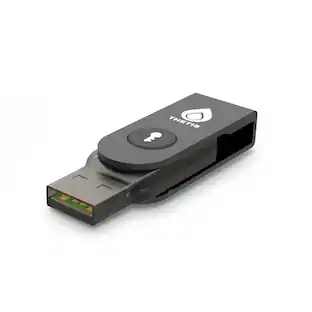
Yubico - YubiKey 5 NFC - Two-Factor authentication (2FA) Security Key, Connect via USB-A or NFC, FIDO Certified One Pack - Black

Model: 100842
SKU: 6648216
Sold byBest Buy

About this product

Meet the YubiKey by Yubico: the ultimate hardware security key for phishing-resistant multi-factor authentication (MFA). The YubiKey requires a physical touch to authenticate, eliminating the risk of remote attacks. The YubiKey functions by combining something you know (your password) with something you have (the physical YubiKey) to add an extra layer of security. The YubiKey can also store Passkeys, which replace passwords entirely. Most cyber attacks begin with compromised account credentials, usually stolen usernames and passwords. Using a security key as two-factor authentication offers a straightforward and effective approach to safeguarding your identity, accounts and devices. Embraced by leading global brands and millions of users worldwide, the YubiKey remains a trusted choice for enhanced security. For consumers: - The highest level of phishing defense, yet easy to use, the YubiKey is your key to trust. - Works out of the box with Google, Apple ID, Facebook, X, Dropbox, password managers, and hundreds of other services. - The YubiKey works across both desktop and mobile with touch or tap-and-go authentication using USB or NFC. - Eliminate the need to reach for your phone to open an app, or memorizing and typing in a code—simply touch the YubiKey to verify and you’re in. - YubiKeys reduce the risk of unauthorized access to online accounts, emails, financial transactions, and sensitive information. For businesses: - Defend against phishing and credential theft with highest-assurance authentication. - Enhance security for users across devices, including desktop and mobile. - YubiKey hardware security keys reduce cyber risks and keep your intellectual property, customer data and financial information safe. - Works out-of-the-box with enterprise systems like Google Workspace, Microsoft Entra ID, Identity Access Managers, password managers and hundreds of other services. - Supports multiple protocols, including Smartcard/PIV and FIDO2, allowing for modern phishing-resistant authentication with device-bound passkeys. *Note that Yubico recommends having a spare key

Features
  • Works best with a spare YubiKey

    A spare YubiKey ensures easy access to your accounts even if your primary YubiKey is lost, providing security and convenience when you need it most. Your spare key can be a different form factor than your primary key, and it will still function the same, as long as both keys are from the same YubiKey series.

  • Convenient and portable

    The YubiKey 5 NFC fits easily on your keychain, making it convenient to carry and use wherever you go, ensuring secure access to your accounts at all times. Simply plug in via USB-A or tap on your NFC-enabled device to authenticate

  • Versatile compatibility

    Supported by Google and Microsoft accounts, password managers and hundreds of other popular services. It works with Windows, macOS, ChromeOS and Linux. Search for "Works With YubiKey" for list of compatible services.

  • Multi-protocol

    YubiKey 5 Series is the most versatile security key supporting multiple authentication protocols including FIDO2/WebAuthn (hardware bound passkey), FIDO U2F, Yubico OTP, OATH-TOTP, OATH-HOTP, Smart card (PIV) and OpenPGP.

  • Durable and reliable

    High quality design and resistant to tampering, water, and crushing. No batteries or network connectivity required, offering dependable authentication without any downtime. Securely manufactured in USA & Sweden.

See all features
Specifications
  • Connector Type(s)
    USB-A
    Wireless Connectivity
    NFC
    Authentication and Cryptography Protocols
    FIDO2, FIDO U2F, PIV, OATH, OpenPGP, WebAuthn
Sponsored

Reviews

Rating 4.7 out of 5 stars with 107 reviews

94% would recommend to a friend

Top Mentions

  • Ease of Use (45)
  • Security (33)
  • Overall Performance (31)
  • Connectivity (9)
  • Compatibility (8)

Customer Images

The vast majority of our reviews come from verified purchases. Reviews from customers may include My Best Buy members, employees, and Tech Insider Network members (as tagged). Select reviewers may receive discounted products, promotional considerations or entries into drawings for honest, helpful reviews.

  • Rated 5 out of 5 stars

    Gold standard security - worth the price

    An essential part of my personal MFA security setup. Extremely reliable and durable - this is replacing a still functional Yubikey 2 USB that has been on my keychain and used daily for 10+ years. Looking forward to using this new key for another decade plus!

    This review is from Yubico - YubiKey 5 NFC - Two-Factor authentication (2FA) Security Key, Connect via USB-A or NFC, FIDO Certified - Black

    Posted by Mark

  • Rated 5 out of 5 stars

    Read first

    For a first timer not too bad. Never reset both YubiKeys if you read up on that you will see why May not be for you read first.

    Posted by MohuArcIndoorAntenna

  • Rated 5 out of 5 stars

    2FA Protection Security at its finest

    I'm trying out my first NFC key and decided to give the popular Yubico YubiKey 5 a try. Here are my thoughts and review: Passwords have always been a weak point in security since they were first introduced. Fortunately, the Yubico YubiKey 5 is here to protect our most important accounts and much more. The fifth generation of the YubiKey supports FIDO U2F for secure second-factor authentication and uses NFC to work with your phone. But that's just the beginning of what this remarkably powerful and tiny device can do. How Two-Factor Authentication Works A hardware security key, such as the YubiKey, is mainly used as a second factor for authentication. Two-factor authentication (2FA) involves an additional step after entering your password to confirm your identity. Utilizing 2FA offers stronger assurance of your identity and authorization to access the necessary resources. It also makes it more challenging for unauthorized individuals to gain access. While an attacker might acquire your password from the Dark Web, it is unlikely that they would also be able to obtain your security key. Additionally, the authentication provided by 2FA is temporary, working only once and usually for a limited time, which enhances security. The 5 NFC is the only YubiKey to offer wireless communication, but besides that the only difference among these devices is size, price, and USB connector. The YubiKey 5 Series stands out from the competition not only due to the variety of form factors, but also because these devices are versatile digital security tools. Each one can function as a Smart Card (PIV), generate one-time passwords, support both OATH-TOTP and OATH-HOTP, and be used for challenge-response authentication. All four devices support three cryptographic algorithms: RSA 4096, ECC p256, and ECC p384. These devices can serve various roles simultaneously, provided the user has the necessary expertise. The 5 NFC is the only YubiKey offering wireless communication, with the other differences among these devices being their size, price, and USB connector. Hands On With the YubiKey 5 NFC To help you get started, Yubico has created a useful guide for new users. Once you select your YubiKey device, the site will display a list of all the places and contexts where you can use your YubiKey. Some of these links will take you directly to a site or service's onboarding page, while others will provide instructions that you'll need to follow on your own. Setting up the YubiKey as a U2F second factor is very simple. Just follow the instructions provided by the site or service, and then insert the YubiKey into the appropriate slot when prompted. Simply tap the gold disk, and the service will enroll your key. The next time you log in, you'll enter your password and then receive a prompt to insert your key and tap it. That's it! Dashlane, Google, and X (Formerly known as Twitter) are just a few of the many sites that support U2F and accept YubiKey 5 Series devices. In my testing, I enrolled it as a second factor for a Google Account. When logging in on a desktop computer, I entered my login credentials, and then Google asked me to insert and tap my security key. This was no problem, although I did have to use the Chrome browser to log in. On my Android device, the process is quite simple. While logging in for testing, I entered my credentials and then my phone prompted me to use my security key. I selected NFC from a menu at the bottom and then tapped the YubiKey against the back of my phone. After that, the phone buzzed to confirm, and I was logged in. The YubiKey 5 Series offers various authentication methods, not just U2F. For example, with LastPass, you can enroll the YubiKey to generate one-time passwords (specifically HMAC-based One-time Passwords, abbreviated as OTP) with a tap. Although different from U2F, the process feels very similar in practice. To set this up, log in to LastPass, go to the appropriate section in the Settings menu, click on the text field, and tap the YubiKey. A string of letters will be generated, and that's it! From then on, when you want to log in to LastPass, you'll be asked to connect your YubiKey to generate more OTPs. Most of you are probably familiar with Google Authenticator, an app that generates six-digit passcodes every 30 seconds. This technology is known as Time-based One-time Passwords (TOTPs) and is one of the most commonly used forms for 2FA today. Yubico offers a unique take on the TOTP system alongside a companion desktop or mobile app. To use this with a YubiKey, plug in your YubiKey, open the Yubico Authenticator app, and then go to a site that supports Google Authenticator or a similar service. For example, to secure a Google Account, I selected the option to enroll a new phone with the authenticator app. Usually, a QR code appears at this point, and the site will prompt you to scan it with the appropriate authenticator app. Instead, I chose a menu option in the Yubico Authenticator desktop app, and it captured the QR code from my screen. After a few more clicks, the app started providing unique six-digit codes every 30 seconds. The Yubico Authenticator app is designed to generate TOTPs (Time-Based One-Time Passwords) exclusively when the YubiKey is present. Instead of storing the necessary credentials on your computer, the Yubico Authenticator securely stores that information directly on your YubiKey. If the YubiKey is removed, the Authenticator app is unable to generate new TOTPs. This feature is useful if you are concerned about the security of the device used to generate your TOTPs. Additionally, you can lock your YubiKey with a password, providing an extra layer of protection in the event of theft. Yubico also offers an Android app that can generate TOTPs and works with the YubiKey 5 NFC, allowing you to access your TOTPs on the go. Simply tap your 5 NFC against the back of the phone, and the app starts generating codes. When you close the app, the codes disappear, and you will need to tap the 5 NFC again to generate new codes. While this method is less convenient than storing the information in the app itself, it is significantly more secure. The YubiKey 5 Series offers additional functionalities. You can use it as a smartcard to log in to your desktop computer, log in to SSH servers, and even generate a PGP key that can be used for signing or authentication. However, it's worth noting that dealing with TOTP keys was challenging enough for me. Yubico has extensive documentation and multiple desktop and mobile apps, making it challenging for users to utilize all the features of the YubiKey without prior knowledge. While Yubico provides a website to inform customers about the capabilities of their key and guide them to the necessary information, it doesn't offer the same level of support typically found with tech products. Using the YubiKey for U2F is straightforward, but fully maximizing its potential can be difficult for both beginners and even experienced security journalists. The YubiKey to Success? The YubiKey 5 Series is an impressive family of devices that serves a wide range of purposes. Its primary function is as a FIDO U2F authenticator or an OTP generator, but it has many additional capabilities. However, selecting the right YubiKey from the various options available from the company has always been a challenge. Understanding the full potential of the device beyond U2F is also quite difficult. Yubico devices are top-notch and their documentation is improving, but they are primarily designed for security experts and IT professionals. If you are familiar with or curious about the extensive capabilities that the YubiKey offers, this is the device for you. This durable little device won't disappoint you. While YubiKeys are a well-established and mature technology, there is still much to explore in this field. I would highly recommend getting this. While it may take some time to learn and get used to, after a bit, it's smooth sailing from there.

    This review is from Yubico - YubiKey 5 NFC - Two-Factor authentication (2FA) Security Key, Connect via USB-A or NFC, FIDO Certified - Black

    Posted by Yancy

  • Rated 5 out of 5 stars

    Best Way to Secure Your Accounts

    I’ve been using hardware security keys for 5 years now for all my sensitive personal accounts, and thus far have not had any major issues with account theft. With the rising cases of identity theft and sophistication of the related scams that capture the information, it is even more important to do everything you can to secure your accounts. That’s why the YubiKey 5 is a must have in my opinion for all your sensitive accounts. Pros: - Easy to Use and Setup. - Compatible with multiple devices and accounts. - Secures accounts. Cons: - Only a single token per pack. Setup and Use: Setup for the YubiKey is rather straight forward and the same regardless of what account you’re using. For most accounts, you just have to navigate to the Account settings, then Security and Passwords, then there should be a setting for additional security, 2 Factor Authentication (2FA), or additional sign on options. Once you get to the point where it asks to use a device to login, you are at the right place. Then it is as simple as entering your existing credentials, inserting the YubiKey, and touching the central green light of the key. That will register the key to your account. The account will list the YubiKey under 2FA devices or Sign On methods. Then anytime you want to add or change your account details, you will need the physical hardware key to do so. This might seem troublesome or limiting, but that is the point of a hardware security key, it limits the way someone can login or change the account to a requiring a specific physical token. The only downside I can see to the Yubico hardware security key is that they come in only 1 per pack. Usually, with hardware keys, you want to have two; one you’ll keep on you at all times like attached to a key ring or phone and another in a static safe place in case your primary key is lost. This helps avoid account lockout of the most sensitive accounts. Compatibility: I’ve mainly used a security token for my Facebook, Google, and Microsoft accounts as they hold my email or other sensitive information. But Yubikey has expanded its use to many different accounts. You can check the “Works with YubiKey catalog” to see the full list of accounts compatible with YubiKey. If you use things like Twitch, Discord, Coinbase, or even password managers like 1Password and Lastpass are compatible with YubiKey. Passkey: But the benefit goes beyond just 2FA device, if your account supports PassKeys or Passwordless login, then you should be able to use the YubiKey to login instead of entering a code from a text, email, or authentication app. After setting up the YubiKey as a PassKey, just trigger login, select using Security Device or Token, and then insert or press the token against the device for NFC compatible devices. And you should be logged in! No passwords needed. Conclusion: If you’re serious about keeping your accounts locked down or want to add another layer of protection to your most sensitive accounts, then pick up a hardware security key. I would suggest the YubiKey 5, either a USB A or C port model, as it is highly compatible with most sensitive account types and easy to set up and use.

    This review is from Yubico - YubiKey 5 NFC - Two-Factor authentication (2FA) Security Key, Connect via USB-A or NFC, FIDO Certified - Black

    Posted by BradfordBT

  • Rated 5 out of 5 stars

    Your Convenient Authenticator

    Everyone wants security with an online account. There are so many things that can go wrong: your password is too elementary, and an intruder figures it out; there is a password leak and yours is compromised; you forget your password and can’t get into your account- the list goes on. This YubiKey5 NFC offers a simple solution. It is very easy to set up and you will never have to worry about forgetting your password as long as you have your key with you. You can require its use to get into a particular device or a particular account. If the person trying to use your protected device does not have your YubiKey they, they aren’t going to get into your device without it. One question that begs an answer when you are trying to protect a device is what happens if you lose or destroy your key? In that case, you’d better have a backup YubiKey which is also registered to the same account or device. A case in point is Apple. They won’t let you register a key with a device unless you also register a backup key with them at the same time. That is good common sense, but I did not have a second key, so I was not able to follow that recommendation. It was easy to set up the Yubi with various accounts, and easy in most cases to remove the key if used as one of the two step verification methods. This Yubi key supports every conceivable protocol, and the list of accounts and services is vast. The set up is fast and easy, and the device is tiny, water resistant, and convenient to use. It is designed to store on your key chain. The only obstacle to its use, as far as I am concerned, is me. I fear that I would lose it and not have it available if I needed it. But it does what it is designed to do and is a great solution if a hardware authentication device is what you want and need. This is clearly the one to get.

    This review is from Yubico - YubiKey 5 NFC - Two-Factor authentication (2FA) Security Key, Connect via USB-A or NFC, FIDO Certified - Black

    Posted by mobilelawyer

Compare similar products

Yubico - YubiKey 5 NFC - Two-Factor authentication (2FA) Security Key, Connect via USB-A or NFC, FIDO Certified One Pack - Black

Meet the YubiKey by Yubico: the ultimate hardware security key for phishing-resistant multi-factor authentication (MFA). The YubiKey requires a physical touch to authenticate, eliminating the risk of remote attacks. The YubiKey functions by combining something you know (your password) with something you have (the physical YubiKey) to add an extra layer of security. The YubiKey can also store Passkeys, which replace passwords entirely. Most cyber attacks begin with compromised account credentials, usually stolen usernames and passwords. Using a security key as two-factor authentication offers a straightforward and effective approach to safeguarding your identity, accounts and devices. Embraced by leading global brands and millions of users worldwide, the YubiKey remains a trusted choice for enhanced security. For consumers: - The highest level of phishing defense, yet easy to use, the YubiKey is your key to trust. - Works out of the box with Google, Apple ID, Facebook, X, Dropbox, password managers, and hundreds of other services. - The YubiKey works across both desktop and mobile with touch or tap-and-go authentication using USB or NFC. - Eliminate the need to reach for your phone to open an app, or memorizing and typing in a code—simply touch the YubiKey to verify and you’re in. - YubiKeys reduce the risk of unauthorized access to online accounts, emails, financial transactions, and sensitive information. For businesses: - Defend against phishing and credential theft with highest-assurance authentication. - Enhance security for users across devices, including desktop and mobile. - YubiKey hardware security keys reduce cyber risks and keep your intellectual property, customer data and financial information safe. - Works out-of-the-box with enterprise systems like Google Workspace, Microsoft Entra ID, Identity Access Managers, password managers and hundreds of other services. - Supports multiple protocols, including Smartcard/PIV and FIDO2, allowing for modern phishing-resistant authentication with device-bound passkeys. *Note that Yubico recommends having a spare key

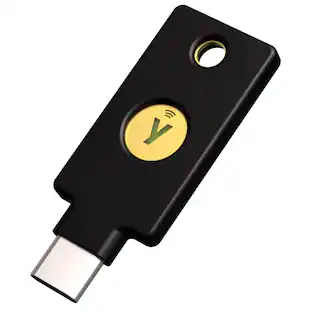
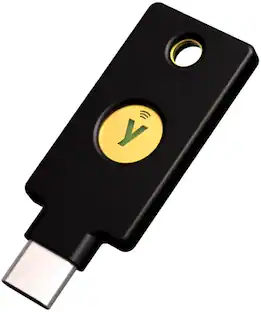
Yubico - Security Key C NFC - Two-Factor Authentication Security Key, Connect via USB-C or NFC, FIDO U2F/FIDO2 Certified - Black
4.7(41)

Meet the YubiKey by Yubico: the ultimate hardware security key for phishing-resistant multi-factor authentication (MFA). The YubiKey requires a physical touch to authenticate, eliminating the risk of remote attacks. The YubiKey functions by combining something you know (your password) with something you have (the physical YubiKey) to add an extra layer of security. The YubiKey can also store Passkeys, which replace passwords entirely. Most cyber attacks begin with compromised account credentials, usually stolen usernames and passwords. Using a security key as two-factor authentication offers a straightforward and effective approach to safeguarding your identity, accounts and devices. Embraced by leading global brands and millions of users worldwide, the YubiKey remains a trusted choice for enhanced security. For consumers: - The highest level of phishing defense, yet easy to use, the YubiKey is your key to trust. - Works out of the box with Google, Apple ID, Facebook, X, Dropbox, password managers, and hundreds of other services. - The YubiKey works across both desktop and mobile with touch or tap-and-go authentication using USB or NFC. - Eliminate the need to reach for your phone to open an app, or memorizing and typing in a code—simply touch the YubiKey to verify and you’re in. - YubiKeys reduce the risk of unauthorized access to online accounts, emails, financial transactions, and sensitive information. For businesses: - Defend against phishing and credential theft with highest-assurance authentication. - Enhance security for users across devices, including desktop and mobile. - YubiKey hardware security keys reduce cyber risks and keep your intellectual property, customer data and financial information safe. - Works out-of-the-box with enterprise systems like Google Workspace, Microsoft Entra ID, Identity Access Managers, password managers and hundreds of other services. - Supports multiple protocols, including Smartcard/PIV and FIDO2, allowing for modern phishing-resistant authentication with device-bound passkeys. *Note that Yubico recommends having a spare key
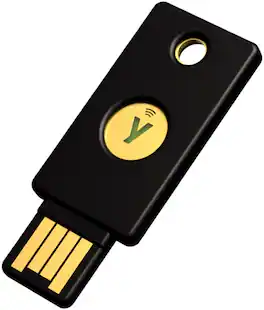
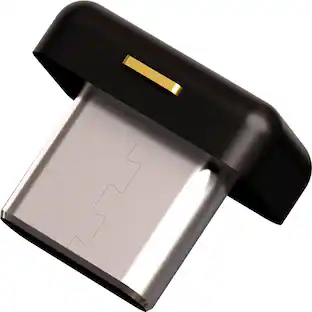
Yubico - YubiKey 5C NFC - Two-Factor authentication (2FA) Security Key, Connect via USB-C or NFC, FIDO Certified OnePack - Black

Meet the YubiKey by Yubico: the ultimate hardware security key for phishing-resistant multi-factor authentication (MFA). The YubiKey requires a physical touch to authenticate, eliminating the risk of remote attacks. The YubiKey functions by combining something you know (your password) with something you have (the physical YubiKey) to add an extra layer of security. The YubiKey can also store Passkeys, which replace passwords entirely. Most cyber attacks begin with compromised account credentials, usually stolen usernames and passwords. Using a security key as two-factor authentication offers a straightforward and effective approach to safeguarding your identity, accounts and devices. Embraced by leading global brands and millions of users worldwide, the YubiKey remains a trusted choice for enhanced security. For consumers: - The highest level of phishing defense, yet easy to use, the YubiKey is your key to trust. - Works out of the box with Google, Apple ID, Facebook, X, Dropbox, password managers, and hundreds of other services. - The YubiKey works across both desktop and mobile with touch or tap-and-go authentication using USB or NFC. - Eliminate the need to reach for your phone to open an app, or memorizing and typing in a code—simply touch the YubiKey to verify and you’re in. - YubiKeys reduce the risk of unauthorized access to online accounts, emails, financial transactions, and sensitive information. For businesses: - Defend against phishing and credential theft with highest-assurance authentication. - Enhance security for users across devices, including desktop and mobile. - YubiKey hardware security keys reduce cyber risks and keep your intellectual property, customer data and financial information safe. - Works out-of-the-box with enterprise systems like Google Workspace, Microsoft Entra ID, Identity Access Managers, password managers and hundreds of other services. - Supports multiple protocols, including Smartcard/PIV and FIDO2, allowing for modern phishing-resistant authentication with device-bound passkeys. *Note that Yubico recommends having a spare key

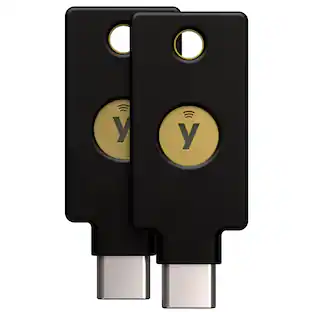
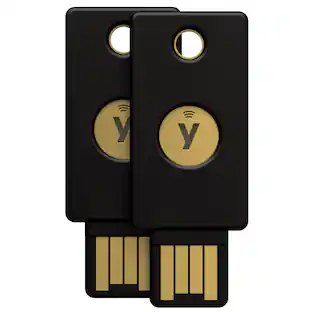
Yubico - YubiKey 5C NFC - Two-Factor authentication (2FA) Security Key, Connect via USB-C or NFC, FIDO Certified TwoPack - Black

Meet the YubiKey by Yubico: the ultimate hardware security key for phishing-resistant multi-factor authentication (MFA). The YubiKey requires a physical touch to authenticate, eliminating the risk of remote attacks. The YubiKey functions by combining something you know (your password) with something you have (the physical YubiKey) to add an extra layer of security. The YubiKey can also store Passkeys, which replace passwords entirely. Most cyber attacks begin with compromised account credentials, usually stolen usernames and passwords. Using a security key as two-factor authentication offers a straightforward and effective approach to safeguarding your identity, accounts and devices. Embraced by leading global brands and millions of users worldwide, the YubiKey remains a trusted choice for enhanced security. For consumers: - The highest level of phishing defense, yet easy to use, the YubiKey is your key to trust. - Works out of the box with Google, Apple ID, Facebook, X, Dropbox, password managers, and hundreds of other services. - The YubiKey works across both desktop and mobile with touch or tap-and-go authentication using USB or NFC. - Eliminate the need to reach for your phone to open an app, or memorizing and typing in a code—simply touch the YubiKey to verify and you’re in. - YubiKeys reduce the risk of unauthorized access to online accounts, emails, financial transactions, and sensitive information. For businesses: - Defend against phishing and credential theft with highest-assurance authentication. - Enhance security for users across devices, including desktop and mobile. - YubiKey hardware security keys reduce cyber risks and keep your intellectual property, customer data and financial information safe. - Works out-of-the-box with enterprise systems like Google Workspace, Microsoft Entra ID, Identity Access Managers, password managers and hundreds of other services. - Supports multiple protocols, including Smartcard/PIV and FIDO2, allowing for modern phishing-resistant authentication with device-bound passkeys. *Note that Yubico recommends having a spare key

Pros for Yubico - YubiKey 5 NFC - Two-Factor authentication (2FA) Security Key, Connect via USB-A or NFC, FIDO Certified One Pack - Black
Ease of Use, Security, Overall Performance, Connectivity, CompatibilityEase of Use, Overall Performance, SecurityOverall Performance, SecurityOverall Performance, Security

Specs

Questions & Answers
  • Is the security key compatible with both USB-A and NFC?

    This security key can connect via USB-A or NFC.

    This question and answer was generated by AI based on customer and product data.
  • How does the security key connect to a device?

    The security key can connect via a USB-A port or NFC.

    This question and answer was generated by AI based on customer and product data.
  • What are the dimensions of the security key?

    The product height is 0.14 inches.

    This question and answer was generated by AI based on customer and product data.
  • What is the warranty period for the security key?

    The YubiKey 5 NFC comes with a one-year limited warranty.

    This question and answer was generated by AI based on customer and product data.
  • What is the purpose of the security key?

    The YubiKey 5 NFC is a two-factor authentication security key.

    This question and answer was generated by AI based on customer and product data.
Ask a question
No content
Sponsored

Finance Options

My Best Buy® Credit Card
Buy Now, Pay Later

Finance Options

My Best Buy® Credit Card
Buy Now, Pay Later