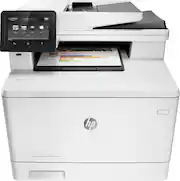
Rating 4.4 out of 5 stars with 233 reviews
4.4- Print Quality (118)
- Ease of use (34)
- Wireless (19)
- Scanning (15)
- Reliability (12)
- Paper Tray (4)
Customer Images
The vast majority of our reviews come from verified purchases. Reviews from customers may include My Best Buy members, employees, and Tech Insider Network members (as tagged). Select reviewers may receive discounted products, promotional considerations or entries into drawings for honest, helpful reviews.
- Rated 5 out of 5 stars
Great Choice
My venerable old color printer gave up the ghost suddenly one day and put me on the hunt for a new printer. I decided to upgrade to a laser printer for document longevity. I went to a major office supply store (30 miles away, but worth the trip) and asked for them to print a demo page from each of their laser printers. For models they didn't carry, I actually e-mailed the contact support for printers I was researching. Surprise! The manufacturers actually sent me test/demo pages (who says service is a dead art). In the end I went with color because, well, the world is a colorful place and so are the things I print. And finally we went with the HP M477fdw because it had the best feature set, great color output on the test pages, and I had just dropped in price to my "I'm willing to pay this..." range. EXCELLENT CHOICE! Easy to set up. Wireless config was extremely easy, although it requires 2.4GHz and doesn't support 5GHz (I had my 802.11n/ac router set for only 5Ghz "just because" and had to re-enable the 2.4Ghz net as well so I could use the printer). Wired ethernet was extremely simple, but who wants another wire to connect when the wireless is so great. Compatibility with Windows 7,8,10 is good with no hiccups. Compatibility with OS X 10.6, 10.9, and 10.10 is also good with no hiccups. iOS 8,9 work great as do Android 4 (Jellybean) through 4 (Lollipop). (Yeah, I have a "few" computers and devices - but then, I test and support a lot of stuff). The M477 is fast, quiet, and doesn't eat a lot of power most of the time because it enters a low power (according to my kill-a-watt box) mode when not printing. Prints are excellent, but a bit darker than your screen (the difference of RGB on the screen vs CMYK of the printer is noticeable). You can adjust for this by de-selecting HP Colorsmart when you print and specify an alternate (sRGB) or define your own color profile so the printer more closely matches your screen. But even if you don't the output is still outstanding. Scans to USB are useful, scan to e-mail is good if you keep the resolution to 300 dpi, otherwise the mail file is too large to send through many mail servers. Copies work great and are very quick. Yes the ADF scans and copies are limited to 300 dpi, while you can get 600dpi (optical) from the flatbed. This seems to be because of the fact that the ADF scans both sides of the document at the same side - halving the dpi (300dpi per side) to accommodate processor and/or memory capabilities in the printer. It is what it is, and it is adequate for all the "normal" tasks that use an ADF. OK, I really do love the printer and it works as advertised, and I'd recommend it to anyone looking for a great, decent priced color laser printer. BUT there is one annoying little glitch in its design that I didn't foresee. While it isn't a deal breaker, and I would have still bought the printer happily even knowing about the glitch, you'd think HP designers would have caught this one. The problem is the touchscreen. Actually it's just the location of the touchscreen. The touchscreen is just about 1 inch too far to the right on the printer. When copying from books or bound material the screen mount prevents you from putting the book up to the top edge of the flatbed platen. So, what you have to do is flatten the touchscreen pivot to as flat as it goes and drape the book/bound material over the touchscreen. Since even when the screen is "flat" it's higher than the flatbed platen, you end up having to bend up the book binding to go over it, which makes it just that more difficult to get the page you want properly registered for a good scan. (See the attached image) Still, a GREAT printer, better output than the competition I researched, easy to use with a variety of computers and devices. Now if it lasts it will be the "perfect" home/home-office printer.
Posted by osoriomedia
- Rated 5 out of 5 stars
Great Printer & Scanner
I chose to stay with Hp Laser-Jet all in one printers after years of owning an older M1522nf model which proved to be reliable and dependable. I am happy I did as this M477fdw model was super easy to set up, just opened the box, turned it on, and ready to go..even downloaded printer app to my smart phone which allows me to print wirelessly and remotely. Super easy to use and as a realtor the repetitive use for multi document printing, scanning, etc has been a lifesaver. I was originally concerned that printing ink cartridge replacement was pricey, but found replacement ink super cheap online from 3rd party. All in all great product, looking forward to another 5yrs of use.
Posted by RealEstateGuru
- Rated 5 out of 5 stars
Excellent All-In-One Printer
I purchased this as a replacement to a Xerox Phaser 6180 Laser Printer that I have had for over 10 years. While it was a great printer, this All-In-One is outstanding. I can tell from the printing, scanning and faxing that the technology of this type of product has greatly improved over my old Xerox - fast, quiet, and the toner cartridges are less expensive too!
Posted by Briant
- Rated 5 out of 5 stars
Excellent printer, performance wise
This is a replacement to my old HP Officejet Pro 8500 which was also very good, but do have to replaced its ink very often due to drying of ink of the cartridges and its printhead when not in use for a week or so. This HP Laserjet Pro MFP M477fdw Wireless Color All-In-One Printer - White, is the best. It is fast, print-color is comparable or excellent to any ink printers if you properly tweak the settings, could automatically do back-to-back printing/copying, reliable FAX functions, and also reliable for scanning use. The only thing noted is that NO CALLER ID (nothing on the Settings Menu to activate it either). So far, it is working fine, but hopefully, they don't use those brittle plastic parts which were noted on previous printer models. One Con comment is, it is expensive (the printer itself) along with its toner cartridges which are also expensive.
Posted by FerdieG
- Rated 2 out of 5 stars
Defective magenta printer cartridge
Although printer out of warranty I still have 80% on my magenta toner cartridge. It prints magenta dashes 7/8 inch apart all the way down the page. from researching online looks like the defect of magenta cartridge but HP will not help since printer out of warranty even though it is a cartridge issue and I have a total of 423 pages printed with this printer, does not get used much. I specifically paid more and got a laser printer so I would not have issues with drying Inc. so much for that idea now I'm wondering if it would even pay to purchase the more expensive original HP toner cartridges.
Posted by Bubba