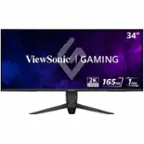
Samsung - 49" Odyssey 1000R Curved Dual QHD 240Hz 1ms FreeSync Gaming Monitor with HDR1000 (HDMI x2, DP, USB) - Black
Samsung - 49" Odyssey 1000R Curved Dual QHD 240Hz 1ms FreeSync Gaming Monitor with HDR1000 (HDMI x2, DP, USB) - Black
- Higround - Performance 65 65% Wired Hall-Effect Linear Dynamic Actuation Switch Rapid Trigger Gaming Keyboard with RGB Lighting - Black Ice$139.99The price was $164.99

More Buying Options
Related Item

Highlights
- Key Specs
- Refresh Rate: 240Hz (The number of frames per second the device can produce natively without enhancement. Higher rates help produce smooth, seamless pictures.)
- Maximum Resolution: 5120 x 1440 (Maximum resolution refers to the highest number of pixels that a screen can process and display. Higher resolution signals produce more detailed images.)
- Response Time: 1 milliseconds (The speed at which pixels can change colors is called response time. It is measured in milliseconds (ms).)
- Panel Type: VA (Technology that affects response time and image quality.)
- Synchronization Technology: FreeSync Premium Pro (AMD Adaptive Sync) (Generally, these technologies allow syncing between a computer/console game's frame rate and the device's refresh rate for a smoother display without tearing.)
- Screen Size: 49 inches (Size of the screen, measured diagonally from corner to corner.)
- Display Connector(s): 1 x DisplayPort 1.4, 2 x HDMI 2.1 (The number and type of connectors used to connect to an external display.)
- General
- Brand: Samsung
- Model Number: LS49CG954ENXZA
- Product Name: 49" Odyssey 1000R Curved Dual QHD 240Hz 1ms FreeSync Gaming Monitor with HDR1000 (HDMI x2, DP, USB)
- Color: Black
- Operating System Compatibility: Not Applicable
- Display
- Refresh Rate: 240Hz (The number of frames per second the device can produce natively without enhancement. Higher rates help produce smooth, seamless pictures.)
- Maximum Resolution: 5120 x 1440 (Maximum resolution refers to the highest number of pixels that a screen can process and display. Higher resolution signals produce more detailed images.)
- Native Resolution: 5120 x 1440 (Native resolution of a screen refers to its single, fixed resolution. Sometimes screens must scale an image up or down in order to fit the native resolution. This can cause a loss of resolution or detail.)
- Contrast Ratio: 2500:1 (Measured difference between a displayed image's brightest whites and darkest blacks. The larger the first number, the more detail and color that can be displayed.)
- Response Time: 1 milliseconds (The speed at which pixels can change colors is called response time. It is measured in milliseconds (ms).)
- Display Type: LED
- Panel Type: VA (Technology that affects response time and image quality.)
- Synchronization Technology: FreeSync Premium Pro (AMD Adaptive Sync) (Generally, these technologies allow syncing between a computer/console game's frame rate and the device's refresh rate for a smoother display without tearing.)
- Aspect Ratio: 32:9 (The measurement of the width of a screen compared to the height of a screen, expressed as a ratio.)
- Curved Screen: true
- Brightness: 450 candela per square meter (A measure of the total light output.)
- Screen Size: 49 inches (Size of the screen, measured diagonally from corner to corner.)
- High Dynamic Range (HDR): true (An HDR-compatible 4K TV or other HDR-compatible product displays HDR video content when it's available from sources like 4K Ultra HD Blu-ray Discs and 4K streaming services.)
- High Dynamic Range Format: HDR 10+, VESA Certified DisplayHDR 1000 (There are a few HDR formats that tell the TV or other HDR-compatible product how to best utilize its capabilities to display HDR content. HDR technology can support one or multiple formats, each with various benefits to picture quality.)
- Horizontal Viewing Angle: 178 degrees (The maximum angle at which the display can be viewed with acceptable visual performance from either side.)
- Vertical Viewing Angle: 178 degrees (The maximum angle at which the display can be viewed with acceptable visual performance from above or below.)
- Touch Screen: false (Touch-screen devices make navigating more intuitive. Using a touch-screen display, you can do things such as tap to select, hold and drag to move items, swipe to scroll, and pinch to zoom.)
- Display Surface: Standard glass
- Connectivity
- Number of DisplayPort Inputs (Total): 1
- Number of HDMI Inputs (Total): 2
- Number of VGA Ports: 0 (VGA (Video Graphics Adapter or Video Graphics Array) is a display standard that transmits via analog signals. This type of interface is typically used to connect a computer to a display device such as a monitor, projector, or TV.)
- Number of DVI Inputs: 0 (The number of digital cables carrying analog (VGA) video signals that can be connected to the product.)
- Number of Mini DisplayPort Inputs: 0
- Number of Thunderbolt Ports (Total): 0
- Display Connector(s): 1 x DisplayPort 1.4, 2 x HDMI 2.1 (The number and type of connectors used to connect to an external display.)
- Number of USB Ports (Total): 2
- USB Ports: 2 x USB-A 3.0 (The number and type of USB ports the product has.)
- Headphone Jack: true (The device features an interface that allows for the connection of headphones.)
- Compatibility
- Wall Mountable: true (The product is able to be secured to a wall. Some products are designed ready to mount, while others may require additional hardware/accessories for installation.)
- VESA Wall Mount Standard: 100mm x 100mm (VESA wall mount standards refer to the spacing of screw holes built into a TV in order to fit with standard TV wall mounts. These standards are implemented into most TVs and monitors.)
- Voice Assistant Built-in: No (A digital assistant built into the device that uses voice commands to answer questions and control smart devices.)
- Features
- Tiltable: true
- Adjustable Stand Height: true
- Anti-Glare: false (Product has features, such as a matte finish, that reduce the likelihood for screen glare.)
- Eye Relief Features: Flicker free, Low blue light
- Built-In Webcam: false
- Integrated Speaker(s): false
- Dimensions
- Product Height With Stand: 22.4 inches
- Product Height Without Stand: 14.3 inches
- Product Width: 45.2 inches (The out of box width of the item. Width is measured as the horizontal distance from one side of the item to the other as it would be primarily used or placed.)
- Product Depth (With Stand): 16.6 inches
- Product Depth Without Stand: 11.6 inches
- Product Weight: 34.4 pounds (The out of box weight of the item.)
- Stand Included: true
- Cord Length: 59.05 inches
- Power
- Power Consumption: 180 watts
- Certifications Listings & Approvals
- ENERGY STAR Certified: false (Devices carrying the ENERGY STAR service mark, such as computer products and peripherals, kitchen appliances, and other products, generally use 20% to 30% less energy than required by federal standards.)
- EPEAT Qualified: false (The Electronic Product Environmental Assessment Tool (EPEAT) was designed to provide an environmental assessment tool for purchasers. In order to qualify for EPEAT, a product must meet all 23 required criteria.)
- Warranty
- Warranty - Parts: 1 year
- Warranty - Labor: 1 year
- Other
- UPC: 887276792156
Experience immersive epic play with the G95C Odyssey Monitor, featuring a 49" screen with 1000R curve and Dual QHD resolution for full peripheral vision with maximum detail. 240Hz refresh rate, 1ms(GtG)* and AMD FreeSync Premium Pro give you a competitive edge with hyper-fast action. VESA DisplayHDR 1000 brings nit peak brightness and 1,000,000:1 contrast ratio for intensified color and depth. CoreSync & CoreLighting+ enhance the space around your screen with amazing color. Ergonomic stand enables you to swivel, tilt, and adjust height to find your winning position. Picture-by-Picture and Picture-in-Picture offer versatility, while AutoSource Switch+ gets you to your gaming action faster. Adaptive Picture and Eye Saver Mode minimizes eye strain, day or night
- 1000R Curved Screen with Dual QHD Resolution: Experience the next level of heart pounding gaming with vivid scenes wrapped deeply around your field of view.
- 240Hz & 1ms(GtG): Conquer every enemy with extreme speed. A 240Hz refresh rate eliminates lag for ultra smooth action. 1ms(GtG)¹ response time allows for blur-free frames and minimized ghosting, enabling you to game with precision like never before.
- VESA DisplayHDR 1000: See every detail in all its glory. From gloomy shadows to sun-scorched scenes, 1000 nit peak brightness and 1,000,000:1 contrast ratio enable enhanced color expression and depth. Get a competitive edge by spotting enemies trying to hide in dark corners
- AMD FreeSync Premium Pro: Hyper fast action made seamless. Complex and fast-moving game scenes are projected smoothly and stutter free with AMD FreeSync Premium Pro to power your competitive edge.
- CoreSync & Core Lighting+: Enhance the space around your screen. With CoreSync technology, a game's on-screen colors are projected into your real world to further immerse you into the setting. With new Core Lighting+, add amazing color to your setup for an instant vibe shift.
- Ergonomic Stand: Find your winning position. Swivel, tilt, and adjust the height until you're set up for victory. With Hexa stand and fully compatible VESA standard monitor arms, the screen can be moved effortlessly to your ideal position
- Picture-by-Picture: Game, watch, chat—all at the same time. With PBP, view video, picture, or data from two sources simultaneously in their native resolution. Use PIP to resize the second source to up to 25% of the screen.
- Auto Source Switch+: With Auto Source Switch+, your monitor detects when connected devices are turned on and instantly switches to the new source signal. This helps you get to your game action faster without flipping through multiple input sources.
- Eye Saver Mode & Less Screen Flickering: Care for your eyes and stay comfortable, even during long sessions. Advanced eye comfort technology certified by TÜV reduces eye strain by minimizing blue light and reducing irritating screen flicker.
- Adaptive Picture: Sensational picture, day or night. With Adaptive Picture, a sensor detects surrounding light and adjusts brightness automatically. Watch dark, gritty dramas without straining your eyes to see the picture, even in broad daylight.
- 1000R Curved Screen with Dual QHD Resolution: Experience the next level of heart pounding gaming with vivid scenes wrapped deeply around your field of view.
- 240Hz & 1ms(GtG): Conquer every enemy with extreme speed. A 240Hz refresh rate eliminates lag for ultra smooth action. 1ms(GtG)¹ response time allows for blur-free frames and minimized ghosting, enabling you to game with precision like never before.
- VESA DisplayHDR 1000: See every detail in all its glory. From gloomy shadows to sun-scorched scenes, 1000 nit peak brightness and 1,000,000:1 contrast ratio enable enhanced color expression and depth. Get a competitive edge by spotting enemies trying to hide in dark corners
- AMD FreeSync Premium Pro: Hyper fast action made seamless. Complex and fast-moving game scenes are projected smoothly and stutter free with AMD FreeSync Premium Pro to power your competitive edge.
- CoreSync & Core Lighting+: Enhance the space around your screen. With CoreSync technology, a game's on-screen colors are projected into your real world to further immerse you into the setting. With new Core Lighting+, add amazing color to your setup for an instant vibe shift.
- Ergonomic Stand: Find your winning position. Swivel, tilt, and adjust the height until you're set up for victory. With Hexa stand and fully compatible VESA standard monitor arms, the screen can be moved effortlessly to your ideal position
- Picture-by-Picture: Game, watch, chat—all at the same time. With PBP, view video, picture, or data from two sources simultaneously in their native resolution. Use PIP to resize the second source to up to 25% of the screen.
- Auto Source Switch+: With Auto Source Switch+, your monitor detects when connected devices are turned on and instantly switches to the new source signal. This helps you get to your game action faster without flipping through multiple input sources.
- Eye Saver Mode & Less Screen Flickering: Care for your eyes and stay comfortable, even during long sessions. Advanced eye comfort technology certified by TÜV reduces eye strain by minimizing blue light and reducing irritating screen flicker.
- Adaptive Picture: Sensational picture, day or night. With Adaptive Picture, a sensor detects surrounding light and adjusts brightness automatically. Watch dark, gritty dramas without straining your eyes to see the picture, even in broad daylight.
- 1000R Curved Screen with Dual QHD Resolution: Experience the next level of heart pounding gaming with vivid scenes wrapped deeply around your field of view.
- 240Hz & 1ms(GtG): Conquer every enemy with extreme speed. A 240Hz refresh rate eliminates lag for ultra smooth action. 1ms(GtG)¹ response time allows for blur-free frames and minimized ghosting, enabling you to game with precision like never before.
- VESA DisplayHDR 1000: See every detail in all its glory. From gloomy shadows to sun-scorched scenes, 1000 nit peak brightness and 1,000,000:1 contrast ratio enable enhanced color expression and depth. Get a competitive edge by spotting enemies trying to hide in dark corners
- AMD FreeSync Premium Pro: Hyper fast action made seamless. Complex and fast-moving game scenes are projected smoothly and stutter free with AMD FreeSync Premium Pro to power your competitive edge.
- CoreSync & Core Lighting+: Enhance the space around your screen. With CoreSync technology, a game's on-screen colors are projected into your real world to further immerse you into the setting. With new Core Lighting+, add amazing color to your setup for an instant vibe shift.
- Ergonomic Stand: Find your winning position. Swivel, tilt, and adjust the height until you're set up for victory. With Hexa stand and fully compatible VESA standard monitor arms, the screen can be moved effortlessly to your ideal position
- Picture-by-Picture: Game, watch, chat—all at the same time. With PBP, view video, picture, or data from two sources simultaneously in their native resolution. Use PIP to resize the second source to up to 25% of the screen.
- Auto Source Switch+: With Auto Source Switch+, your monitor detects when connected devices are turned on and instantly switches to the new source signal. This helps you get to your game action faster without flipping through multiple input sources.
- Eye Saver Mode & Less Screen Flickering: Care for your eyes and stay comfortable, even during long sessions. Advanced eye comfort technology certified by TÜV reduces eye strain by minimizing blue light and reducing irritating screen flicker.
- Adaptive Picture: Sensational picture, day or night. With Adaptive Picture, a sensor detects surrounding light and adjusts brightness automatically. Watch dark, gritty dramas without straining your eyes to see the picture, even in broad daylight.
Whats Included
- HDMI Cable
- DP Cable
- USB 3.0 Cable
- HDMI Cable
- DP Cable
- USB 3.0 Cable
- HDMI Cable
- DP Cable
- USB 3.0 Cable
Q: What is the benefit of the Eye Saver Mode?
A: Eye Saver Mode reduces eye strain by minimizing blue light and reducing screen flicker, making it more comfortable for extended use.
Q: Can I adjust the height of the monitor stand?
A: Yes, the monitor stand allows for height adjustment to find your ideal viewing position.
Q: How does the Adaptive Picture feature work on this monitor?
A: Adaptive Picture uses a sensor to detect surrounding light and automatically adjusts the monitor's brightness for optimal viewing.
Q: What is the response time of this monitor?
A: This monitor has a response time of 1ms(GtG).
Q: What is the peak brightness of this monitor?
A: This monitor has a peak brightness of 1000 nits.
Q: Can I use this monitor with AMD FreeSync?
A: Yes, this monitor supports AMD FreeSync Premium Pro for a smoother, tear-free gaming experience.
Q: Does this monitor have a built-in camera?
A: No, this monitor does not have a built-in webcam.
Q: can you split the screen into 4 separate files
A: Yes you can. You will need POWERTOYS. With that you can make as many sections and sizes you want with the snap features. That download will work with pretty much any monitor.
Compare similar products
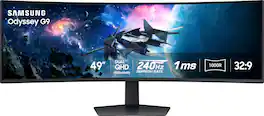
Experience immersive epic play with the G95C Odyssey Monitor, featuring a 49" screen with 1000R curve and Dual QHD resolution for full peripheral vision with maximum detail. 240Hz refresh rate, 1ms(GtG)* and AMD FreeSync Premium Pro give you a competitive edge with hyper-fast action. VESA DisplayHDR 1000 brings nit peak brightness and 1,000,000:1 contrast ratio for intensified color and depth. CoreSync & CoreLighting+ enhance the space around your screen with amazing color. Ergonomic stand enables you to swivel, tilt, and adjust height to find your winning position. Picture-by-Picture and Picture-in-Picture offer versatility, while AutoSource Switch+ gets you to your gaming action faster. Adaptive Picture and Eye Saver Mode minimizes eye strain, day or night
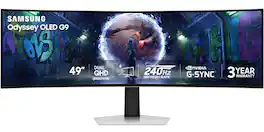
Samsung’s 49" Odyssey OLED G9 Dual QHD Curved Gaming Monitor takes gaming to new heights. Content springs to life with a wider color spectrum and vibrant images on a 5120 x 1440 resolution screen. OLED technology delivers near instant reaction time with 0.03ms (GtG) and a 240Hz refresh rate. G-Sync compatibility keeps the GPU and panel in perfect sync, which reduces choppiness, screen lag, and image tearing. The wide 32:9 screen in Dual QHD resolution and 110 PPI provides an unparalleled level of clarity. OLED Glare Free technology significantly reduces glare from external sources for a distraction-free presentation. OLED Safeguard automatically adjusts brightness, reduces heat, and dims during breaks. Deep Black Levels depict truer black and dark colors on screen for supreme depth in every game. The ergonomic height-adjustable stand with tilting enables the ideal angles during game play. HDMI 2.1, Micro HDMI, DisplayPort, USB-C Upstream and Downstream ports provide increased flexibility and reduce cable clutter. CoreSync & Core Lighting+ add color and enhance the screen’s surroundings for an immersive experience. Picture-in-Picture and Picture-by-Picture makes multitasking easy and efficient. 3-Year Warranty.
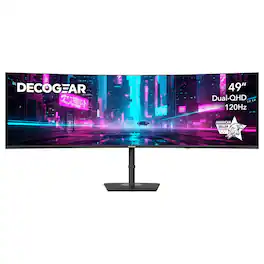
The Deco Gear 49” Curved Dual-QHD DGVIEW495K Monitor transforms any setup with an immersive 32:9 ultrawide display that delivers the clarity of two monitors in one seamless view. A fast 120Hz refresh rate, 1ms response, HDR capability, and 1500R curvature make every task - gaming, creative work, or everyday productivity - feel fluid and engaging. USB-C 65W power delivery and built-in KVM simplify your workspace, while PIP/PBP modes allow multiple devices or windows to display simultaneously. Adjustable ergonomics and 100% sRGB color make the DGVIEW495K a complete high-performance solution for modern work and play.
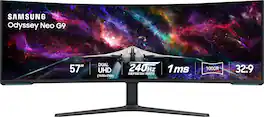
Elevate your game with the world's first Dual UHD Monitor – Samsung's 57" Neo G9 Curved Gaming Monitor. Features 57" screen size, 1000R curve with Quantum Matrix Technology powered by Quantum Mini LEDs for astounding levels of visual accuracy and unparalleled definition. 240Hz Refresh Rate, 1ms GTG response time and FreeSync Premium Pro, for stutter-free, hyper-fast action with all new DisplayPort 2.1. Display HDR 1000 with 1,000 nit peak brightness and 1,000,000:1 contrast ratio for enhanced color expression and depth. Cutting-edge design with CoreSync & Core Lighting+, ergonomic stand, and a multitude of convenient input options provide instant access to the game action.
| Pros for Samsung - 49" Odyssey 1000R Curved Dual QHD 240Hz 1ms FreeSync Gaming Monitor with HDR1000 (HDMI x2, DP, USB) - Black | |||
|---|---|---|---|
| Screen Size, Overall Performance, Refresh Rate, Resolution, Gaming | Screen Size, Overall Performance, Refresh Rate, Resolution, OLED Quality | Screen Size, Setup Ease | Screen Size, Overall Performance, Resolution, Refresh Rate, Immersion |
| Cons for Samsung - 49" Odyssey 1000R Curved Dual QHD 240Hz 1ms FreeSync Gaming Monitor with HDR1000 (HDMI x2, DP, USB) - Black | |||
| There were no cons for this product— | Speakers, Port Selection | There were no cons for this product— | Speakers, Dead Pixels, Noise Level, Viewing Angle, Blooming |
Specs
Reviews
Customers are saying
Customers consistently note the 49" Odyssey monitor's awesome screen size and overall performance. Many find the refresh rate and resolution excellent, while others appreciate the HDR and immersive curvature. Gamers find the monitor amazing, and overall, customers express their love for it.
Customer Images
The vast majority of our reviews come from verified purchases. Reviews from customers may include My Best Buy members, employees, and Tech Insider Network members (as tagged). Select reviewers may receive discounted products, promotional considerations or entries into drawings for honest, helpful reviews.
- Rated 5 out of 5 stars
Amazing Monitor
It has been an amazing purchase. I actually caught it on sale it it's a lot of bang for the money spent. Easy to set up! Picture color and quality is amazing and it fits my desk jus right. It replaced two 24" monitors. I'd highly recommend this product!
85inchesofhappiness Posted
- Rated 5 out of 5 stars
One of BestBuy’s Best Curved Monitors
This monitor is the best thing I could’ve done to add to my trading setup. I can literally see entire charts of stocks across the whole screen, from when the stock IPO’ed to present. It’s amazing! This would be great for gaming especially donating racing/flying. I would highly recommend this monitor to any of my friends. The only thing is, and it’s probably because of my own ignorance, and did not correctly change a necessary setting. But other than that I absolutely love it and it’s worth every penny.
RaxksOnRaxks Posted
- Rated 4 out of 5 stars
Great response time, good color, does have a flaw
So the 244hz is a massive win for this monitor. Im a big Kingdom hearts fan and the PC version supports the Frame rate, i was able to go back into my copy of KH3 and jump into the data battles on critical mode and I could easily follow the wild teleporting and back and forth shenanigans they pull in those fights. Sounds like a weird way to write the review for this but if you havent olayed those battles, try watching someone online fight them, its wild. That being said, the frame rate is definitely its biggest draw. Its HDR is good, it has an immediate, noticable boost in color. Darker colors benefit most from this, purple is a mixed bag, dark purple is good, light purple feels off. Overall im happy with the HDR quality. One thing that kills me though is it does have noticable scan lines. Once you really start using it you dont notice them. But theyre there. Its something monitors this size just seems to have. Be aware of that if you purchase it.
Douglasfresh Posted