Eve - Light Switch (AMR) - White
Related Item

About This Item
- General
- Brand: Eve
- Model Number: 10ECE4151
- Product Name: Light Switch (AMR)
- Color: White
- Power
- Voltage: 120 volts (Amount of power needed to support an electrical current.)
- Number Of Switches: 1
- Dimensions
- Product Height: 3 inches (The out of box height of the item. Height is measured as the vertical distance from the bottom of the item to the top as it would be primarily used or placed.)
- Product Width: 0 inches (The out of box width of the item. Width is measured as the horizontal distance from one side of the item to the other as it would be primarily used or placed.)
- Product Length: 6.8 inches (The out of box length of the item. Length is measured as the longest dimension of the item.)
- Product Weight: 0.8 pounds (The out of box weight of the item.)
- Warranty
- Warranty - Parts: Limted Warranty
- Warranty - Labor: Limted Warranty
- Other
- UPC: 813180021020
Enjoy the convenience of connected lighting without replacing a single bulb in your home. Turn your lights on or off via app or Siri, or effortlessly set up schedules that put your lights on autopilot, turning them on and off independently of your iPhone or internet connection.
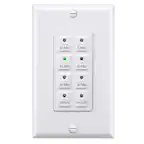
- Tap, talk, or touch to control.: Tap your iPhone or ask Siri to turn on your lights. Or press Eve Light Switch the same way you’d press a regular switch.
- Put your lights on autopilot.: Set schedules and have your lights function automatically. On at sunset, off at bedtime, or whichever times complement your calendar.
- Switch up your options.: Add a home hub to your home, and use automations to have your HomeKit accessories work in unison with Eve Light Switch any which way you want.
- Rule your home.: Control several accessories at the flick of your Eve Light Switch. Combine your ceiling light with Eve Light Strip and hook up your floor lamps to Eve Energy, and turn them all on or off in one go.
- Automate to mitigate.: Seamlessly connect your HomeKit-enabled accessories using automations.
- Illuminate by presence.: Have all your lights turn off automatically once everyone’s left home. And have them turn on again automatically as soon as you arrive at your abode. It makes life a whole lot easier – and cuts your electricity bill.
- Switch on the go.: Heading out of town? No worries. You can control Eve Light Switch anytime, anywhere via your home hub – HomePod mini or Apple TV – and do so without compromising your data privacy.
- Transform any lighting.: Thanks to an external input, Eve Light Switch also accepts commands from regular light switches, like switches used in an existing alternating or cross-connection.
- Make it yours.: Do you want to use your existing single or multi-switch frames? No problem. Simply use Eve Light Switch
Whats Included
- Light Switch (AMR)
Product Manuals
Q: What is the autopilot feature of the Eve Light Switch?
A: The autopilot feature allows you to set schedules for your lights to turn on and off automatically, independent of your iPhone or internet connection.
Q: How can I control the Eve Light Switch when I am away from home?
A: You can control the Eve Light Switch remotely using your home hub, such as a HomePod mini or Apple TV.
Q: What is the voltage requirement for the Eve Light Switch?
A: The Eve Light Switch requires 120 volts.
Q: Can I use my existing light switch frames with the Eve Light Switch?
A: Yes, the Eve Light Switch is compatible with single or multi-switch frames.
Q: Can the Eve Light Switch be controlled with voice commands?
A: Yes, you can control the Eve Light Switch using Siri voice commands.
Q: Does the Eve Light Switch allow me to control multiple lights at once?
A: Yes, you can control multiple accessories with a single Eve Light Switch, such as combining your ceiling light, Eve Light Strip, and floor lamps connected to Eve Energy.
Q: Does the Eve Light Switch work with other HomeKit devices?
A: Yes, you can connect Eve Light Switch to other HomeKit-enabled accessories for seamless automation.
Reviews
Customer Images
The vast majority of our reviews come from verified purchases. Reviews from customers may include My Best Buy members, employees, and Tech Insider Network members (as tagged). Select reviewers may receive discounted products, promotional considerations or entries into drawings for honest, helpful reviews.
Compare similar products
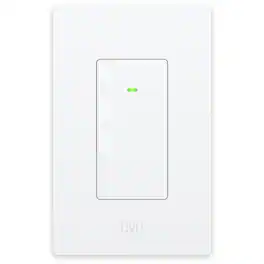
Enjoy the convenience of connected lighting without replacing a single bulb in your home. Turn your lights on or off via app or Siri, or effortlessly set up schedules that put your lights on autopilot, turning them on and off independently of your iPhone or internet connection.

Control your lights your way with Nanoleaf’s innovative Sense+ Smart Wireless “Anywhere” Switch. Our exclusive Litewave technology allows you to control your Nanoleaf lights instantaneously without any hardwiring needed! Put these smart wireless switches EVERYWHERE you want—like by your bedside or desk, in the kitchen, living room, hallway or bathroom for an extra point of control for your smart lights in addition to the Nanoleaf app, or your smart home ecosystem.
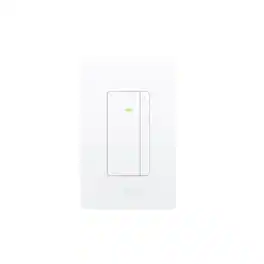
Enjoy the convenience of connected lighting without replacing a single bulb. Control your lights using your voice or an app, automate them based on time or presence and dim to create the perfect ambience. Easily adjust your lighting to the perfect brightness – from waking up to winding down: bright for your morning routine, dimmed for a cozy dinner, or subtly glowing for bedtime. And for maximum comfort, control multiple connected devices like ceiling lights, smart blinds and floor lamps in sync – with a tap on Eve Dimmer Switch or your preferred app.

Upgrade or replace your current switches with TP-Link Tapo Matter-Certified Smart Switches. Works in most homes with a neutral (white colored) wire for simple installation. TS15 offers a seamless way to control your home ambience across all major smart home platforms. With easy installation, voice control capabilities, and remote monitoring, it provides convenience and flexibility in managing your lighting preferences.
| Pros for Eve - Light Switch (AMR) - White | |||
|---|---|---|---|
| There were no pros for this product— | There were no pros for this product— | There were no pros for this product— | Ease of use, Installation, Quality, Compatibility, Connectivity |