Skip to contentGo to Product Search
Main Content

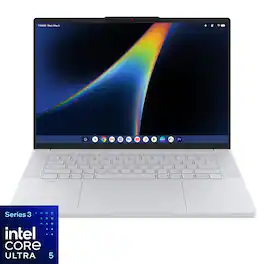
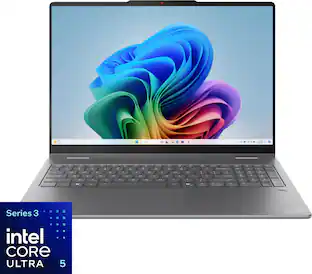
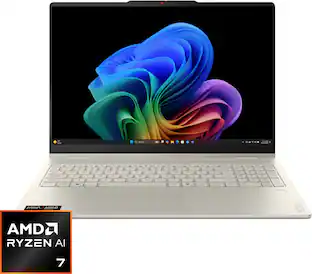
Lenovo - Googlebook 15.3" 3K 120Hz OLED Touchscreen Laptop - Intel Core Ultra 5 Processor 325 2026 - 16GB Memory - 512GB Storage - Cloud Grey

Model: 83W6000EUS
SKU: 6687176
Sold byBest Buy

About this product

Smarter productivity, built right in. Built for modern lifestyles, Lenovo Googlebook 15 combines premium design with built-in Gemini Intelligence to help you stay organized, productive, and connected throughout the day. Seamlessly in sync with your Android phone, so you can switch tasks easily and access apps & files from your phone right from your laptop. The responsive haptic touchpad delivers a more intuitive experience, while the stunning OLED display and immersive quad-speaker system with Dolby Atmos bring creativity and entertainment to life. Whether you're tackling tasks, exploring ideas, or relaxing with your favorite content, this Googlebook is designed to feel less like a device and more like a natural extension of your everyday life.

See it in-store: Roseville has a demo model on display.

Highlights

Features

  • Perfect partner to your Android phone

    Lenovo Googlebook 15 and your Android phone are in total sync, keeping you in your flow¹. Switch between the two seamlessly and access phone apps and files without laptop installs or transfers.

  • Designed for Gemini Intelligence

    The best of Gemini meets a whole new kind of laptop, supercharged to turn your ideas into action in seconds. From instantly adding dates to your calendar with Magic Pointer² to capturing filler-free thoughts with Rambler³.

  • See every detail. Feel every moment.

    A stunning 15.3" 3K OLED display and immersive Dolby Atmos speakers transform everyday viewing into a cinematic experience. Whether you're binge-watching, video calling, or creating, everything looks richer, sharper, and more vibrant.

  • Battery that keeps up with your life.

    Designed for modern multitasking, Lenovo Googlebook 15 combines smooth everyday performance powered by Intel® Core™ Ultra 5 with built-in Gemini Intelligence to simplify your routine. Jump between work, entertainment, and creativity with ease, with 12.5 hours of battery life⁴ that lets you stay focused on one charge. More flow, less friction.

  • A smoother way to interact.

    Every interaction feels more intuitive with the iconic Glowbar and aluminium chassis. Designed for precision and comfort, the large haptic touchpad responds with subtle tactile feedback that makes navigation feel smoother and more refined. Whether you’re editing, multitasking, or casually browsing, Lenovo Googlebook 15 makes everyday computing feel effortlessly premium.

  • Light to carry. Ready for anything.

    Built for life on the move, Lenovo Googlebook 15 combines an ultra-slim design with durable construction. Whether traveling or commuting, it slips effortlessly into your daily routine to give you the performance you need for everyday tasks, wherever you go.

  • Google AI Pro at no cost

    Get one year of Google AI Pro with expanded access to Gemini, Nano Banana, 5TB of cloud storage and more, at no cost⁵. Worth $239.38.

  • A world of apps and games

    Unlock millions of apps with Google Play, plus games ranging from mobile faves to PC heavyweights⁶.

  • Security built-in

    Powered by the Titan C security chip, Lenovo Googlebook 15 is designed with multi-grade security that keeps viruses out and even the most advanced hackers away.

  • See every detail. Feel every moment.

    A stunning 15.3" 3K OLED display with HDR 1000 True Black and 100% DCI-P3 color delivers deeper blacks and vivid color, transforming everyday viewing into a cinematic experience. Whether you're binge-watching, video calling, or creating, everything looks richer, sharper, and more vibrant.

Specifications

  • Screen Size
    15.3 inches
    Screen Resolution
    2880 x 1800
    Touch Screen
    Yes
    Refresh Rate
    120Hz
    Brightness
    500 nits
Sponsored

Reviews

Customer Images

The vast majority of our reviews come from verified purchases. Reviews from customers may include My Best Buy members, employees, and Tech Insider Network members (as tagged). Select reviewers may receive discounted products, promotional considerations or entries into drawings for honest, helpful reviews.
  • Rated 5 out of 5 stars

    Amazing hardware, beta software, but still a buy!

    I've been using the Lenovo Googlebook 15 for about five days now, and I have to say, this is probably the nicest hardware I've used on a Google-based laptop. It's not a Chromebook, but I think Chromebook users are exactly the kind of people who are going to appreciate what Google is trying to do here. The hardware is absolutely gorgeous, but man, Google has some work to do on the software side. First off, as far as the hardware goes, the laptop is a stunner. The Cloud Grey finish is awesome, and it's ridiculously light for a 15-inch laptop. The finish has this really smooth matte feel to it, and while it doesn't quite feel like the aluminum on a MacBook Air, it definitely doesn't feel cheap or plasticky either. I've mostly been using it at my desk but I'm actually excited to take this thing on the road because of how light it is. The keyboard is good, although the keys are a little smaller than I'd like. Took me a little bit to adjust but nothing major. The trackpad though? Holy crap. It's huge, responsive, and easily one of the best I've ever used on a laptop. Seriously, it's that good. And the screen. Wow. The 3K OLED display is just beautiful. Everything is incredibly sharp, especially text, which sounds like a weird thing to get excited about but it's one of the first things I noticed. I've been keeping the brightness around 80% and that's plenty for indoor use. It's not one of those displays where turning it up to 100% feels like it's going to burn your eyes out, but it's plenty bright. I haven’t used it in sunlight yet, so I do have some concerns that the 500 nits might limit where you can use it. I’m also not normally a big touchscreen user because I hate getting fingerprints all over my screen, but for some reason I've been using this one quite a bit. And the anti-fingerprint coating seems to actually work because I'm not seeing nearly as many smudges as I'd expect. Performance has been great. Most of my work flow has been in Chrome and I've had plenty of. tabs open, bounced between apps and haven't noticed any slowdown whatsoever. The Core Ultra 5 and 16GB of RAM seem like more than enough for what I'm doing, although I'm not exactly pushing this thing to its limits. I've also been playing games through the free GeForce NOW trial and that's worked really well, but obviously the heavy lifting is being done in the cloud, not on the laptop itself. One thing that surprised me was the speakers. I've been listening to music while working and my normal mix sounds really good. Full, clear, and much better than I'd expect from something this thin. Gaming sounds great too. No, it's not going to replace a good set of speakers but for a laptop this light, I'm impressed. Now let's talk about Googlebook OS because this is where things get interesting. It's Android. I mean, there's really no other way to describe it. It's Android dressed up for a laptop, right down to the control panel and the way apps behave. Coming from a Chromebook, the experience is pretty familiar and all the Google stuff works great. Chrome, Docs, Sheets, Drive, no issues at all. If that's primarily what you use your computer for, you're going to be happy. But the Android apps? Good lord. Google has these different classifications in the Play Store telling you whether an app is made for desktop, optimized for desktop, compatible with desktop, etc. Sounds great in theory, but in practice some of those labels are a joke. Take Microsoft Outlook. It's supposedly optimized for desktop, but trying to edit an email is maddening. Instead of being able to highlight text normally with the trackpad, it brings up those stupid little Android selection handles like you're typing on your phone. Excel has similar issues. I have this beautiful 15-inch display, a fantastic keyboard and probably the best trackpad I've used in years, and I'm sitting here tapping on the screen just to select a few cells? Come on. I was also pretty excited to play Call of Duty Mobile since I play it on my Android tablets all the time. Nope. Doesn't work. I'm not sure if that's an Intel processor compatibility thing or what, but it's disappointing. And that's my biggest frustration with this laptop. You have all these Android apps available, but so many of them still behave like phone apps even when Google says they're optimized for desktop. It really shows how fragmented the Android ecosystem still is. Hopefully developers get on board because right now this part of the experience feels half-baked. The Pixel phone integration is pretty cool though. Setup was a little more involved than I expected, with QR codes and messing around in settings, but once it's connected it works quickly. Being able to open something like my banking app or a travel booking app without having to log into everything again is actually pretty handy. It's not quite as seamless as Apple's setup process, but it works. A couple of little things worth mentioning. The webcam is fine, nothing special, but the little privacy slider is chintzy. It feels like I'm going to accidentally slide it right out of the laptop, and half the time I can't even tell if it's open or closed. Weirdly cheap feeling on an otherwise premium piece of hardware. Battery life is something I'm still figuring out. I haven't run it down to zero yet, but I did notice it dropped from 100% to 78% after about 15 minutes of cloud gaming and some light browsing. That seems like a pretty quick drop to me, although I haven't used it long enough to make a real judgment there. At least it stays cool and quiet. I haven't noticed any heat or fan noise so far. So why am I giving it five stars? Because if you've been using Chromebooks for years and are tired of feeling like you're playing with a toy, this thing is a huge step in the right direction. Lenovo absolutely nailed the hardware. It's beautiful, lightweight, fast, and the screen and trackpad are fantastic. But I wouldn't buy this expecting everything to work perfectly today. The Google apps are great, but third-party Android app compatibility needs a LOT of work. And honestly, the whole experience feels a little like Google released a beta version and decided to let the rest of us figure out what works.

    Posted by Farns

  • Rated 5 out of 5 stars

    The lightweight that hits like a heavyweight!

    The new Lenovo Googlebook 15.3" 3K 120Hz OLED Touchscreen Laptop features at the heart of its technology, Google's A.I. and its excellent screen which uses OLED technology. OLED stands for Organic Light Emitting Diodes. I am a retired Electronics Technician with 39 years of experience and as such I will explain some features and acronyms to help show you how they benefit this Lenovo and you, the user. Superior Image Quality - Deep Blacks: OLED displays can turn off individual pixels, resulting in true black levels. Vibrant Colors: The technology supports a wider color range, providing more vivid and lifelike images shown on-screen. High Contrast Ratios: This is the ability to control brightness at the pixel level leads to exceptional contrast. Lower Power Consumption - Energy Efficiency: OLED screens consume less power, especially when displaying dark images, as they do not require backlighting. This can also result in longer run times off the battery but it is dependent upon what you are doing with the laptop and how much power is needed to perform any task(s). Design - Thin and Lightweight: OLED displays can be made thinner than traditional LCDs, allowing for more compact device designs, which in turn can translate into less weight. Another advantage is that of faster response times in "drawing" the moving images onto the screen. This feature reduces motion blur, and along with faster refresh rates such as the 120 Hz refresh rate of this Lenovo helps to make OLED displays ideal for gaming and fast-paced content. During initial setup you can set things so you can speak to the A.I. or to leave that feature offline as I did and make your questions via the keypad. The Screen is as I said, an OLED with a refresh rate of 120 Hz which is suitable for viewing streaming movies with excellent fast-paced visuals and in my case zero motion stuttering during movies with high speed scenes and online live Hockey games. In a word: Excellent! Upon completion of all updates, which took far less time than any Windows or iOS device in recent memory, I then went to the Google Store and downloaded the applications for Prime Music and Video as well as HBO-Max with the intent to use this laptop for listening to music and viewing movies/shows in bed at home or in a hotel when I travel. I will later add Pandora and SiriusXM to the Lenovo. I will say that the Lenovo Googlebook 15.3" 3K 120Hz OLED Touchscreen Laptop is perhaps the lightest, easiest and by far the most powerful Google device I have tested and used to date. It is a lightweight with the power of a heavyweight! I am a senior citizen and I can say that I easily walked around our home carrying the Lenovo and was never fatigued nor did I ever drop the laptop. That is a big deal to me. The Lenovo Googlebook 15.3" 3K 120Hz OLED Touchscreen Laptop is perhaps the perfect travel laptop to stay in touch, stream movies and more. I say this because of its excellent screen, superb speed and ease of use. I recommend it to anyone that wants a simple, easy to use and easy to carry laptop! Well done indeed, Lenovo!

    Posted by SSSS

  • Rated 5 out of 5 stars

    Fresh Laptop Experience

    I've used plenty of laptops over the years, and the Lenovo Googlebook 15 immediately felt different in a good way. This isn't replacing my main computer, but it has quickly become a device I genuinely enjoy picking up for everyday use. The first thing that stood out was how incredibly light it feels for a 15.3-inch laptop. It's easy to carry around the house, use on the couch, or throw into a bag for travel without feeling like i'm hauling around a large-screen notebook. The size-to-weight ratio is really impressive. The second thing I noticed was the haptic touchpad. Instead of a traditional physical click, Lenovo uses a haptic system that provides feedback electronically. It feels smooth, modern, and surprisingly premium. After using it for a while, going back to a traditional clickpad feels a bit dated. The touchpad alone gives the laptop a very polished feel. The 15.3-inch OLED display is another highlight. Colors are vibrant, blacks are deep, and the 120Hz refresh rate makes scrolling and navigation feel fluid. I was surprised while i was using the Youtube app it was giving me the option to watch content in 8K which by the way it was very impressive! Lenovo pairs that gorgeous display with a great set of speakers (dolby atmos) and that's a wining combination, in my opinion adds to the already Premium feeling of this laptop. Bottom Line:
 -The Lenovo Googlebook 15 feels Fresh, modern, and enjoyable to use. Its lightweight design, beautiful OLED display, and outstanding haptic touchpad make it an excellent choice for anyone wanting a premium everyday laptop experience😁

    Posted by Denisik91

  • Rated 4 out of 5 stars

    Gorgeous, But Held Back Slightly by Early Quirks

    I want to completely love this laptop, and most days I think I do. It solves my portability needs beautifully. The sleek Cloud Grey metal chassis has a surprisingly soft-to-the-touch feel, and its lightweight design makes it effortless to carry around, which is a massive win for someone with hand dexterity issues. The 3K OLED screen is gorgeous, and the Gemini AI integration is fantastic and lightning-fast. However, the occasional software and connection hiccups keep it from absolute perfection. One of the main reasons I purchased this was for seamless continuity with my phone. While it works wonderfully when it cooperates, the connection can be hit-or-miss and laggy at times, forcing me to manually reconnect. Additionally, powered by Intel, it handles day-to-day tasks fine, but it does feel a bit less snappy compared to Snapdragon-powered alternatives I’ve tested. As for all the not-so-positive reviews the Lenovo is getting, that's not a thing for me. My comments are based on my own empirical observations. I expect some wrinkles, and I believe they are going to be worked out. My suggestion is just to try it and see if it works for you. Overall, it's a "soft" 4 stars because the hardware fundamentals and portability are just that good. Because I purchased it with a Best Buy Total Membership Protection Plan, I have peace of mind and some time to see if future updates iron out these early wrinkles.

    Posted by Ovipo

  • Rated 2 out of 5 stars

    Great Hardware, software is not there yet.

    Here we go again! I decided to be a beta tester for Google. I purchased a Googlebook. I actually purchased the Acer Googlebook first. I liked the Hardware mostly, but had issues with my phone not connecting. I did not go into deep troubleshooting because I was turned off by the amount of fingerprints on the blue finish in just a short amount of time. As I said, very nice hardware minus the fingerprint part, but I returned it. I got the Lenovo version. For $1099 I considered the price still fair based on the specs. I did get a Lenovo Chromebook Plus 14 prior and for a mere $541 open box. With the Chromebook the OLED screen is beautiful and very responsive. It is a great all arounder, and if you can find it for <$700, I highly recommend it. Back to the Lenovo Googlebook. I really loved the magnesium alloy material and how it had a soft touch. The white color was really nice. For a larger laptop it is amazingly light. For comparison it weighs almost the same amount as the 14 inch Chromebook Plus model. My only issue with the hardware is that the haptic touchpad on my model had a sort of hollow rattle on one corner, which is odd for a haptic touchpad. I was also pleasantly surprised by the display as I normally am more into glossy displays. This one is anti-glare.and with the high resolution gives the images a soft yet sharp look. Using the laptop with 120hz does not feel all that special as the Chromebook Plus 14 scrolls the page faster. The googlebooks are not the only ones that are guilty of this as the Surface Laptop 7 I had was the same when using the touchpad to scroll. The Surface Pro does not have this issue in either touch or trackpad use. Weirdly the Chromebook one scrolls significantly faster despite the 60hz. I tried so much with this laptop to make it work, but I had the same issue that my phone would not remain paired. This is the reason I wanted a googlebook. I like having a laptop that does not have the bloat of windows and I want to use it unlike MacOS. The question for me isn't who are Googlebooks for, but rather why does it not work consistently with pairing like my car does with AA when I get in. The brief time it worked right it was nice having my phone's apps visible and all the android apps installed. It felt like an extension of my phone. That is all I want. No complicated OS just browsing and using connected apps. Right now I would wait on Googlebooks to get more reliable software to work the way they are advertised to. The Lenovo Chromebook 14 Plus works more reliably than the Googlebook so there is work to be done here.

    Posted by Knightperson

Compare similar products

Lenovo - Googlebook 15.3" 3K 120Hz OLED Touchscreen Laptop - Intel Core Ultra 5 Processor 325 2026 - 16GB Memory - 512GB Storage - Cloud Grey
3.5(22)

Smarter productivity, built right in. Built for modern lifestyles, Lenovo Googlebook 15 combines premium design with built-in Gemini Intelligence to help you stay organized, productive, and connected throughout the day. Seamlessly in sync with your Android phone, so you can switch tasks easily and access apps & files from your phone right from your laptop. The responsive haptic touchpad delivers a more intuitive experience, while the stunning OLED display and immersive quad-speaker system with Dolby Atmos bring creativity and entertainment to life. Whether you're tackling tasks, exploring ideas, or relaxing with your favorite content, this Googlebook is designed to feel less like a device and more like a natural extension of your everyday life.
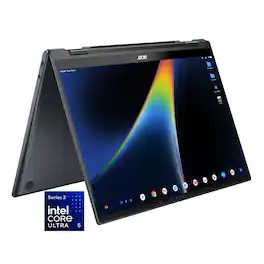
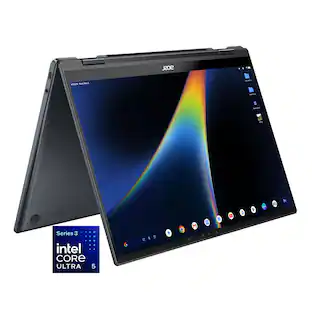
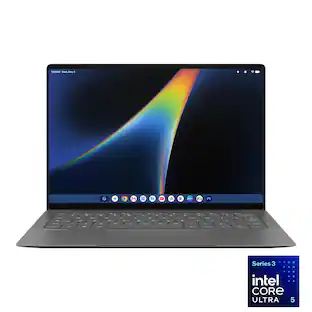
Acer - Googlebook 14 Laptop - 14" 3K OLED 120Hz Touchscreen - Intel Core Ultra 5 Series 3 2026 - 16GB Memory – 512GB Storage - Elemental Blue
3.9(15)

Acer Googlebook 14 – The Industry’s First Convertible Googlebook: Experience the new Acer Googlebook 14, where a brilliant 3K OLED touchscreen, refined convertible design, and long-lasting battery life come together in one beautifully crafted device. Designed for Gemini Intelligence, it provides personalized AI assistance that helps you create, organize, and accomplish more with ease. Point to anything on screen for contextual guidance or simply describe what you want to create and watch your ideas take shape in seconds, all while staying firmly in control of the experience.
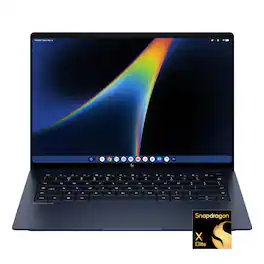
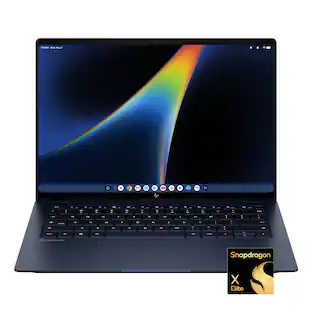
HP - 14" 3K OLED Touchscreen Googlebook - Snapdragon X Elite - 16GB Memory - 512GB SSD - Atmospheric Blue
4.6(29)

The HP Googlebook 14 is a thin, lightweight laptop designed for Gemini Intelligence and seamless use with an Android phone. Its Snapdragon X Elite processor supports responsive everyday work, while the 14-inch design is suited to school, hybrid work, streaming, and staying productive on the go.
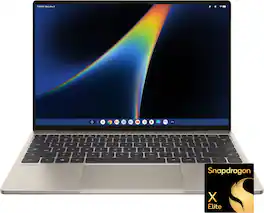
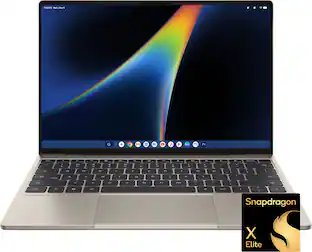
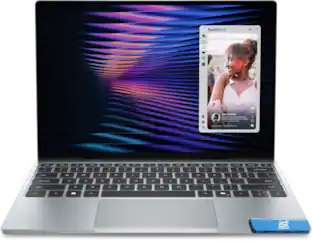
Dell - XPS Googlebook - 13.4" 2.5K Touchscreen Laptop - Snapdragon X Elite X1E-80-100 2024 - 16GB Memory - 512GB Storage - Shimmer
4.0(1)

Our first XPS Googlebook combines Gemini Intelligence, iconic XPS design, seamless connectivity with your Android phone and Snapdragon X Elite performance. Razor-thin, featherlight¹ and built to keep you a step ahead in everything you do.

Specs

Questions & Answers

  • Is it plastic or Aluminum?

    Hi Henri, thanks for your question. This Lenovo Googlebook uses a Magnesium‑Aluminum top cover and a polycarbonate bottom cover reinforced with Carbon Fiber to provide durability while keeping the device lightweight. Please feel free to reach out to us if you have any further questions.

    Answered by Lenovo Product Expert
    Lenovo Product Expert response
  • will it run Microsoft 365

    Hi, thanks for your question. Yes, users can open, edit, download, and save Microsoft Word, Excel, Outlook, and PowerPoint files on your Googlebook using the Microsoft 365 app, with additional functionality available with a Microsoft 365 subscription. Please feel free to reach out to us if you have any further questions.

    Answered by Lenovo Product Expert
    Lenovo Product Expert response
  • When is the pre-order for the 32gb ram configuration going to be available?

    Hi Shannon, thanks for your question. We appreciate your interest in the Lenovo Googlebook. We’re working toward offering additional configurations in the future, and we recommend checking back periodically for new product announcements and preorder availability. Please feel free to reach out to us if you have any further questions or need any assistance.

    Answered by Lenovo Product Expert
    Lenovo Product Expert response
  • Hdr support?

    Hi Kev, thank you for your question. Yes, this Lenovo Googlebook supports HDR 1000 True Black. Please feel free to reach out to us if you have any further questions.

    Answered by Lenovo Product Expert
    Lenovo Product Expert response
  • Is there a fingerprint reader?

    Yes, fingerprint reader and facial recognition.

    Answered by Ovipo
Ask a question
No content

Customers often buy these together

Sponsored