Skip to contentGo to Product Search
Main Content

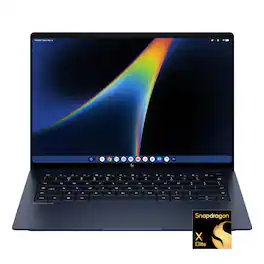
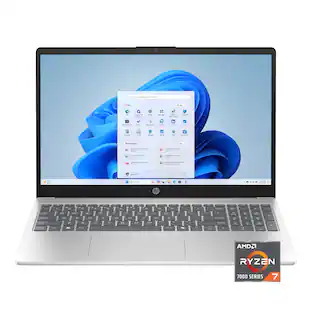
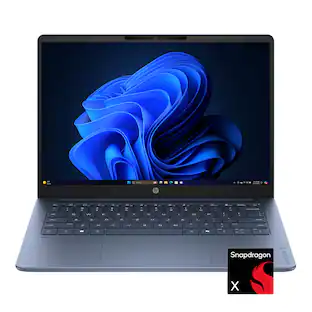
HP - Googlebook 14" 3K OLED Touchscreen - Snapdragon X Elite - 16GB Memory - 512GB SSD - Atmospheric Blue

Model: DZ6R9UA#ABA
SKU: 6687893
Sold byBest Buy

About this product

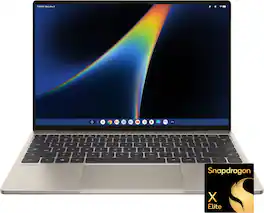
The HP Googlebook 14 is a thin, lightweight laptop designed for Gemini Intelligence and seamless use with an Android phone. Its Snapdragon X Elite processor supports responsive everyday work, while the 14-inch design is suited to school, hybrid work, streaming, and staying productive on the go.
See it in-store: Roseville has a demo model on display.

Highlights

Features

  • Snapdragon X Elite X1E-80-100 processor

    Power Gemini Intelligence, everyday productivity, creative projects, and multitasking with the Snapdragon X Elite X1E-80-100 processor. Designed to deliver responsive performance for work, school, streaming, and AI-powered experiences.

  • 14" 3K OLED display

    See deeper blacks, richer contrast, and vibrant color on the 14" 3K OLED display, designed for streaming, creative projects, photo editing, and everyday productivity.

  • 16GB LPDDR5x memory

    Keep AI tools, creative apps, browser tabs, and everyday productivity workflows running smoothly for responsive multitasking.

  • Qualcomm Adreno GPU

    Deliver responsive visuals for streaming, creative apps, web browsing, and everyday multitasking with Qualcomm Adreno graphics, designed to balance visual performance and power efficiency.

  • 512GB storage

    512GB storage gives you space for files, creative projects, apps, photos, videos, and everyday work while keeping important content close at hand.

  • Thin, light, and powerful

    Powered by Snapdragon in an ultra-slim metal design, Googlebook is the ultimate tool for those who move fast.

  • Perfect partner to your Android phone

    Googlebook and your Android phone are in total sync, keeping you in your flow¹. Switch between the two seamlessly and access phone apps and files without laptop installs or transfers.

  • Designed for Gemini intelligence

    The best of Gemini meets a whole new kind of laptop, supercharged to turn your ideas into action in seconds. From instantly adding dates to your calendar with Magic Pointer² to capturing filler-free thoughts with Rambler³.

  • Google AI Pro at no cost

    Get one year of Google AI Pro with expanded access to Gemini, Nano Banana, 5TB of cloud storage and more, at no cost⁴.

  • A world of apps and games

    Unlock millions of apps with Google Play, plus games ranging from mobile faves to PC heavyweights⁵.

  • Security built-in

    Powered by the Titan C security chip, Googlebook is designed with multi-grade security that keeps viruses out and even the most advanced hackers away.

  • Sound that draws you in

    HP + Poly together will continuously accelerate innovation across our hybrid solutions, including AI-generated technology. With pitch perfect audio and quad speakers, you'll get the best experience to collaborate anywhere with audio tuned by Poly Studio.

  • Wi-Fi 7 and Bluetooth 5.4 wireless connectivity

    Experience next level speed and connectivity with Wi-Fi 7, Wi-Fi 6/6E and Dual Bluetooth. Unleash the power of next generation wireless technology.

  • HP 65W USB Type-C GaN mini wall charger

    Travel lighter with our ultra-compact GaN wall mount power adapter. It’s 50% smaller and lighter than traditional laptop chargers and includes a removable 2 meter USB Type-C cable and foldable prongs for easy travel.

  • 100% DCI-P3

    Experience a wider color range and cinema-grade visuals—richer reds, deeper greens, and vibrant color that elevates movies, photos, and creative work.

  • Fingerprint reader on the power button

    With a fingerprint reader on the power button, easily turn on and access your device faster than ever. This can be used to unlock the device, authenticate the user, or replace the password. With biometric identifier technology, your fingerprint will be captured and recorded for quicker computer access.

  • HP Fast Charge

    Go from 0 to 50% charge in approximately 45 minutes⁶.

  • 5MP camera with temporal noise reduction and integrated dual array digital microphones

    The high-quality-camera lets you video chat in stunning detail, at up to 2592x1944 resolution. Temporal noise reduction is a technology that works by analyzing each pixel in each frame searching for artifacts that do not appear consistently frame to frame. Ensuring the truest picture to real life as possible. Includes a visible camera shutter that turns off your PC’s camera to ensure your privacy.

  • Backlit keyboard

    Keep going comfortably even in darker environments with an illuminated keyboard.

  • Plug into productivity

    Connect your devices with 2 USB Type-C ports with 10Gbps signaling rate and 1 headphone/microphone combo jack.

  • Thin and light 14-inch design

    Weighing 2.74lbs. and measuring 0.43" thin, the ultra-thin, lightweight silhouette is built to go where your day takes you. Includes an 4-cell, 70 Wh Li-ion polymer battery.

  • Designed with purpose

    Built with 50% recycled metal and 40% post-consumer recycled keyboard components, HP Googlebook is EPEAT Gold with Climate+ certified and delivered in 100% recycled or certified sourced packaging.

Specifications

  • Screen Type
    UWVA
    Screen Size
    14 inches
    Screen Resolution
    2880 x 1800
    Touch Screen
    Yes
    Refresh Rate
    120Hz
Sponsored

Reviews

Rating 4.6 out of 5 stars with 30 reviews

97% would recommend to a friend

Customer Images

The vast majority of our reviews come from verified purchases. Reviews from customers may include My Best Buy members, employees, and Tech Insider Network members (as tagged). Select reviewers may receive discounted products, promotional considerations or entries into drawings for honest, helpful reviews.

  • Rated 4 out of 5 stars

    Great hardware, good software, astonishing future

    I've had mine for about a week and a half so far and I absolutely love it. The hardware is everything I expected, especially when it comes to the fingerprint sensor, the front-facing camera, and the face unlock feature. The laptop boots up incredibly fast and allows me to get what I need done, and it's incredibly light, which I really like. The software, being a brand new operating system competing against 40-year-old operating systems, is a great start, but there are some things that need to be worked out that I'm confident that they will be fixed and upgraded, especially since this laptop gets 10 years of updates.

    Posted by MichaelBTech

  • Rated 4 out of 5 stars

    A Step In The Right Direction ( For Google)

    So I'll start by saying that I have been a long time fan and user of Google product and services. I've owned and use many of their phones, tablets, and laptops over the past 10+ years. This "Googlebook" by HP is a new brand of OS and Laptop for Google. It is no longer a "chromebook". Chrome OS, while very usable.. had alot of limitations when it came to file management, and the installation of applications. Chrome OS was primarily web based, so it required a constant internet connection and 99% of the "apps" would be used on cloud based platforms. The Googlebook is Android based. Wild, I know. At first I thought it would just feel like an Android tablet, and it kind of does. But it has an easy to use drag and drop file management system, and deep integration with Google Gemini Ai. The problem I am having with this laptop , or more specifically Googlebook OS is that the applications for now are very limited. We all know that Android apps seem to lag behind iOS, iPad OS and MacOS. If you are an early adopter of this system, you will find it a little difficult to find applications to do any real kind of work. I am hopeful that it will improve over the years ( If Google doesn't send this to the graveyard) . I think it has alot of potential, and could improve Android for the better. It seems Google is trying to Integrate Android across the board so that users can seamlessly work on their phones, laptops and or tablets going forward. You can connect your Android phone to this OS and it will sync together to allow you to handoff web browsers, messages, files to your phone. Kind of like Steve Jobs company has done for years. So going back to my statement about it being a little difficult to find apps to use on here... Many of the apps I have tried using from the get go, seem to have compatibility issues for now. Some of the mobile apps and games I have used just crash shortly after launching them. If you install apps that are made for android phones and tablets, you might run into some compatibility issues. the Play store does have some apps that are optimized for desktop, and those all run great. I am hopeful that developers will be excited to upgrade their apps and make them fully compatible with this new OS. Aside from that, the OS is very nice. Could use some polishing when it comes to running applications in full screen mode. But i like the look and feel of the OS. it is clean, easy to navigate and Google Gemini has become very useful and helpful. After using this laptop for about a week, Ive gotten pretty used to using it for daily tasks and the OS is starting to grow on me. While i think it is kind of silly, they added "wiggle" cursor feature that will activate gemini so you can use your cursor to Highlight what you want Gemini to see and interact with. I suppose it could be useful and helpful to avoid it reading the whole screen and confusing it. I think it is a little redundant because when you are browsing the web, there is an ask gemini button that will pop open a side bar and you'll share your web page with Gemini and you can get started right there with Ai assistance. A feature that I honestly have found very useful because i dont have to open another app or browser tab to get that done. BUT in hindsight, I could see how the wiggle cursor feature could become useful for asking Gemini to help with things you are looking at in apps or the desktop outside of Google Chrome. Anywho, while i'm not crazy about the Ai boom.. I do find Gemini to be helpful for many things. It sometimes feel like you are just having a conversation with a person, or a tutor. Scary haha. As far as the hardware. This machine is beautiful. The laptop is very sleek, it has a nice and grippy soft matte texture throughout the hardware and the keyboard. It is very lightweight, thin and the screen is amazing. The OLED screen is very vibrant and has fast refresh rates. It was hard to capture just how nice the screen is with photos because it has a glossy reflective coating. It is fine for most indoor scenarios, but you might get some reflections if you sit near a window or outside with it. To be fair, the screen gets very bright. I believe its 500nits. If i had to nitpick about the hardware, i would say that I wish it had more ports, and a full size SD card slot. This thing only has two usb c ports. If you need to charge it while using it, you will be down to a single USB C port to use. No bueno these days, especially if you expect people to get real work done with this machine. The snapdragon X Elite processor is very snappy and battery efficient. The apps that are desktop optimized all run and launch quickly with this processor. The OS boots up very fast as well and will have you up in running quick. The only real bottleneck i see with this machine is that it only has 16gb of Ram. Google Gemini Ai seems to run flawlessly with this processor as well. All in All, Im digging this laptop. If you are an android user, I think you will appreciate the cross device features. I just really hope Google sticks to this in the long term and improves the OS and applications going forward.

    Posted by Ponskippa

  • Rated 4 out of 5 stars

    A Sleek Laptop Built for the Google Ecosystem

    This is my first time using any Google OS–based laptop, and while it’s very different from my MacBook or Asus laptop, it’s been a generally good experience that I think most people would get accustomed to pretty quickly. Initial Setup Setup of the HP Googlebook was intuitive and pretty quick. After plugging it in with its tiny charger and signing in with my Google account — I’m an active user of gmail and the Chrome browser — the Googlebook took over, downloaded updates and left me at a desktop. I launched the Google Play Store and started downloading some of the productivity apps I usually use. In the case of the Googlebook, almost every application you download is actually just a web-based app running in a dedicated window with the Chrome browser powering it behind the scenes. App downloads work like an Android phone, but there is definitely a lack of native apps for the Googlebook; even apps that are available on Android phones may not be available on the Googlebook. While that’s disappointing, I was able to find the web-based versions of these apps, and they worked pretty well. Design The HP Googlebook is a stunning case study in beautifully simple design. Its dark blue color makes it just different enough from the swaths of black laptops out there, but won’t turn heads either, so no need to worry, fellow introverts. Weighing in at only 2.74 lbs, it won’t make your lap numb during use, and you’ll hardly feel it in your bag while traveling. It’s also very quiet and runs cool, unlike some thin-and-light laptops I’ve used with x86 processors. The laptop has a 2-inch lightbar on the top of its lid that indicates when it’s suspended, along with other status indicators that glow in Google colors. I find that to be a really nice touch that adds a bit of whimsy to an otherwise understated design. Also, the keyboard feels great, with generous key travel that I prefer over shallower keys. It even features an adjustable backlight, which is perfect if you didn’t pay attention in typing class. Performance and Connectivity The Snapdragon X Elite powering the HP Googlebook handled everything I threw at it—from multiple browser windows and YouTube videos or even game streaming via GeForce NOW. 16GB of RAM might not sound like a lot these days, but the Googlebook really makes the most of it. The HP Googlebook comes with a complimentary year of Google AI Pro, which is really what this product was built to show off. Google Gemini is front and center in the operating system and practically begs to be used. Since I already subscribe to Google AI Pro, I wasn't eligible to stack the free offer, but I kind of expected that. Google AI Pro is a fantastic tool that I've been using for editing, researching, and creating content, and it pairs seamlessly with the HP Googlebook. The laptop was clearly made for Gemini and delivers what might be the best, most deeply integrated OS-level AI experience I've used. You also get 512GB of fast storage to keep anything you need locally. While that's a bit on the smaller side these days, Google likely assumes most people will rely on cloud storage with a device like this and in my case, they were right. While 512GB might feel tight for heavy content creation, plugging in a USB-C external drive is always an option. You get Wi-Fi 7, Bluetooth 5.4, and two 10Gbps USB-C ports, so you’ll definitely need a compatible dongle if you have more than one or two devices to connect. I’m unsure if one or both USB-C ports can pass video, but I’m going to assume they can since they’re 10Gbps capable. Display The 120hz 14‑inch 3K OLED touchscreen is a marvel of modern science. First of all, unlike older generations of touchscreen displays, you can’t tell it’s a touchscreen. It’s bright, colorful, and sharp, with deep blacks. Everything looks good on it—videos, photos, and even basic browsing feels more vibrant. The touchscreen is very responsive and feels natural to use, but be ready to wipe off plenty of fingerprints if you plan on using it often. Also, I’d be remiss if I didn’t mention how glossy the display is. This might be a dealbreaker for anyone wanting to work outdoors, but it does make for a vibrant, inky screen. Battery Life HP rates the battery life at 19 hours, and in my usage I got just under that in mixed usage. A full day of productivity work is definitely attainable, but if you’re going to consume a lot of media or content creation, you’re going to want to keep the charger with you. Luckily, the charger is absolutely tiny, with a long cord and seems to charge the laptop quickly. Overall Thoughts I really like the HP Googlebook, but HP and Google are definitely asking a lot for a laptop whose main selling point and standout feature is its integrated Google AI Pro/Gemini. You can certainly get a laptop with better specs for around the same price or cheaper, so if you’re not already inside the Google ecosystem, then you’ll have a little thinking to do. But if you are already a user of Google services or Google AI/Gemini, then this may be the thin and light laptop you’ve been looking for.

    Posted by KMed

  • Rated 5 out of 5 stars

    The perfect Android companion

    The all-new HP Googlebook has taken me by surprise. Being a tech oriented user for decades and an Android user for over 10 years, I have always wanted the Android laptop experience that the new Googlebook is offering. I can see where the potential lies in this hybrid Android / Chrome OS laptop and I am excited to go along for the ride. Is there room for improvement? In the overall compatibility of software apps I would say yes, and this will come with time. For build quality and the feel of the OS, I think HP and Google have nailed it. Currently, the only negative with a device like this is that it is still so new. Many of the apps available on the play store are still only optimized for a mobile device and not a desktop display. That said, there are already a lot of great apps that can utilize the full space of this display. Most of the apps available on the app store will still work on this device, but some of them will display in a vertical window that mimics your phone. When browsing the play store, there is a purple banner that indicates if an app is made for desktop and green banner displaying if the app is optimized for desktop which is helpful. I have also found that the play store is smart enough to know that you are looking at it on a new Googlebook and it prioritizes made for and optimized for desktop apps first. From what I can tell, the main difference between made for desktop and optimized for desktop is that the made for desktop apps are developed specifically to utilize the full desktop screen and the optimized apps are scaled to fit a larger portion of the screen. If these computers take off, which they should, Google and developers are going to be very busy optimizing their apps on the app store to take advantage of the entire screen. My guess is that they are already well on their way to doing this. Most of the apps I use are already made for desktop, but there are some that I would like to see updated. These include various games, as well as music production apps, like synthesizers and drum machines. There are several games that are made for desktop already available on the play store, and I have played a few of them with great results. I have even successfully played cloud games on this computer while remotely connected to my Xbox using an Xbox controller via Bluetooth. If you configure your Xbox correctly and have a solid connection, you can play pretty demanding Xbox titles on the Googlebook, using its beautiful screen as a game display. The overall feel of the operating system is very familiar if you are an Android user. It feels like a cross between Chrome OS and Android, and I think that actually works well. Just keep in mind that this is a Google operating system, so you will be tethered to the Google ecosystem whether you like it or not. The Snapdragon X Elite processor has performed flawlessly so far using a variety of apps. It is fast and efficient and seems to run super cool and quiet. All applications open very quickly, and navigating around inside of each app is fast and glitch-free. The 3K OLED touchscreen display on the HP Google Book is extremely sharp. It basically looks and feels like a tablet screen. Text is razor sharp and the dynamic range between blacks and whites is front and center. The touchscreen is sensitive and very precise. Again, it really does look and feel like a premium tablet display on a laptop. The build quality of the HP Google Book seems to be as good or better than most laptops on the market today, which is really saying something. The exterior aluminum build gives the laptop a robust feel with a good weight to it, making the overall experience feel extremely premium. The keyboard is mostly made of plastic but feels great to type on and is backlit for dim environments. There is also a built-in fingerprint reader at the top right corner of the keyboard that works great and can accept multiple fingerprints upon setup. I was curious, so I looked it up and HP has sourced both post-consumer recycled plastic and metals to construct the Googlebook, which is great and very environmentally friendly. The speakers in the HP Google Book sound great but do not get very loud. When turning the volume all the way up while watching Netflix or streaming music, there is zero distortion during playback, which is great. While the speakers are definitely good enough to use while streaming music, browsing YouTube, or watching movies, you could always connect Bluetooth headphones or an external Bluetooth speaker to enhance your listening experience if you choose. The HP Googlebook includes two Type-C USB ports which support power delivery and also double as display ports for connecting external 4K displays. There is also one dual-purpose 3.5mm headphone and microphone combo jack. Keep this in mind in case you want to run printers or other USB-A products. With only two USB-C ports on board, you would need to use one of those ports for an external USB hub if you want to connect various hardware peripherals, SD cards, etc. Lastly, with Gemini built-in and the option to upgrade to a free 12 month trial of Google AI Pro, the HP Googlebook is ready for the modern age right out of the box. The AI features built into the Googlebook are there if you want them, but are also non-intrusive and can simply be ignored if you do not. In conclusion, the all new Googlebook is IMHO, a must for Android users. The seamless integration between an Android phone and the Googlebook is an experience that I am happy to finally have and it just works. *** PROS *** Seamless integration between Android and Googlebook Fast and efficient Snapdragon X Elite processor Gorgeous and sharp 3K OLED touchscreen Fingerprint reader Excellent Build quality Great battery life Backlit keyboard *** CONS *** Need more “made for desktop” apps

    Posted by MrShinyCadillackness

  • Rated 5 out of 5 stars

    HP Googlebook - Android and ChromeOS combined

    I've used this laptop every day for about a week, and it's quickly become my favorite device at home and on the go. The aluminum build feels premium and sturdy without adding weight, so it's easy to carry along with your notebook and files. The 120Hz OLED display is incredible: scrolling is smooth, colors pop, and text is crystal clear. At 500 nits it's bright, though you won't want to use it in direct sunlight. The speakers sound surprisingly rich for such a thin laptop. There's "polystudio" branding on the bottom, which suggests a custom speaker/mic setup from Poly. Voice and video calls have crisp audio and decent timbre, and music sounds good for the size of the laptop, even at high volume. HP/Poly did a good job on the acoustics. I'm a bit of a keyboard nerd, so I was happy to find the keyboard is as good as it is. It has zero flex, so typing feels crisp and precise, almost mechanical, instead of mushy like the dome keys on many budget laptops. The backlight is a ~5000K white. It looks sharp, but an adjustable color temperature would have been nice, since a warm amber glow would make nighttime use much more enjoyable. I'm glad they skipped multicolored lighting, since white is more professional for the intended audience. On software, ChromeOS and Android apps work together well for the most part. There is a separate app drawer for your Android [phone] apps, which is a nice touch. Clicking on a phone app opens that app on the Googlebook and works really well. It’s a really nice integration that I enjoy using. Most apps I tried worked as expected, and you can sideload APKs. The Insta360 app doesn't show up in the Play Store, for example, but sideloading it directly from Insta360 works, kind of. It opens, but it's not stable. Android games look to be supported nearly 1:1, but nearly all developers will need to make sure their apps work on this unified platform, and some will need a full overhaul. Having ChromeOS and Android together on one device is awesome. There are even apps built specifically for the Googlebook and the library is growing every day. I'd love to see iOS-level app support here, and this premium HP hardware deserves it. It's a great alternative for anyone who prefers the Android ecosystem. You also get a free year of Google's AI plan, worth about $250 on its own and is actually highly useful. I use Gemini many times a day on different devices, so having it be the backbone of the Googlebook itself is perfect for most people since you likely use multiple Google services already. I'm optimistic. The launch is big, and Google's advertising, both in-store and online, is well funded. The hard part is making the Googlebook look different from the cheap Chromebooks consumers have seen for the past 15 years. It's not that Chromebooks are bad, but most are bargain models with minimal specs that get dismissed as glorified web browsers. If consumers don't see this as a new product category, Google will struggle. But people already use Google every day, and one device that combines a Chromebook and an Android tablet, with very high specs, is an easy sell once the software works well together. Serious gamers and anyone who needs specific Windows or Mac desktop software should look elsewhere. For everyone else, this is easily one of the best new Googlebook laptops you can buy right now. The premium typing feel makes it enjoyable for hours, and the hardware is top-tier, which justifies the premium price. HP knows what it's doing and Google's AI ambitions are lofty, so I expect frequent OS updates for years to come (I've already had one). I highly recommend it to anyone who wants a very powerful companion to their Android (or even Apple) phone.

    Posted by Tolley

Compare similar products

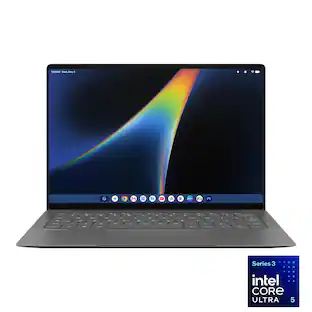
HP - Googlebook 14" 3K OLED Touchscreen - Snapdragon X Elite - 16GB Memory - 512GB SSD - Atmospheric Blue
4.6(30)

The HP Googlebook 14 is a thin, lightweight laptop designed for Gemini Intelligence and seamless use with an Android phone. Its Snapdragon X Elite processor supports responsive everyday work, while the 14-inch design is suited to school, hybrid work, streaming, and staying productive on the go.

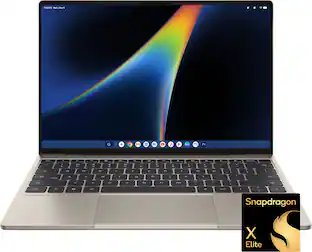
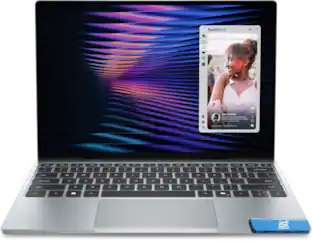
Dell - XPS Googlebook - 13.4" 2.5K Touchscreen Laptop - Snapdragon X Elite X1E-80-100 2024 - 16GB Memory - 512GB Storage - Shimmer
3.5(2)

Our first XPS Googlebook combines Gemini Intelligence, iconic XPS design, seamless connectivity with your Android phone and Snapdragon X Elite performance. Razor-thin, featherlight¹ and built to keep you a step ahead in everything you do.
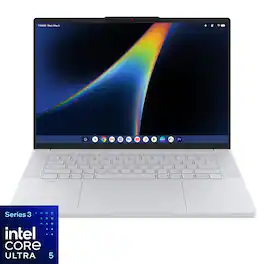
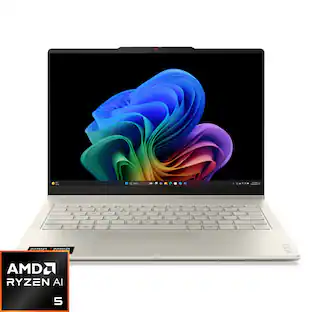
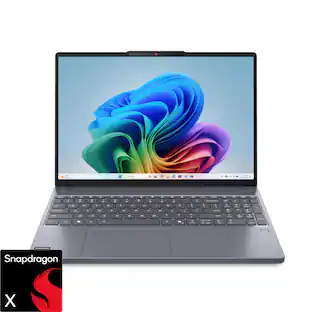
Lenovo - Googlebook 15.3" 3K 120Hz OLED Touchscreen Laptop - Intel Core Ultra 5 Processor 325 2026 - 16GB Memory - 512GB Storage - Cloud Grey
3.5(23)

Smarter productivity, built right in. Built for modern lifestyles, Lenovo Googlebook 15 combines premium design with built-in Gemini Intelligence to help you stay organized, productive, and connected throughout the day. Seamlessly in sync with your Android phone, so you can switch tasks easily and access apps & files from your phone right from your laptop. The responsive haptic touchpad delivers a more intuitive experience, while the stunning OLED display and immersive quad-speaker system with Dolby Atmos bring creativity and entertainment to life. Whether you're tackling tasks, exploring ideas, or relaxing with your favorite content, this Googlebook is designed to feel less like a device and more like a natural extension of your everyday life.
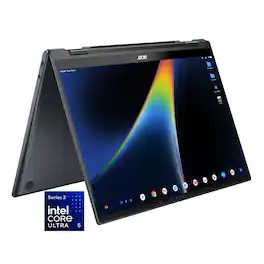
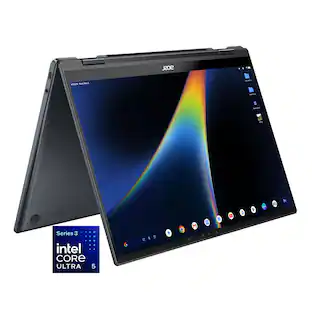
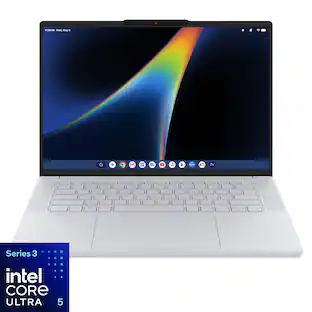
Acer - Googlebook 14 Laptop - 14" 3K OLED 120Hz Touchscreen - Intel Core Ultra 5 Series 3 2026 - 16GB Memory – 512GB Storage - Elemental Blue
3.9(15)

Acer Googlebook 14 – The Industry’s First Convertible Googlebook: Experience the new Acer Googlebook 14, where a brilliant 3K OLED touchscreen, refined convertible design, and long-lasting battery life come together in one beautifully crafted device. Designed for Gemini Intelligence, it provides personalized AI assistance that helps you create, organize, and accomplish more with ease. Point to anything on screen for contextual guidance or simply describe what you want to create and watch your ideas take shape in seconds, all while staying firmly in control of the experience.

Specs

Be the first to ask a question.

We’ll try to get your question answered within 24 hours by a Best Buy customer or brand representative.

No content

Customers often buy these together

Sponsored