Early Black Friday Deals & DoorbustersEnds Nov. 15.Shop now

Skip to contentGo to Product Search
Main Content

Webroot - Smart Protection (6 Device) with Allstate Identity Protection (1 Identity) (1-Year Subscription) [Digital] - Android, Apple iOS, Chrome, Mac OS, Windows [Digital]

Model: WEB803800V206
SKU: 6689855
Sold byBest Buy

About this product

Webroot Smart Protection is our most advanced all-in-one security solution, delivering smarter protection against today’s evolving cyber threats, including AI-scams. Stay confident online with AI-powered protection that helps stop viruses, malware, ransomware, and scams before they can impact you. It combines cybersecurity, privacy, and identity protection in one easy-to-use solution. Features include award-winning antivirus, scam protection, a secure VPN for safer browsing on public Wi-Fi, a password manager, and Allstate Identity Protection, with dark web and identity monitoring. If you fall victim to a scam, you can call our scam experts and claim up $25,000 in scam coverage*. If you experience identity fraud, you’ll have access to 24/7 U.S.-based recovery experts to help you get back on track.

Features

  • AI-powered antivirus protection

    Webroot uses smart AI to stop cyber threats before they reach you—fast, light, and always up to date.

  • Scam protection

    Helps detect and block scam texts, deepfakes, phishing attempts, online fraud and other AI scams. Also includes up to $25,000 in scam reimbursement.*

  • Identity monitoring

    Monitors your personal information and the dark web for signs of identity fraud, provides 24/7 U.S.-based support with identity restoration specialists.

  • ID check

    Verify someone's identity before completing a transaction to help confirm who they are.

  • Secure VPN

    Browse the web safely and privately with an encrypted VPN that protects your online activity on any Wi-Fi network.

  • Secure password manager

    Create, store, and autofill strong passwords to simplify and secure your digital life.

  • Supports all devices

    Compatible with PC, MAC, Chromebook, Mobile Smartphones and Tablets including Windows, macOS, Apple iOS and Android

  • Protect up to 6 devices and 1 identity

  • Note: Features may vary between devices and platforms

  • *Scam Reimbursement: The program offers an added layer of financial protection by reimbursing eligible losses from qualifying sophisticated scams when both Webroot Scam Protection scan and ID check were used as part of the verification process. This benefit complements, and does not replace, existing fraud prevention measures, security controls, or insurance coverage. Terms, conditions, limitations, and eligibility requirements apply.

Specifications

  • Number of Devices
    6
    Operating System Compatibility
    Android, Apple iOS, Chrome, Mac OS, Windows
    Software Format
    Digital
    Subscription Period
    1 Year
Sponsored

Reviews

Rating 4.3 out of 5 stars with 27 reviews

85% would recommend to a friend

Customer Images

The vast majority of our reviews come from verified purchases. Reviews from customers may include My Best Buy members, employees, and Tech Insider Network members (as tagged). Select reviewers may receive discounted products, promotional considerations or entries into drawings for honest, helpful reviews.

  • Rated 4 out of 5 stars

    A Reliable Security Solution

    I have had a positive overall opinion of Webroot SMART PROTECT I like that it is easy to use as a security tool. When using security software you want it to be easy to use and not have extra notifications popping up. Webroot SMART PROTECT does seem to have an easy to use interface which makes it a good choice. I always look at how easy it is to set up security software. No one wants to spend ages getting their settings right Webroot is well known for being light weight and is easier to set up. This helps users who are not very technical. The interface is easy to use to I like the fact you can quickly check what the security status is on your device and also easily control the core security features. Some security software can be quite resource heavy Webroot has always been known for being light weight. This can be a great benefit if you are using your computer for work, browsing, shopping and streaming. The security software being light weight and in the background means it is a great plus. Depending on your device, OS and setup the performance can vary. However, having a light weight software is a great feature lots of users will like. Security is obviously a key factor There are so many different threats online and it is easy to fall victim to phishing sites, malicious downloads, suspicious email attachments etc. The security software should help you identify any potential threats and help you avoid them. Webroot security products are known for their cloud based threat detection, helping to identify new threats. However it is always best to be careful when clicking on any unknown links and downloading them, No antivirus software can guarantee full protection. Convenience is another key factor Most people will not want to spend their free time messing around with security settings. If the software can automatically handle security tasks then it can make your life much easier. If you have multiple devices within your household or regularly use online accounts, emails and shopping sites, then having an easy to use security product can help. It is also important to check what features come with Webroot SMART PROTECT. Depending on your subscription/package there may be less features available. The price can be a key factor You want to know how many devices it covers how long the subscription lasts and what features are included. While a cheaper price can be tempting, it is best to check if the price to renew is different and if your required security features are included. You also want to know what customer support is available and what the renewal terms are. Some things to consider before choosing Webroot SMART PROTECT If you want lots of advanced customisation features such as password manager, identity monitoring and/or a vpn then this is the best option. It is always good to compare independent security test results and ensure it works with your devices. Overall, if you are looking for something easy to use, light weight and convenient for your computer security, then Webroot SMART PROTECT is definitely worth considering. It focuses on being un-intrusive and uses cloud based threat detection. While i would not choose any security product without checking what features are available, what the price is and independent test results, Webroot does have some great features that may interest you. If you are looking to add online security into your routine without having to spend too much time managing the software then Webroot SMART PROTECT is a product that is worth looking into.

  • Rated 4 out of 5 stars

    Protection for all your devices

    While most devices come with built-in security tools, they’re limited and this is why I prefer using a dedicated antivirus from a company that focuses on security. Installation: Simple, all I did was create an account and input the key. Program downloaded and started right up. The interface is simple to understand, and you can easily toggle settings on or off. The layout is minimal and clutter free so you’re able to access everything quickly Features: Webroot Smart Protection provides a nice, bundled package that is usable across all types of devices for security (Cell phones/laptops/desktops). This includes Identity protection, passwords, antivirus, scam detection (texts/links,files),dark web monitoring along with VPN. There is also a ID protection for self and ID check feature to verify individuals. The scam protection portion is a great tool, it allows you to input links of documents to be scanned to see if they are harmful. It’s easy to use, all you have to do is copy/paste in the link or drop the file for scanning. I am going to recommend this to a family member who fell for an email scam that had a PDF attachment. Performance: I was blown away with how fast the scanning worked; quick scan less than 30 seconds and 2 min for system scan. I also noticed that it used very little of my system resources, I only saw an increase to CPU use of 2-5% while only using about .4 GB from RAM. This is impressive for having on real time protection and website monitoring on. The website monitoring was also very snappy when it came to discovering potential threats. I tested the anti-virus/real time protections by downloading fake viruses to see how well the program responds and it worked as advertised. Even the website monitoring was excellent, threat detection was instant and none of my devices ever slowed down. While everything was fast I did notice that there was a bit of a slow down in browsing with the VPN on, now this is a given with just about any VPN. The Bad: While the performance for web protection and real time virus protection is great and LastPass works wonderfully (ive been using this prior to webroot), the Identity protection is limited. ID protections is a generic dashboard which says everything is fine, there is no data showing where/how your credit is being used etc. The ID check system is a bit misleading, as all its doing is asking the other individuals to provide data for verification. This is like me asking someone for their ID to see if they are real. I also noticed that the spam detection has false positives, my insurance reminder for payment was flagged as spam/scam when I know it is legitimate. Overall: The smart protection suite from Webroot is super lightweight and protects all your devices from just about everything. I rate it a 4/5 because it does not slow down my devices and I am able to access all protections no matter what device I use.

    Posted by JayS

  • Rated 4 out of 5 stars

    Decent Choice for Basic Internet Security

    The amount of internet security and anti-virus software these days can be overwhelming for the average person. This particular “Smart Protection” package from Webroot is an all-in-one solution that combines anti-virus, VPN service, a password manager, and identity monitoring. It's great for average users, but pro users might require a more robust solution. === PROS === - Webroot is compatible with tons of devices and operating systems, including Windows, Mac, Chromebook, iOS, and Android. This subscription covers up to 6 devices. - I tested the software on both Windows and Mac. On both platforms, the software is incredibly lightweight, taking up less than 50 MB of RAM. It installs and launches very quickly and has minimal impact on system performance. On my Windows PC, a full system scan takes just about 2 minutes and only increases CPU usage by about 5 to 10 percent. I even tested out a few games with Webroot installed and didn't notice any decrease in performance. - The user interface is very easy to navigate — there are no complicated settings or annoying pop-ups like some other services. - There's an included "Scam Protection" feature where you can upload screenshots of emails, social media posts, etc. to help determine if something is a scam. I tried it on three known phishing emails and it correctly identified two of the three as scams. - The included VPN service is fast enough for basic web browsing, so you won't need to subscribe to a separate VPN service to stay safe while browsing. - The password manager also works very well, though I noticed the browser integration to be a little slow compared to others I’ve used. === CONS === - Webroot relies on the cloud and AI to analyze threats and viruses, so if you frequently work offline or have a slower internet connection, the protection might not be as effective. - The included identity protection is a nice value, but it takes a while to set up and add all your digital identities and other information. Also, the service doesn’t include credit reports or credit monitoring, which is a bit of a letdown. - The included VPN service can seem slow for streaming and large file downloads. I noticed quite a bit of buffering while trying to stream movies while connected to the VPN. === OVERALL === Webroot Smart Protection is a pretty good value for most internet users who want simple anti-virus and scam protection. The included identity protection is a nice touch, but it’s not at comprehensive as I would have liked. Still, this is a good all-in-one package for most people. Recommended!

    Posted by ryanmcv

  • Rated 5 out of 5 stars

    Lightweight Antivirus for your computer

    I have always seen Webroot Antivirus being promoted at Best Buy. Until today, I didn't really need another antivirus. However, I ran out of licenses on my existing antivirus for additional devices, so I decided to give Webroot a chance. I’ll say the biggest change in a Windows operating system environment is that it is super lightweight! Overall memory usage is just 5mb compared to the usual suspects, which use considerably more resource heavy. Overall, the webroot SecureAnywhere antivirus has some neat features that one would want to see in and expect in an antivirus solution. It features a real-time shield, a firewall and a web shield (with browser extensions), phishing shield, and privacy protection. It also includes a password manager to keep your passwords secure in one place. The Webroot SecureAnywhere antivirus is available for windows, mac, android, ios and chromebook. The install is quick, and the program works without much hassle. It must be noted that this is a different type of antivirus compared to what even microsoft provides by default. This is a cloud scanner, which means it does not download periodic heuristic definitions but rather uses the cloud endpoint to do the scanning. Its something similar to what is used in the enterprise environment (at least for where I work). Its effectiveness is yet to be questioned, in my honest opinion it works but, I guess I prefer local definition storage than a cloud scan. When you do initiate a full scan, it is rather fast, taking about 3 minutes to scan my PC for any potential bugs, which thankfully there were no such thing. People may ask why do you need 3rd party antivirus when microsoft provides one (or in case of apple why do you need one)? Well lets put this way, I have always had one - its another line of defense between the advertising blocklists on my firewall, to the browser extension, I have found the antivirus use invaluable. My desktop email client downloads emails and my antivirus always catches people sending me files with malware trying to compromise things. Its just that one additional layer of security. The browser extension works rather well, blocked me from going to the wrong websites - so I’ll say it works. On the mobile end I installed it on Android, and did not have any complaints, seems to work fine. Generally your mobile devices should be secure if you are upto date on the OS software and not side loading any apps. The same can be said with chromeOS which by design is secure. In the end, my facination with Webroot secureanywhere is the lightweight, no nagging, no upsells antivirus that seems to be able to keep me from bad actors on the world wide web. I will be installing it on more machines. I did note one thing, there is no Arm64 version of this software in windows, and I hope OpenText the manufacturer will make an Arm64 for windows version of the software in the future. Native arm apps runs so much faster!

    Posted by TheStigenator

  • Rated 5 out of 5 stars

    Antivirus, Scam Sniffer, and Identity Babysitter

    Getting it on my Windows PC was quick and painless. Download, sign in, done. One account covers up to 6 devices plus 1 identity, and it works across Windows, Mac, Android, iOS and Chromebook, so a mixed household doesn't need a different product for every gadget. I happen to have EVERY one of those devices, but since I only wanted to work on PC and Android with this product, that's all I installed it on. I'm assuming this will work on my new Googlebook when it comes since it's essentially Android. Android: Clumsy Start, Then Fast The phone side is where setup got annoying. On Android you need the Webroot account already set up before you can really get going. For a mobile-first family like mine, that makes things more complicated than they need to be. I'd rather just hit Google login instead of creating yet another account. Once you're past that hurdle, though, I found the Android app pleasantly fast and easy. The Scan: Fast and Out of the Way Webroot has always been known for being light, and that held up. The scan finished fast and didn't bog the PC down while it ran. Nothing scary turned up, which I'll take as good news about my clicking habits. Scam Check and ID Check This is the part that actually feels new. Scam Check lets you throw a sketchy link, text, screenshot or even a video at it and get a verdict on whether it's a scam. ID Check is clever: you send someone a private link, they go through a quick verification, and Webroot gives you a risk assessment before you hand over money. If you buy or sell on Marketplace or send payments to people you've never met, THIS is the feature. Webroot also backs it with scam reimbursement if both checks were used and still missed a scam, although I obviously didn't test that part personally (and hope I never do). I don't know any scam sites so I wasn't able to fully test this, but I guess my first hit one day will be shocking. Identity Monitoring The identity side comes through Allstate Identity Protection. It watches the dark web and your financial info for signs your identity is being misused, and there's 24/7 U.S.-based restoration support if something goes sideways. I think that's a great pack-in to use. I already pay for another service Overall Antivirus that stays out of the way, scam tools that are actually useful in 2026, and identity monitoring in one account. Android wants a Webroot account first when Google login would be nicer, but once you're in the app is fast and easy. It's a RECOMMEND!

    Posted by wizozzie

Compare similar products

Webroot - Smart Protection (6 Device) with Allstate Identity Protection (1 Identity) (1-Year Subscription) [Digital] - Android, Apple iOS, Chrome, Mac OS, Windows [Digital]
4.3(27)

Webroot Smart Protection is our most advanced all-in-one security solution, delivering smarter protection against today’s evolving cyber threats, including AI-scams. Stay confident online with AI-powered protection that helps stop viruses, malware, ransomware, and scams before they can impact you. It combines cybersecurity, privacy, and identity protection in one easy-to-use solution. Features include award-winning antivirus, scam protection, a secure VPN for safer browsing on public Wi-Fi, a password manager, and Allstate Identity Protection, with dark web and identity monitoring. If you fall victim to a scam, you can call our scam experts and claim up $25,000 in scam coverage*. If you experience identity fraud, you’ll have access to 24/7 U.S.-based recovery experts to help you get back on track.

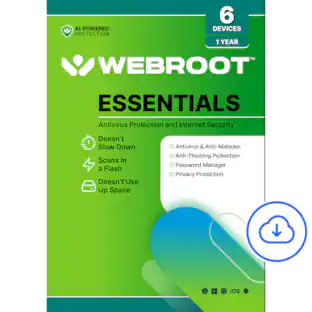
Webroot - Essentials Antivirus Protection and Internet Security (6 Device) (1-Year Subscription) [Digital] - Android, Apple iOS, Chrome, Mac OS, Windows [Digital]
4.4(27)

Webroot Essentials provides powerful, easy-to-use protection for your devices and personal information. It helps keep you safe from viruses, ransomware, phishing scams, and other online threats, whether you're browsing, shopping, banking, or working online. Designed to run quietly in the background, Webroot Essentials delivers fast scans and real-time protection without slowing down your device. It continuously identifies and blocks new threats as soon as they emerge, helping you stay protected against the latest cyber risks. Webroot Essentials also includes a secure password manager that makes it easy to create, save, and access strong, unique passwords for your online accounts, helping you keep your personal information safer and more secure.

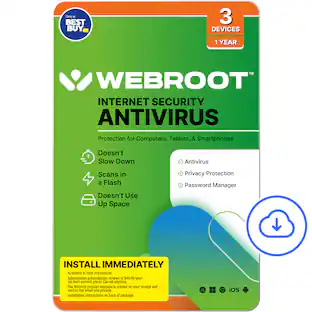
Webroot - Internet Security with Antivirus Protection (3 Devices) (1-Year Subscription – Auto Renewal) - Android, Apple iOS, Chrome, Mac OS, Windows [Digital]

Real-time protection for PC, Mac, Chromebook Android and IOS devices.Cloud based Webroot Internet Security Plus with Antivirus proactively shields households from the latest malware, phishing scams and other cyberattacks—all without slowing down your computer.We continuously analyze and classify billions of apps, files, websites and more so you bank, shop and browse online worry-free. Our leading rollback technology automatically returns infected devices to their original state.Installing in seconds and designed to work with any software, the full package features Chromebook security and system optimizer. Webroot empowers you with peace of mind without slowing you down.

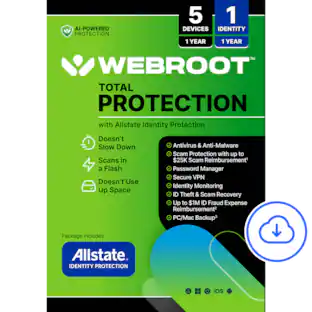
Webroot - Smart Protection (1 Device) with Allstate Identity Protection (1 Identity) (1-Year Subscription) [Digital] - Android, Apple iOS, Chrome, Mac OS, Windows [Digital]

Webroot Smart Protection is our most advanced all-in-one security solution, delivering smarter protection against today’s evolving cyber threats, including AI-scams. Stay confident online with AI-powered protection that helps stop viruses, malware, ransomware, and scams before they can impact you. It combines cybersecurity, privacy, and identity protection in one easy-to-use solution. Features include award-winning antivirus, scam protection, a secure VPN for safer browsing on public Wi-Fi, a password manager, and Allstate Identity Protection, with dark web and identity monitoring. If you fall victim to a scam, you can call our scam experts and claim up $25,000 in scam coverage*. If you experience identity fraud, you’ll have access to 24/7 U.S.-based recovery experts to help you get back on track.

Pros for Webroot - Smart Protection (6 Device) with Allstate Identity Protection (1 Identity) (1-Year Subscription) [Digital] - Android, Apple iOS, Chrome, Mac OS, Windows [Digital]
There were no pros for this product—There were no pros for this product—Overall Performance, Protection, Ease of Use, Installation, Antivirus PerformanceThere were no pros for this product—

Specs

Questions & Answers

  • Does the new Webroot smart protection plan have the system optimizer?

    Mike, Thank you for writing in. The Smart protection does not have the system optimizer, you have to upgrade to the Total Protection Software for that feature Nate - Webroot

    Answered by WebrootTeam
    WebrootTeam response
  • Does the new Webroot smart protection plan have the system optimizer?

    Hi sammy2005, thank you for your interest in Webroot Smart Protection. The System Optimizer feature is not included with this plan. You would need to upgrade to Webroot Total Protection to access the system cleanup and optimization features. Nate - Webroot

    Answered by WebrootTeam
    WebrootTeam response
Ask a question
No content
Sponsored