Avery - Ready Index Table of Contents Paper Dividers, 1-10 Tabs - White
Color
WhiteMore Buying Options from Best Buy and Marketplace sellers
Related Item

About This Item
- Key Specs
- Number of Tabs: 10
- Tab Label Type: Preprinted
- Number Of Holes: 3
- Number of Units Per Package: 1
- General
- Brand: Avery
- Model Number: 11134
- Product Name: Ready Index Table of Contents Paper Dividers, 1-10 Tabs
- Color: White
- Features
- Number of Tabs: 10
- Tab Label Type: Preprinted
- Dimensions
- Number Of Holes: 3
- Number of Units Per Package: 1
- Other
- Product Width: 9.0 inches (The out of box width of the item. Width is measured as the horizontal distance from one side of the item to the other as it would be primarily used or placed.)
- Product Height: 0.1 inches (The out of box height of the item. Height is measured as the vertical distance from the bottom of the item to the top as it would be primarily used or placed.)
- Product Length: 11 inches (The out of box length of the item. Length is measured as the longest dimension of the item.)
- Product Weight: 0.2 pounds (The out of box weight of the item.)
- UPC: 072782111342
Organize your projects in moments with Avery Ready Index binder dividers. Each white tab is preprinted for a professional appearance. Print your own custom section titles and images onto the table of contents sheet without worrying about labels or inserts. Whether you're creating planners for classes or hosting a presentation, these dividers are ideal for getting everything sorted.1 set of 10 dividers are included with each sheet measuring 8-1/2"x11". The 3 binder holes are reinforced on both sides of the heavyweight sheet to prevent creasing and tearing. Each divider tab includes additional reinforcement along the edge of each page to distribute stress and resist folding.The printable table of contents is dual compatible with both laser and inkjet printers. This sheet can also be printed in either portrait or landscape so that your projects can be displayed in any orientation. Just flip the sheet to view the other layout on the opposite side. Try out free templates for these dividers and check out the Avery Design & Print software at avery.com/templates.
Q: What is the total number of holes in the divider?
A: The total number of holes is 3.
Q: Do these dividers have reinforced binder holes?
A: Yes, the 3 binder holes are reinforced on both sides of the heavyweight sheet.
Q: Are these dividers compatible with laser printers?
A: Yes, the table of contents sheet is dual compatible with both laser and inkjet printers.
Q: What is the measurement of each divider sheet?
A: Each sheet measures 8-1/2"x11".
Q: What kind of label is on the tab?
A: The tab label is preprinted.
Q: How many dividers are included in each set?
A: Each set includes 10 dividers.
Q: Can I print the table of contents in landscape orientation?
A: Yes, this sheet can also be printed in either portrait or landscape.
Reviews
This product doesn't have any reviews yet.
Compare similar products
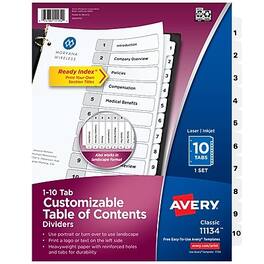
Organize your projects in moments with Avery Ready Index binder dividers. Each white tab is preprinted for a professional appearance. Print your own custom section titles and images onto the table of contents sheet without worrying about labels or inserts. Whether you're creating planners for classes or hosting a presentation, these dividers are ideal for getting everything sorted.1 set of 10 dividers are included with each sheet measuring 8-1/2"x11". The 3 binder holes are reinforced on both sides of the heavyweight sheet to prevent creasing and tearing. Each divider tab includes additional reinforcement along the edge of each page to distribute stress and resist folding.The printable table of contents is dual compatible with both laser and inkjet printers. This sheet can also be printed in either portrait or landscape so that your projects can be displayed in any orientation. Just flip the sheet to view the other layout on the opposite side. Try out free templates for these dividers and check out the Avery Design & Print software at avery.com/templates.

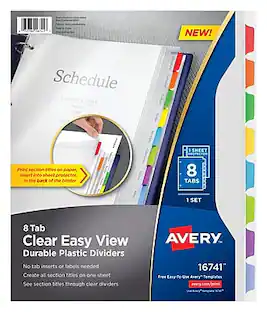
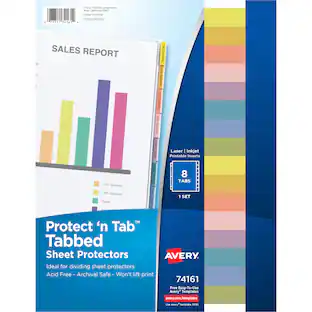
These clear, easy view durable plastic dividers let you easily create or update your section titles with no tab inserts or labels needed. The 3-ring binder dividers and sheet protector work together to provide a clean, professional look and the flexibility to easily make changes or reuse your page dividers again and again. Just print your section titles on a plain sheet of paper and insert the sheet into the included sheet protector. Place the sheet protector in the back of your binder and the clear plastic dividers allow you to see your section titles below. Our free templates on the Avery site let you easily customize the section titles for your divider tabs in minutes. When you need to make a change or reuse your dividers, simply update the template and print a replacement sheet. If you prefer, the tabs are also writeable with a pen, pencil or marker.
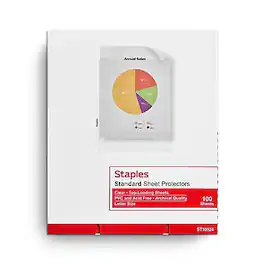
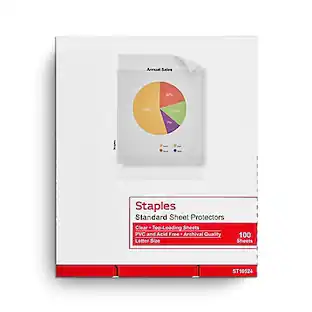
Store vital documents in these standard sheet protectors to keep them looking their best. Each sheet protector is clear and resists glare, ensuring that papers are easy to read, while the three-hole-punched edge lets you conveniently insert them into any standard three-ring binder. These Staples sheet protectors are made with nonstick polypropylene to provide durability and help prevent smudging and smearing.

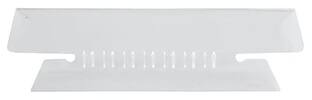
Pendaflex hanging folder tabs allow you to customize your hanging folders and keep file cabinets organized with these clear plastic folder tabs. Designed for use with 1/3-cut hanging file folders, these clear plastic tabs (3-1/2" wide) insert easily into place. These Pendaflex plastic file folder tabs come with blank white inserts for creating durable labels by hand or with a label maker. Stagger the position of your tabs from folder to folder to keep each file heading in view. Tabs are large and angled for easy viewing. For letter and legal-sized hanging folders. 25 tabs and inserts per pack.
Specs
More to consider
 $14.52The price was $19.77

Discover lifestyle innovations Sponsored
 $63.99The price was $73.99




Discover related products
 $99.99The price was $169.99
 $850.00The price was $1,050.00
 $799.00The price was $949.99
 $259.99The price was $299.99