


We've got answers on how to sign up for and use a tax-exempt account at Best Buy.
Best Buy Business Resources

Featured videos
Builder case studies
Asset Living
Learn how we enabled Asset Living, a multi-property student housing management company, to meet its demanding, evolving technology and appliance needs.
Ledson Construction
Read how our dedicated project managers helped one of the West Coast's leading homebuilders find supply-chain solutions for more than 320 appliance projects.
Century Communities
We teamed up with this top builder to source and install smart home hubs and panels into more than 30,000 homes, and we showed the new homeowners how to get the most out of their smart setup.
Park7 Group
Discover how we provided this nationwide luxury student housing developer with the right appliances and high-end A/V equipment, as well as our engineering and complex installation expertise.
Crossland Construction
Discover how we enabled a growing construction company to scale across the Midwest through streamlined appliance procurement and device lifecycle management.
Corporate and enterprise case studies
Driving tech forward with TGL
From procurement and custom engineering to ongoing technology support, Best Buy Business and TGL enhanced the golf spectator experience by enriching the game with technology.
Reliable retail device support
Leveraging Geek Squad® Agents, we piloted retail device support at nearly 1,000 of our Best Buy stores nationwide, reducing technology downtime.
U.S. Bank Stadium
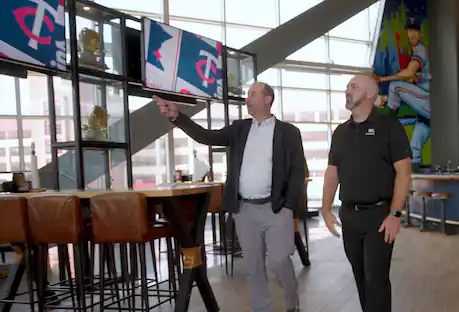
The home of the Minnesota Vikings and host of Super Bowl LII, U.S. Bank Stadium sought a partner to solve its audio and visual needs.
Drivosity
For Drivosity franchises, we provide a regular refresh of their TVs, Google Chromeboxes, lithium-Ion batteries and GPS-based telematics.
Comprehensive technology services
We supported 132 locations for a leading specialty retailer, including depot, help desk and field services — minimizing downtime and streamlining technology project support.
Education case studies
Beckfield College
Learn how we helped Beckfield College deploy technology for their students as well as provide ongoing support and product protection.
Sheboygan Area School District
Read how we helped a technology coaching innovator create a virtual learning alternative for his school district.
Jackson Academic STEAM Academy
See how Best Buy Education helped bring esports to this online STEAM Academy with computers, lighting and everything in between, and how they did it in record time.
Livingston Academy
Discover how we teamed up with Samsung to create a custom digital alumni gallery and preserve more than a century of memories.
George Fox University Esports
Find out how cutting-edge gaming technology propelled an Oregon university program to the top, achieving a remarkable 75% year-over-year growth.
Technology for a large school district
We leveraged multiple partnerships to maximize budget and supply more than 30,000 technology devices to 1,000 schools – all within a tight seven-week timeline.
Healthcare case studies
Samuel U. Rodgers Health Center
We installed TVs across 28 areas of a new pediatric wing, which allowed important healthcare information to be shared with patients and their families.
SimpleC
Read how we helped this healthcare technology company implement large-sized tablets so patients can easily keep in touch with their families and remotely connect with doctors and nurses.
HealthPoint
Read how we procured and installed nearly 200 TVs into multiple buildings in mere weeks to meet HealthPoint’s stringent timelines.
Telehealth IT solutions provider
Discover how we helped a Telehealth IT provider deploy thousands of Samsung tablets smoothly, ensuring cost-efficiency and uninterrupted patient care.
Hospitality and restaurant case studies
Windsor Capital Group Hotels
Learn how this hotel management company entrusted us to create a time-sensitive turnkey implementation experience.
Outrigger Hospitality Group
Learn how we partnered with LG to bring premium hospitality TVs on-island for Outrigger's Hawaiian hotels, as well as provide ongoing local support.
Kahala Brands
This fast-growing franchising company needed help updating their Thai Express menu boards. Learn how we collaborated to efficiently install modern digital displays across a range of locations.
Murray Bros. Caddyshack Restaurant
Read how we created a custom TV and audio solution, an on-site security system and a complete network design with guest Wi-Fi, all within the Murray Bros. limited budget.
Beef 'O' Brady's
Beef 'O' Brady's is a sports-themed restaurant with a national reach. See how we met a franchisee's complex audio and visual goals.
Sheraton Grand Sacramento Hotel
Learn how we quickly enabled a prestigious hotel brand to fulfill an installation of 535 hospitality-grade TVs without disrupting their day-to-day operations.
Incentives case studies
Gardner-White Furniture
See how our longstanding GWP incentive program partnership with Gardner-White has enabled the business to increase store traffic and boost sales.

Not finding the answer you need on our Best Buy Business pages? Our FAQs might have what you're looking for.

Get general help with order status, service scheduling, product advice and more.
Creating a list for your online Best Buy Business account is an efficient way to save products that you frequently reorder. For example, you can create a “New Employee” list and save the tech that a new employee will need. This allows you to quickly reorder without having to search for each product again.
How to create a list:
1. Make sure that you're signed into your account.
2. On any product page, click "Save" (just below the "Add to Cart" button) and the flag will turn blue.
3. Click on "Save" a second time. Within the pop-up window that appears, click on the "Go to your saved items" link.
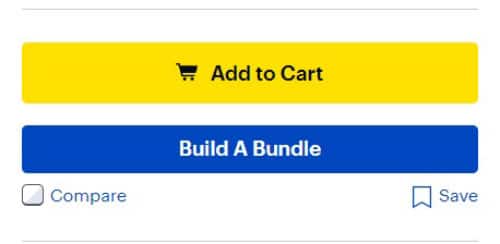
4. On the "Saved Items" page, you can click on "Add to list" for any saved product. Within the pop-up window that appears, click on "Create a new list," name your list and save it.
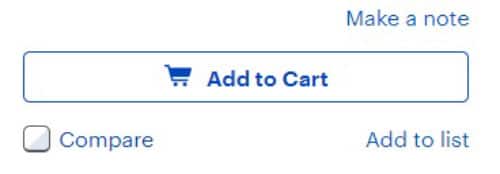
5. You can now see your list name in a button, just to the right of the "All Saved Items" button.
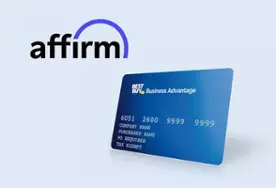
If you’re a business owner, explore solutions like net 30 financing with the Best Buy Advantage card, and small business installment loans.

Chat with an Account Manager
Start your consultation with an expert who is ready to help right now.
Chat nowChat consultation hours are 8 a.m.–6 p.m. CT, Monday–Friday.

Call an Account Manager
Call 1-800-304-7955 to speak with an Account Manager.
Talk nowPhone consultation hours are 7 a.m.–6:30 p.m. CT, Monday–Friday.

Do you have a small business?
Sign up for an online business account and get access to exclusive savings and products.
Learn more