Bose - S1 Pro+ Portable Wireless PA System - Black

Key Accessories:
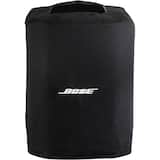
- Bose - S1 Pro Slip Cover - Black$65.00
More Buying Options from Best Buy and Marketplace sellers
Related Item

About This Item
- Key Specs
- Speaker Pairing: true (Wirelessly connect the speaker to another compatible speaker for a more immersive sound experience or multi-room audio. Pairing may require use of an app or additional setup.)
- Voice Assistant Built-in: Not Applicable (A digital assistant built into the device that uses voice commands to answer questions and control smart devices.)
- Speakerphone: false
- Wireless: true
- Rechargeable: true
- USB Device Charging: true
- General
- Brand: Bose
- Model Number: 869583-1110
- Product Name: S1 Pro+ Portable Wireless PA System
- Color: Black
- Audio
- Number of Speakers: 4
- Tweeter Size: 2.25 inches
- Woofer Size: 6 inches
- Wattage: 108 watts (Measurement of electrical power.)
- Speaker Pairing: true (Wirelessly connect the speaker to another compatible speaker for a more immersive sound experience or multi-room audio. Pairing may require use of an app or additional setup.)
- Radio Tuner: false
- Voice
- Voice Assistant Built-in: Not Applicable (A digital assistant built into the device that uses voice commands to answer questions and control smart devices.)
- Speakerphone: false
- Built-In Microphone: false
- Connectivity
- Wireless Multi-Room Audio: true (Technology that allows multiple speakers and/or soundbars to be connected wirelessly and play audio in separate rooms.)
- Wireless: true
- Maximum Wireless Range: 30 feet
- Wireless Connectivity: Bluetooth (The manner in which a device sends data to another device over a short distance without the use of wires or cables.)
- Headphone Jack: false (The device features an interface that allows for the connection of headphones.)
- Auxiliary Input: true
- Features
- Control Button(s): Power on/off
- Controls: Treble, Bass, Reverb
- Remote Control Included: false
- Digital Display: false
- Clip-on: false
- Power
- Rechargeable: true
- Battery Charge Time: 4 hours (Battery charge time will vary depending on the product configuration, product model, applications loaded on the product, power management setting of the product and the product features used by the customer. Charging time will likely decrease with time and usage of the battery.)
- USB Device Charging: true
- Voltage: 100 volts (Amount of power needed to support an electrical current.)
- Wireless Charging: false
- Dimensions
- Product Height: 13.1 inches (The out of box height of the item. Height is measured as the vertical distance from the bottom of the item to the top as it would be primarily used or placed.)
- Product Width: 9.4 inches (The out of box width of the item. Width is measured as the horizontal distance from one side of the item to the other as it would be primarily used or placed.)
- Product Depth: 11 inches (The out of box depth of the item. Depth is measured as the distance from the front of the item to the back as it would be primarily used or placed.)
- Product Weight: 14.4 pounds (The out of box weight of the item.)
- Warranty
- Warranty - Parts: 2 years
- Warranty - Labor: 2 years
- Other
- UPC: 017817837347
The musician’s superpower is to transform sound into something more. To get us off our seats — make us sing, dance, laugh, cry, and leave a lasting impression long after the show ends. So the next time you perform, bring the versatile, portable, powerful Bose S1 Pro+ wireless PA system. It lets you add any vibe anywhere you play, with a lightweight design and simple setup made even easier with optional wireless mic/line and instrument transmitters (sold separately).
- Make music that moves.: This portable, powerful, wireless PA system is your go-to for small live performances.
- Portable PA system is ready to play anywhere.: Weighing in at 14.4 lbs., this portable PA system is 1 lb. lighter than the original, and features an ergonomic carry handle.
- Versatile, all-in-one PA system.: An integrated 3-channel mixer features two channels for microphones and instruments and one dedicated to music playback.
- Built-in ToneMatch processing and Auto EQ.: Intuitive rotating OLED displays for each channel make it easy to access independent EQ, reverb, and ToneMatch controls, among other settings.
- Included lithium-ion battery.: When no power source is available, the rechargeable lithium-ion battery provides up to 11 hours of play time on a single charge*.
- Always sound like a pro.: Four positioning options means the speaker adapts to the moment. Place it vertically, tilted back, horizontally, or on a stand (compatible with standard 35 mm mounts). Auto EQ ensures the best sound in any orientation.
- Bose app.: For those times the speaker is across the stage or room, get full control over settings with the Bose app. Volume, EQ, reverb, and the entire ToneMatch library of EQ presets is right in your hand.
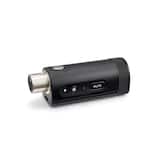
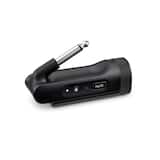
- Simplify your setup even more.: Optional mic/line and instrument wireless RF transmitters simplify your setup further by eliminating cables (sold separately). They pair effortlessly with the system’s integrated wireless RF receivers, and store neatly in the speaker and charge when not in use.
- Accessories.: Optional wireless mic/line and instrument transmitters (sold separately).
Whats Included
- Bose S1 Pro+ Wireless PA system
- AC power cord
- Quick start guide
Disclaimers
- As with any battery-operated device, battery performance can vary based on a number of different factors. These include the type of content being played, the volume at which it’s played, and the surrounding temperature.
- The Bose S1 Pro+ wireless PA system was rigorously tested and verified to provide up to 11 hours of battery life while playing music at room temperature from Spotify’s Global Top 50 at a comfortable volume that you can talk over while listening indoors.
- A singer/songwriter performing indoors for up to 100 people can expect to get 5 hours or more of battery life at performance-volume levels.
- Bose, Bose Music, and ToneMatch are trademarks of Bose Corporation.
Q: Can I control the Bose S1 Pro+ with my phone?
A: Yes, you can control the speaker settings using the Bose Music app.
Q: Does the Bose S1 Pro+ have built-in ToneMatch processing?
A: Yes, the Bose S1 Pro+ has built-in ToneMatch processing and Auto EQ.
Q: How many channels does the Bose S1 Pro+ mixer have?
A: The integrated 3-channel mixer features two channels for microphones and instruments and one dedicated to music playback.
Q: What is the battery life of the Bose S1 Pro+?
A: The rechargeable lithium-ion battery provides up to 11 hours of play time on a single charge.
Q: How much does the Bose S1 Pro+ weigh?
A: This portable PA system weighs 14.4 lbs.
Q: How long does it take to charge the battery on the Bose S1 Pro+?
A: The battery charge time for the Bose S1 Pro+ is 4 hours.
A: The S1 pro and S1 pro + are similar but the + has the ability to usb audio interface to your computer. It also has 2 wireless receivers and charging ports built in. You would still need to purchase the transmitter(s) separately. One is for guitar and one is for microphones. This would allow you to record your performance to a DAW. It’s a nice feature if you need it. As for sound quality and power output they are mostly the same to me. The physical knobs have been updated and I think the Bluetooth is also updated but I never had a problem with the other speakers. FYI- I have both of these speakers and am speaking with experience.
Q: How about use it as karaoke application and interface with tv as monitor ?
A: Yes, the Bose S1 Pro+ Wireless PA System can absolutely be used for karaoke. It has a built-in 3-channel mixer that allows you to connect microphones and instruments, plus Bluetooth streaming for music playback. You can plug in wired mics or use optional Bose wireless transmitters for a cable-free setup. For karaoke, you’ll need a source for the lyrics and music, such as a smartphone, tablet, or laptop running a karaoke app or service, and connect its audio output to the S1 Pro+ via Bluetooth or AUX. As for using your TV as a monitor, that’s possible too. Simply connect your karaoke device (like a laptop or streaming box) to the TV via HDMI for video, while routing the audio to the S1 Pro+ through Bluetooth or a wired connection (3.5mm AUX or XLR). This way, the lyrics display on the TV, and the sound comes through the Bose system for a professional karaoke experience.
Reviews
Rating 4.8 out of 5 stars with 828 reviews
- Bass Quality (3)
Customer Images
The vast majority of our reviews come from verified purchases. Reviews from customers may include My Best Buy members, employees, and Tech Insider Network members (as tagged). Select reviewers may receive discounted products, promotional considerations or entries into drawings for honest, helpful reviews.