Canon MegaTank Printers
Canon MegaTank inkjet printers.
Same Canon quality, just a lot more of it.
Ink is equivalent to 30 conventional ink cartridge sets.1
Take a closer look at the G6020.
Learn more about the MegaTank series.
Compare MegaTank inkjet printers.
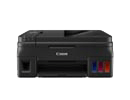 PIXMA G4210 MegaTank wireless all-in-one printer |
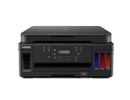 PIXMA G6020 MegaTank wireless all-in-one printer |
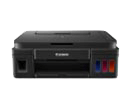 PIXMA G3200 MegaTank wireless all-in-one printer |
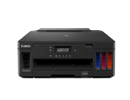 PIXMA G5020 MegaTank printer |
PIXMA G1200 MegaTank printer |
|
| Copy and Scan | N/A | N/A | |||
| Fax | N/A | N/A | N/A | N/A | |
| Auto Document Feeder | N/A | N/A | N/A | N/A | |
| Black Page Yield | Up to 6,000 pages2 x 3 | Up to 6,000 pages2 x 3 | Up to 6,000 pages2 | Up to 6,000 pages2 x 3 | Up to 6,000 pages2 |
| Color Page Yield | Up to 7,000 pages3 | Up to 7,700 pages2 | Up to 7,000 pages2 | Up to 7,700 pages2 | Up to 7,000 pages2 |
| Hi-Speed USB Printing | |||||
| Wireless Printing4 | N/A | ||||
| Google Cloud Print5 | N/A | ||||
| Apple® AirPrint®6 | N/A | N/A | |||
| Mopria Device Printing7 | N/A | N/A |
Cost-effective printing.
Print more for less.
Mega savings. Mega convenience. Mega performance. Canon PIXMA MegaTank inkjet printers offer supersized benefits that deliver high-quality, cost-effective results. Featuring MegaTank refillable ink tanks — designed to print up to 6,000 crisp black pages / 7,700 magnificent color pages,2 without the worry associated with replacing your ink. Plus, with a Continuous Ink Supply System (CISS), these ink tanks are outfitted with multiple airtight tubes, delivering a continuous flow of ink that makes printing larger quantities more efficient and productive.
Refillable ink tanks.
Easy to use, easy to refill.
Looking for a quick way to keep tabs on your ink supply? Canon PIXMA MegaTank inkjet printers are designed with clear, front-mounted reservoirs that allow you to check and monitor ink levels with one simple glance. Each refillable ink tank offers a no-fuss, no-muss approach, with easy-to-open caps that are spill-resistant for maximum usability and convenience.
Document and photo printing.
High-quality prints, high-volume results.
From text-heavy documents to family photos and DIY crafts, Canon PIXMA MegaTank inkjet printers utilize hybrid inks to produce rich, deep blacks and bright, vivid colors, suitable for all kinds of printing projects and tasks. Each MegaTank model comes equipped with a large ink tank for pigment black — making it easy to highlight sharp lines and crisp text in detailed documents and everyday prints. And when creativity calls? MegaTank printers have you covered. Sort through a variety of special printer settings, including red-eye correction, image cropping, custom filters, and borderless printing to create stunning photos that can be displayed and shared.
Enhanced productivity.
Versatile printing, catered to your needs.
Whether you’re looking for a single-function printer or an all-in-one powerhouse, Canon PIXMA MegaTank inkjet printers cater to a wide range of needs — from basic printing and copying capabilities to more advanced functions, such as scanning and faxing. Designed with front-facing, refillable ink tanks, you can easily install and replenish the ink you need, without disrupting your workflow. Select models also feature wireless connectivity, linking up to Wi-Fi,4 Google Cloud Print,5 Apple AirPrint,6 and the Canon PRINT App8 for a smooth transition, no matter the device.