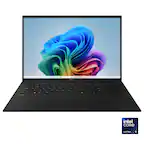
Dell - XPS - Copilot+ PC - 13.4" 3K OLED Touchscreen Laptop - Snapdragon X Elite X1E-80 - 16GB Memory - 512GB Storage - Graphite
Dell - XPS - Copilot+ PC - 13.4" 3K OLED Touchscreen Laptop - Snapdragon X Elite X1E-80 - 16GB Memory - 512GB Storage - Graphite
FREE shipping to
More Buying Options

Specifications
- Screen TypeWVAScreen Size13.4 inchesScreen Resolution2880 x 1800Touch ScreenYesRefresh Rate60HzBrightness400 nits
- Key Specs
- Screen Type: WVA
- Screen Size: 13.4 inches (Size of the screen, measured diagonally from corner to corner.)
- Screen Resolution: 2880 x 1800 (Screens come in a range of resolutions (measured in pixels, horizontal x vertical). The higher the resolution, the greater the picture quality.)
- Touch Screen: true (Touch-screen devices make navigating more intuitive. Using a touch-screen display, you can do things such as tap to select, hold and drag to move items, swipe to scroll, and pinch to zoom.)
- Refresh Rate: 60Hz (The number of frames per second the device can produce natively without enhancement. Higher rates help produce smooth, seamless pictures.)
- Brightness: 400 nits (A measure of the total light output.)
- Processor Model: Snapdragon X Elite (Your computer's processor is like its brain. Working in combination with system memory, the power of the processor determines the complexity of software you can run, how many programs you can have open at the same time, and how fast those programs will run. Most computers feature an AMD, Intel or Snapdragon processor.)
- Storage Type: SSD
- Total Storage Capacity: 512 gigabytes
- System Memory (RAM): 16 gigabytes (Random-access memory (RAM) is a computing device's short-term data storage, which allows active information to be accessed quickly. The size and type of RAM determines how efficiently the device can handle large amounts of information at one time. For example, gaming or video editing requires more RAM for optimal performance.)
- Graphics: Qualcomm Adreno (Often referred to as a "graphics processing unit" (GPU), this device is responsible for displaying image content and decoding/encoding video content in programs and games.)
- Display Connector(s): Display connection via USB port (The number and type of connectors used to connect to an external display.)
- Battery Chemistry: Lithium-ion
- 2-in-1 Design: false (A laptop and a tablet combined in one lightweight, portable device. Sometimes referred to as "convertible" or "hybrid" laptops, these devices deliver the processing power and keyboard of a laptop. When you're ready to play, either detach the screen or fold your 2-in-1 into tablet mode to comfortably watch movies, play games, read an e-book and more.)
- Backlit Keyboard: true (Integrated lights allow for visibility of the keys in low-light conditions.)
- General
- Brand: Dell
- Model Number: XPS9345-SX12807BLK-PUS
- Product Name: XPS - Copilot+ PC - 13.4" 3K OLED Touchscreen Laptop - Snapdragon X Elite X1E-80 - 16GB Memory - 512GB Storage
- Color: Graphite
- Year of Release: 2024
- Display
- Display Type: OLED
- Screen Type: WVA
- Screen Size: 13.4 inches (Size of the screen, measured diagonally from corner to corner.)
- Screen Resolution: 2880 x 1800 (Screens come in a range of resolutions (measured in pixels, horizontal x vertical). The higher the resolution, the greater the picture quality.)
- Stylus Input: Passive (An active stylus/pen is able to communicate directly with a compatible device; active electromagnetic resonance (EMR) pens are powered via a device's screen and active electrostatic (AES) pens require an additional power source. A passive stylus does not have electronic features and is compatible with most capacitative touch screens.)
- Touch Screen: true (Touch-screen devices make navigating more intuitive. Using a touch-screen display, you can do things such as tap to select, hold and drag to move items, swipe to scroll, and pinch to zoom.)
- Refresh Rate: 60Hz (The number of frames per second the device can produce natively without enhancement. Higher rates help produce smooth, seamless pictures.)
- Synchronization Technology: Not Applicable (Generally, these technologies allow syncing between a computer/console game's frame rate and the device's refresh rate for a smoother display without tearing.)
- Display Surface: Anti-reflective
- Brightness: 400 nits (A measure of the total light output.)
- Processor
- Processor Brand: Snapdragon
- Processor Model: Snapdragon X Elite (Your computer's processor is like its brain. Working in combination with system memory, the power of the processor determines the complexity of software you can run, how many programs you can have open at the same time, and how fast those programs will run. Most computers feature an AMD, Intel or Snapdragon processor.)
- Processor Model Number: X1E-80-100
- Processor Model Year of Release: 2024 (The year the processor model was initially available for sale or built into a computer.)
- CPU Boost Clock Frequency: 4 gigahertz (Actual central processing unit (CPU) speed may vary by device configuration and design. The maximum rate at which the processor is able to execute tasks, typically only used for a short period of time as needed. This rate may temporarily boost the processor's performance, but may result in overheating, shutdown, or damage to equipment if sustained.)
- Number of CPU Cores: 12-core (A core, or "brain" of a CPU, allows it to receive and execute instructions. Each core can work independently or together to perform parallel operations.)
- Neural Processing Unit (NPU): true (Whether the product comes with an integrated neural processing unit (NPU) that performs computations for AI (artificial intelligence) functions to increase proficiency of the CPU and reduce power consumption.)
- Maximum NPU Performance: 45 trillions operations per second (The maximum neural processing unit (NPU) computations performed. NPUs increase proficiency of the CPU and reduce power consumption for AI (artificial intelligence) functions.)
- Storage
- Storage Type: SSD
- Total Storage Capacity: 512 gigabytes
- Solid State Drive Capacity: 512 gigabytes (The amount of data that can be stored on the device's solid state drive (SSD). SSD is a flash-based storage with faster speeds than a hard disk drive (HDD).)
- Solid State Drive Interface: PCIe (Connects the solid state drive to the host system. PCI and SATA interfaces are the most common; PCI interfaces are typically faster, but SATA interfaces are compatible with a wider range of systems.)
- Memory
- System Memory (RAM): 16 gigabytes (Random-access memory (RAM) is a computing device's short-term data storage, which allows active information to be accessed quickly. The size and type of RAM determines how efficiently the device can handle large amounts of information at one time. For example, gaming or video editing requires more RAM for optimal performance.)
- Type of Memory (RAM): LPDDR5X (Each type of RAM delivers a different level of speed, bandwidth, energy efficiency and performance.)
- Graphics
- Graphics Type: Integrated (Dedicated graphics uses a separate graphics card for processing video images. Because it does not use memory from the system's RAM, there is no extra burden on the CPU and graphics are processed more efficiently. Integrated graphics shares system RAM to process video images.)
- GPU Brand: Snapdragon
- Graphics: Qualcomm Adreno (Often referred to as a "graphics processing unit" (GPU), this device is responsible for displaying image content and decoding/encoding video content in programs and games.)
- Compatibility
- Operating System: Windows 11 Home (The operating system manages all software and hardware, including files, memory and connected devices. Most importantly, it lets you interact with your device and your programs in a visual way; otherwise, you'd be typing computer code to get anything done.)
- Connectivity
- Display Connector(s): Display connection via USB port (The number and type of connectors used to connect to an external display.)
- USB Ports: 2 x USB-C (The number and type of USB ports the product has.)
- Number of USB Ports (Total): 2
- Headphone Jack: false (The device features an interface that allows for the connection of headphones.)
- Microphone Input: true (The device features an input for connecting an external microphone.)
- Wireless Connectivity: Bluetooth, Wi-Fi (The manner in which a device sends data to another device over a short distance without the use of wires or cables.)
- Wireless Standard: BE (The wireless networking protocol used by the device. Each iteration of the protocol is based on the 802.11 standard developed by the Institute of Electrical and Electronics Engineers (IEEE) Standards Association. Denoted by letters following 802.11 (802.11a, 802.11ac, etc.), each version, published in alphabetical order, encompasses all previous versions.)
- Wireless Networking Standard: Wi-Fi 7 (The wireless networking standard used by the device. Each iteration of the standard developed by the Wi-Fi Alliance corresponds to an existing IEEE 802.11 protocol; for example, standard 802.11ac (or AC) is termed Wi-Fi 5. Refers specifically to the standard the device is designed to use, but ultimately determines product interoperability and backward compatibility including previous versions.)
- Network Connectivity: None (The manner in which a device sends data to another device over a long distance using a cellular network.)
- Power
- Power Supply Input: USB-C
- Power Supply Maximum Wattage: 60 watts
- Battery Cells: 3-cell
- Battery Chemistry: Lithium-ion
- Camera
- Front-Facing Camera: true
- Front Facing Camera Video Resolution: 1080p (Refers to the number of pixels, both horizontally and vertically, used by the camera facing the user to capture video. The higher the resolution the finer the video detail that can be seen.)
- Built-In Microphone: true
- Features
- 2-in-1 Design: false (A laptop and a tablet combined in one lightweight, portable device. Sometimes referred to as "convertible" or "hybrid" laptops, these devices deliver the processing power and keyboard of a laptop. When you're ready to play, either detach the screen or fold your 2-in-1 into tablet mode to comfortably watch movies, play games, read an e-book and more.)
- Backlit Keyboard: true (Integrated lights allow for visibility of the keys in low-light conditions.)
- GPS Enabled: false
- Touchpad Type: Haptic
- Media Card Reader: false (A hardware device that allows for access to data on a memory card and enables the transfer of its files to a computer. These devices may have one or multiple slots for various types of memory cards, and may be integrated into the computer or available as an external device.)
- Windows AI: Copilot+ PC
- Security Features: Fingerprint reader
- Stylus Dock: None
- Dimensions
- Product Height: 0.58 inches (The out of box height of the item. Height is measured as the vertical distance from the bottom of the item to the top as it would be primarily used or placed.)
- Product Width: 11.62 inches (The out of box width of the item. Width is measured as the horizontal distance from one side of the item to the other as it would be primarily used or placed.)
- Product Depth: 7.84 inches (The out of box depth of the item. Depth is measured as the distance from the front of the item to the back as it would be primarily used or placed.)
- Product Weight: 2.6 pounds (The out of box weight of the item.)
- Certifications Listings & Approvals
- ENERGY STAR Certified: false (Devices carrying the ENERGY STAR service mark, such as computer products and peripherals, kitchen appliances, and other products, generally use 20% to 30% less energy than required by federal standards.)
- EPEAT Qualified: true (The Electronic Product Environmental Assessment Tool (EPEAT) was designed to provide an environmental assessment tool for purchasers. In order to qualify for EPEAT, a product must meet all 23 required criteria.)
- EPEAT Level: Gold (The Electronic Product Environmental Assessment Tool (EPEAT) was designed to provide an environmental assessment tool for purchasers. In order to qualify for EPEAT, a product must meet all 23 required criteria. Products are rated Bronze, Silver or Gold based on how many of 28 optional criteria they meet (below 50%, 50%, 75%).)
- Included
- Included Software: McAfee+ Premium 1-year
- Optical Drive Type: None (An optical disk drive (ODD) uses a laser light to read data from or write data to an optical disc. These discs include CDs, DVDs, and Blu-ray Discs. This allows you to play music or watch movies using prerecorded discs.)
- Numeric Keypad: false
- Stylus Included: false
- Warranty
- Warranty - Parts: 1 Year Basic Onsite Service after remote diagnosis with Hardware-Only Support-Retail
- Warranty - Labor: 1 Year Basic Onsite Service after remote diagnosis with Hardware-Only Support-Retail
- Other
- UPC: 884116429807
The first XPS CoPilot+ PC has powerful on-device AI that delivers cutting-edge responsiveness and unmatched speed for navigating demanding creative and multitasking workloads with efficiency.
- Copilot+ PCs. A new AI era begins.: Turn your ideas from text prompts into generated artwork. With Recall, search across time to find the content you need. Understand new languages instantly with Live Captions. Copilot+ PCs powered by the Snapdragon X Elite processor come with 45 Trillion Operations Per Second of NPU power, and they’re all set to transform the way you create, find and communicate.
- Get a fresh perspective with Windows 11: From a rejuvenated Start menu, to new ways to connect to your favorite people, news, games, and content—Windows 11 is the place to think, express, and create in a natural way.
- 13.4" 3K OLED Display: True-to-life color and sharp detail on a 13.4”. InfinityEdge display plus incredible sound brings content to life, so you are totally immersed. Available with 3K OLED touch display option and quad speaker design.
- Snapdragon X Elite Processor: The Snapdragon X Elite Processor powering Copilot+ PCs offers a new era of performance, intelligence, and power efficiency for creators, collaborators, and engineers alike. Get astonishing processing speeds and power efficiency from a record-breaking CPU and NPU.
- Iconic Design: Crafted with machined (CNC) aluminum and Gorilla Glass 3 to deliver a strong, lightweight laptop. XPS is available in Platinum or Graphite with tone-on-tone finishes for an elegant, minimalistic design.
- Innovative Interiors: Modern, easy to use interiors like the unique touch function row, seamless glass touchpad and comfortable keyboard deliver a clean, harmonious look and allow you to switch tasks effortlessly.
- Ultimate Mobility: Fearlessly designed to be sleek, ultra-portable and powerful. Our thinnest and lightest XPS weighs in at only 2.6 pounds* and just 14.8mm thin so you can stay productive anywhere.
- Powerfully Efficient: On-device AI powered by Snapdragon X Elite gives you unmatched speed and efficiency
- Immersive experience: Get detailed, true-to-life color and sound with QHD+, DCI-P3 and quad audio so content comes to life
- New AI superpowers: Discover the power of Recall (preview), improved Windows search, and Click to Do (preview) on Copilot+ PCs. Effortlessly locate past content, perform natural searches, and interact with text and images – all while ensuring your data remains private and you stay productive*.
Whats Included
- Notebook
- Power Adapter
- Power Cord
- Documentation
Disclaimers
- *Copilot+ PC experiences vary by device and market and may require updates continuing to roll out through 2025; Recall and Click to Do will be coming to European Economic Area later in 2025; timing varies. See aka.ms/copilotpluspcs. By going to this site, you are entering a site hosted and operated by Microsoft. Please review their Privacy Policy. All personal information you provide is subject to that Privacy Policy. Different terms and conditions may apply.
- This laptop does not include a built in DVD/CD drive.
A: Yes, the Dell XPS 13 - Copilot+ PC features a 13.4-inch OLED touchscreen display. The product name itself indicates that it's a "Touch-Screen Laptop."
Q: How much memory is included?
A: The Dell XPS 13 - Copilot+ PC comes with 16GB of memory. This information can be found in the product name: "XPS 13 - Copilot+ PC - 13.4\\" OLED Touch-Screen Laptop - Snapdragon X Elite - 16GB Memory - 512GB SSD".
A: The display type of the Dell XPS 13 - Copilot+ PC is OLED. It features a 13.4-inch OLED touchscreen with a resolution of 2880 x 1800 pixels, providing true-to-life colors and sharp details.
Q: What type of memory is used?
A: The XPS 13 - Copilot+ PC - 13.4" OLED Touch-Screen Laptop uses LPDDR5X type of memory. This information is found in the "Type of Memory (RAM)" field in the product specifications.
Q: Is there a backlit keyboard?
A: The Dell XPS 13 - Copilot+ PC does have a backlit keyboard. The product specifications clearly state "Backlit Keyboard: true".
Q: What is the brand and model of the graphics card?
A: The graphics card of the Dell XPS 13 - Copilot+ PC is the Qualcomm Snapdragon X Elite Adreno. It is an integrated graphics card that comes with the Snapdragon X Elite processor.
Q: What is the display resolution?
A: The display resolution of the Dell XPS 13 - Copilot+ PC is 2880 x 1800 pixels. This resolution provides sharp and detailed visuals, making it suitable for various tasks such as photo and video editing, graphic design, and gaming.
Q: What is the processor type?
A: The processor of the Dell XPS 13 - Copilot+ PC is the Qualcomm Snapdragon X Elite. It is a powerful processor designed for demanding creative and multitasking workloads.
Compare similar products
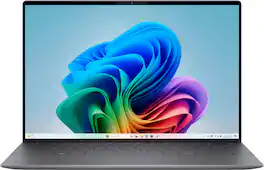
The first XPS CoPilot+ PC has powerful on-device AI that delivers cutting-edge responsiveness and unmatched speed for navigating demanding creative and multitasking workloads with efficiency.

The XPS 13 Laptop. Effortless Mobility. Powerful AI. Create and work anywhere with our thinnest XPS notebook. Powered by the Intel Core Ultra processors Series 2, with more powerful AI.

XPS laptops are constructed of metal and glass in both light and dark colors for a sleek, iconic design that you are proud to own. Crafted of premium materials, they are precision cut from a block of aluminum in two pieces so there is no variability, and the construction is strong and durable.

Sleek 14-inch 2-in-1 with on-device Copilot+ powered by Intel Core Ultra processors, with stunning performance that powers the newest AI experiences and incredible battery life for seamless on-the-go multitasking with versatile working modes.
| Pros for Dell - XPS - Copilot+ PC - 13.4" 3K OLED Touchscreen Laptop - Snapdragon X Elite X1E-80 - 16GB Memory - 512GB Storage - Graphite | |||
|---|---|---|---|
| There were no pros for this product— | There were no pros for this product— | Battery Life, OLED Display, Processor Speed, Portability, RAM | There were no pros for this product— |
| Cons for Dell - XPS - Copilot+ PC - 13.4" 3K OLED Touchscreen Laptop - Snapdragon X Elite X1E-80 - 16GB Memory - 512GB Storage - Graphite | |||
| There were no cons for this product— | There were no cons for this product— | USB Ports, Trackpad | There were no cons for this product— |
Specs
Reviews
Customer Images
The vast majority of our reviews come from verified purchases. Reviews from customers may include My Best Buy members, employees, and Tech Insider Network members (as tagged). Select reviewers may receive discounted products, promotional considerations or entries into drawings for honest, helpful reviews.
- Rated 5 out of 5 stars
Superb powerhouse
Before I get into the details of the XPS, I wanted to mention my particular purchase experience. My previous laptop was a 2022 HP Spectre x360 (13.5" screen) which was also purchased from Best Buy. That machine used a 12th-gen Intel i7-1255U and turned out to be woefully underpowered. The 3K2K screen was fine but didn't knock my socks off and the keyboard was probably the worst I've used (and I've been a loyal HP laptop buyer for years). I was done with HP and Intel and wanted an actual powerhouse machine. Best Buy offered this XPS during the Christmas season at a great sales price. Out of curiosity, I checked out the trade-in offer for the Spectre and Best Buy was much higher than other trade-in outlets like Back Market. I purchased online (received the computer in just two days), cleaned out and reset the Spectre and, after getting the XPS completely set up, FedExed it to Best Buy (they provide the paid ground shipping label). Received notification only a few days later than the Spectre was received and a few days after that that they agreed with my online assessment of "excellent" and fully-functional condition and I saw the refund on my credit card (including a refund of the tax) a few days after that. Will definitely be using Best Buy's trade in service again. I primarily use Google services (Gmail, GDrive), Microsoft Office, Notion, Local (for WordPress site work), graphics tools like Affinity and Paint.net, PDFGear, and an assortment of other, small apps. Everything works flawlessly on ARM; no compatibility issues at all. Dell effectively took over the laptop design leader spot from Apple years ago and the XPS is the primary example of this leadership. The zero lattice keyboard is not only aesthetically beautiful, it works beautifully. Each key has subtle dishing so your fingers know where they are and provide decent feedback when you strike them. Travel depth could be a smidge deeper but, for a machine as thin as this, it's perfectly fine. The controversial function key touch row is also aesthetically beautiful and innovative in the way it presents context-sensitive keys (e.g., when you press the fn key, the displayed keys in the function row change to the F1 - F12 function keys). The only gripe I have with this item is that Dell should have added haptic feedback when you hit a "key." The 2880 x 1800 px OLED screen is stunning. Bright, deep blacks, super sharp, gorgeous colors. The default resolution and vanishingly small bezels on the XPS actually allows it to display more material on the screen than the similarly-sized Spectre (e.g., more Excel spreadsheet rows) even though the Spectre's screen had a taller 3:2 aspect ratio. Battery life is very decent. You're not going to get the 20+ hours that you might with the lower-resolution FHD+ screen option. I have my power setting defaulted to "balanced" when on battery with screen brightness at 100% (when plugged in, power is set to beast mode) and I don't use a dark theme so I'm typically getting around 8-9 hours on battery which handily beats the old Spectre at barely 6 hours. If drop my screen brightness a bit and/or switch to dark mode, I can get substantially more battery life but a full work day of battery life with no serious power compromises is pretty decent (thank you, Snapdragon). And quickly on other things: Sound - awesome. It's amazingly loud and clear at the default 50% setting. Bass is surprisingly good for a machine this small and thin. Ports - haha, yep, just two high-speed USB-C combo data/power ports (one of which you use for power). The only peripherals I use are a Bluetooth mouse and Bluetooth earphones so no ports are required for those (I'm not wailing about the absence of a headphone jack as most computer reviewers peculiarly seem to do). I may get an external monitor in the coming weeks (which would consume the other USB port). Beyond that, I really don't need more ports so the dearth of them on the XPS doesn't matter much to me (just pick up a dock if you need more ports). Wi-fi - Excellent. The Spectre would periodically drop out even though it was only 20 ft. from the router; the XPS's Wi-fi 7 is speedy and rock solid. Presence Sensing - The XPS will turn off the screen whenever you leave the room and turn it back on when you return and are sitting in front of the laptop. Pretty cool and it actually works. Performance: It's a beast. Unless you're doing movie-grade video editing work, you'll wait for nothing. If you're looking for a super stylish awesomely powerful laptop that is remarkably thin and light, this XPS should be right at the top of your list. Best Buy offers the best on-sale price for this machine so track it on the Best Buy website if you're interested.
This review is from Dell - XPS - Copilot+ PC - 13.4" 3K OLED Touchscreen Laptop - Snapdragon X Elite X1E-80 - 16GB Memory - 512GB Storage - Graphite
QuantumMechanic Posted
- Rated 5 out of 5 stars
Workhorse
I've had the computer for about three weeks. The processor speed is incredible, at least comparable to a latest-generation Ultra 7. It literally flies. My apprehension when buying it was that I use at least two VPNs (FortiClient and Cisco Annyconnect) and that I work all day with SAP Logon 7.7. But I can confirm after several weeks of use that those VPNs and SAP Logon work perfectly. The fact that it's ARM is completely transparent. For my files, I used Box Drive. In that case, the tool is outdated because it doesn't install on Windows 11 ARM. But that was easy to resolve; I switched to Google Drive and that's it, and it works just like on Windows 11 x86. At this point, the computer is 100% transparent to its ARM platform, and I enjoy the benefits of the processor and battery efficiency. I rarely use it on battery power, so I haven't done extensive testing in this regard. At least it lasts as long as my Samsung Galaxy Book2 Pro 360. As for the OLED screen, it's a pleasure to work with. Its 1800p resolution allows me to see more SAP content and more Excel rows. I also love the keyboard, worthy of copying. And the touchpad is as good as the one on my MacBook Pro. I thought it would be confusing because it's invisible, but it wasn't at all. In short, it's highly recommended; you can tell it's the latest generation. It's a legitimate workhorse.
This review is from Dell - XPS - Copilot+ PC - 13.4" 3K OLED Touchscreen Laptop - Snapdragon X Elite X1E-80 - 16GB Memory - 512GB Storage - Graphite
JulioMendez Posted
- Rated 4 out of 5 stars
Wonderful Machine
It's light, fast and most of all, beautiful. The design really speaks to me and the lack of physical function key or boarder for the touchpad never bothers me. In fact I much prefer this design. So far I did not encounter any compatibility issue and suffice all my needs. The OLED screen is so gorgeous to look at and the 60hz refresh rate is good enough for daily task.
This review is from Dell - XPS - Copilot+ PC - 13.4" 3K OLED Touchscreen Laptop - Snapdragon X Elite X1E-80 - 16GB Memory - 512GB Storage - Graphite
Wenjun Posted