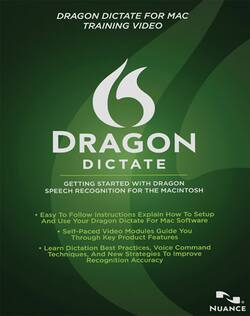
Nuance - Dragon Dictate Training Video - Mac OS
- Key Specs
- Operating System Compatibility: Mac OS
- Software Format: Physical (Physical software requires a disc, cartridge, etc. be inserted into the gaming console or computer to download and/or operate the software. Digital software allows for downloading and/or playing the software on the gaming console or computer without a physical disc, cartridge, etc. Physical (Download Code Only) software is purchased in physical form with a code that allows for downloading and/or playing the software on the gaming console or computer without a physical disc, cartridge, etc.)
- General
- Brand: Nuance
- Model Number: 31-S61A-20170
- Product Name: Dragon Dictate Training Video
- Publisher: Nuance Communications
- Features
- Voice Commands: Switch and minimize windows
- Voice Transcription: true
- Cloud Based Software: true
- Compatibility
- Operating System Compatibility: Mac OS
- Software Format: Physical (Physical software requires a disc, cartridge, etc. be inserted into the gaming console or computer to download and/or operate the software. Digital software allows for downloading and/or playing the software on the gaming console or computer without a physical disc, cartridge, etc. Physical (Download Code Only) software is purchased in physical form with a code that allows for downloading and/or playing the software on the gaming console or computer without a physical disc, cartridge, etc.)
- Number Of Discs: 1
- Other
- UPC: 780420124189
You've made the choice to revolutionize the way you use your Mac. Whether you're unable to use a keyboard, frustrated with the slow process of typing or simply want a way to multitask, you've discovered the solution to your problem with the speech-transcribing capabilities of Dragon Dictate. You've taken the software out of the box, loaded it to your Mac and maybe even tried your hand at creating text. But don't stop there. With Dragon, an entire world of possibilities is yours to command with the power of your voice. From browsing the Web to managing your e-mail, transcribing audio files to text and more, there are so many ways you can use Dragon to boost your productivity and broaden your horizons. Learn how to take advantage of every unique opportunity with guidance from the Dragon Dictate Training Video.
Ideal for visual learners, this easy-to-use program presents approximately an hour's worth of essential instructions, expert tips and time-saving tricks in the course of 10 video modules led by a Dragon software expert. Get started off on the right foot by learning how to swiftly navigate through Dragon's user interface, menus and toolbars and confidently operate your microphone. Learn key techniques and strategies for getting the most accurate recognition of your commands. Then, delve into all of the amazing features of your new software and discover exciting possibilities, including creating custom voice commands, transcribing audio files, editing and correcting text and customizing the Dragon vocabulary to suit your needs. Plus, with included electronic copies of the Dragon Dictate user workbook and a cheat sheet of popular voice commands, this Training Video gives you even more ways to enhance your experience. Before you know it, you'll be effortlessly and expertly navigating your Mac hands-free.


















