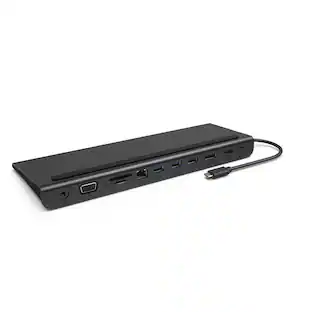
j5create - USB-C Triple Display Docking Station - Black
Customers are saying
Customers highly value the USB-C Triple Display Docking Station for its ease of use, USB-C connectivity, overall performance, and variety of ports. The device's compact size, display capabilities, sleek design, and reasonable price point are also appreciated. However, some customers have noted compatibility issues and the absence of a power supply as potential drawbacks. Overall, the docking station seems to be well-received for its convenience and functionality.
Simultaneous DisplayPort, HDMI and VGA Output
Supports Mirror and Extended modes on both Mac & Windows. The easiest way to add a second or third display.
HDMI/DisplayPort/VGA Output Port
DisplayPort Alt mode for HDMI or DisplayPort resolution of 4K @ 30 Hz. HDMI resolution of 4K @ 30 Hz and VGA resolution of 1920 x 1080 via dual output.
USB-C 100W Power Delivery
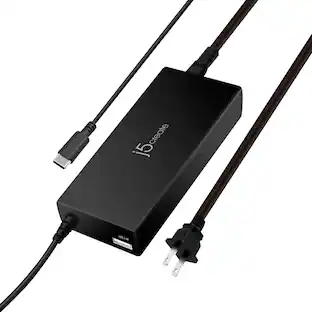
With the attached USB-C cable, the dock will power and charge power-hungry laptops, with up to 100W Power Delivery and power your connected peripherals when it’s used with a USB-C power adapter.
Multiple Connections
To support all of your USB peripherals, the dock provides a total of four USB 3.0 ports (1 USB-C and 3 USB Type-A ports), a Gigabit Ethernet port, SD/microSD card slots and a combo audio jack.
BC 1.2 Fast Charging
One of the USB 3.0 Type-A ports is a fast-charge port, so you can charge your mobile devices faster than you can from a standard USB port.
SD and microSD card reader
Enable external memory access.
- Maximum Number of Displays Supported3Maximum Supported Resolution4K (2160p), Full HD (1080p)Number of DisplayPort Outputs (Total)1Passthrough PowerYes
Reviews
Rating 4 out of 5 stars with 3129 reviews
- Ease of use (524)
- USB-C (193)
- Overall Performance (185)
- Ports (153)
- Connectivity (124)
- Compatibility (199)
- Power Supply (89)
Customer Images
The vast majority of our reviews come from verified purchases. Reviews from customers may include My Best Buy members, employees, and Tech Insider Network members (as tagged). Select reviewers may receive discounted products, promotional considerations or entries into drawings for honest, helpful reviews.
Compare similar products
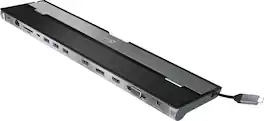
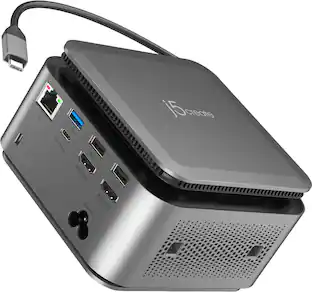
This triple display docking station turns your Mac or Windows laptop into a full workstation with a DisplayPort output, two HDMI outputs, and a VGA output, with resolution support up to 4K (3840 x 2160) on two displays and 1080p on the other one. You can also use your laptop screen for four displays in total, making it easy to access multiple applications at once. With 100W Power Delivery, three USB 3.0 ports, and a USB-C port, this docking station is perfect for your MacBook, Dell XPS, or other USB-C laptop requiring additional ports. This USB 3.0 docking station is also equipped with a RJ45 Gigabit Ethernet port, memory card reader/writer, and combo audio jack for maximum productivity. The elevated design assists with heat dissipation and, with its double-sided cable storage compartment, ensures an easy connection regardless of your USB-C port’s location. All 13 ports are combined into one slim docking station, so you’ll have all the connections you need to stay productive!
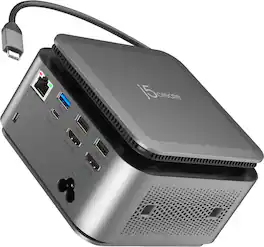
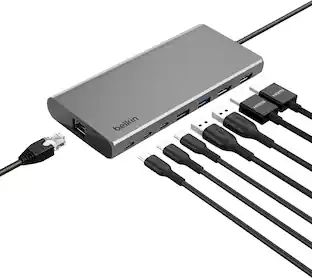
The JCDP4140 14-in-1 USB-C® Powerbase Docking Station is designed to streamline your setup, it features a built-in GaN power adapter and a smart cable storage compartment with a 69.5cm USB-C® cable, delivering up to 100W of power directly to your laptop. With two dedicated USB-C® charging ports (18W and 27W), you can easily power another laptop or fast-charge your tablets, smartphones, and other essential devices. Plus, enjoy seamless connectivity with additional USB™ Type-A, HDMI™, and Ethernet ports, making this your ultimate hub for productivity.

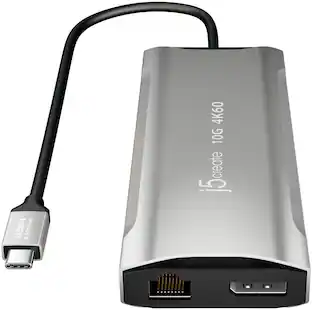
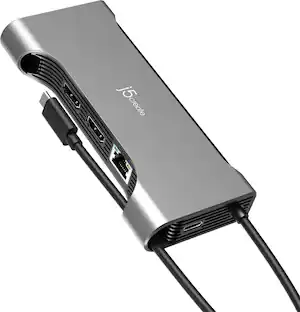
Equipped with an advanced USB-C E-Mark chip, this multi-monitor mini dock is compatible with USB4 hosts and devices, featuring everything you need, from triple video outputs to 10Gbps USB ports, as well as 100W Power Delivery pass-through charging. This USB-C mini dock supports DisplayPort 1.4 and Multi-Stream Transport (MST), giving you the ability to create a dual or triple 4K workstation with two HDMI and a DisplayPort output. It provides three USB SuperSpeed 10 Gbps ports (2 USB-C and 1 USB Type-A) for peripheral connectivity or downstream charging, an SD & microSD 4.0 memory card reader/writer to manage your media files, and a Gigabit Ethernet port to access a wired network. It also supports Power Delivery 3.0, providing up to 100W pass-through charging to power the connected peripherals and charge your host laptop with a USB-C power adapter.
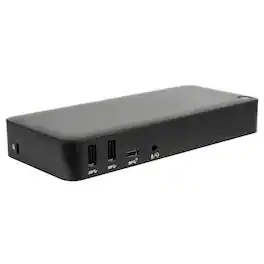
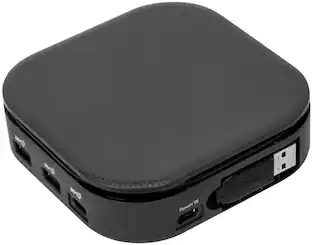
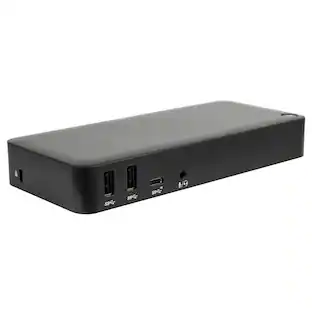
Create a more powerful, productive workstation with the Targus USB-C™ DisplayPort™ Alt. Mode Triple Video Docking Station with 85W Power. This Alternate Mode dock packs all of the ports and power you need and is designed to support and power a wide variety of laptop brands and operating systems – up to 85W. With video performance up to 3840x2160 p60 for single display, 2560x1440 p60 for dual displays, and 1920x1080 p60 for three displays, you are sure to get crisp and clear images. Connect all of your favorite accessories with a combination of USB-A (4 USB 3.2 Gen1 ports, 1 fast-charging) and USB-C (1x 3.2 Gen2), plus Ethernet and audio ports.
| Pros for j5create - USB-C Triple Display Docking Station - Black | |||
|---|---|---|---|
| Ease of use, USB-C, Overall Performance, Connectivity, Ports | There were no pros for this product— | Overall Performance, Ease of use, USB-C, Connectivity, Size | Connectivity |
| Cons for j5create - USB-C Triple Display Docking Station - Black | |||
| Compatibility, Power Supply | There were no cons for this product— | Compatibility, Heat, Power Delivery, Price, Cable Length | There were no cons for this product— |
Specs
Customers often buy these together
 $179.00The price was $199.99
 $26.99The price was $29.99





Customers ultimately bought
 Top Deal$124.99The price was $139.99
 Clearance$48.99The price was $69.99




Explore tech essentials Sponsored
 $269.99The price was $299.99





Discover related products
 $11.99The price was $12.99
 $7.99The price was $14.99


Keep exploring
 $38.99The price was $45.99
 $174.99The price was $229.99