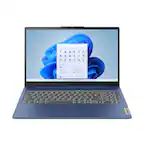
A:AnswerThis model does support this upgrade but there is quire a bit of disassembly required, I recommend having the Geek Squad or an Authorized Service Center perform the upgrade.
A:AnswerI have the same question. One solution is a high-capacity USB stick, if you have large files you can offload (e.g., a photo or video folder). They are pretty cheap now and small so they can be flush with the side of the PC, so you could leave it in place. I am leaning toward this.
https://www.amazon.com/SanDisk-256GB-Ultra-Flash-Drive/dp/B07857Y17V/ref=sr_1_1?ie=UTF8&qid=1543191768&sr=8-1&keywords=256+gig+usb+stick
For an integrated solution I found this (see following link). It may not apply completely to this particular model but looks like good advice. I would consult Best Buy Geek Squad or something like that if you are not technically advanced - I'd bet opening the case to install on your own, even if technically supported, would violate the warranty. https://h30434.www3.hp.com/t5/Notebook-Hardware-and-Upgrade-Questions/Increase-system-memory-4GB-to-8GB-and-SSD-storage-128GB-to/td-p/6131467 -
A:AnswerAssuming you mean 5.0 GHz Wifi (as opposed to 5G, which is a mobile data frequency), unfortunately no. It only has a wireless card that works on the 2.4 GHz frequency.
Dual band WiFi cards have suffixes that end in a/b/g/n, or a/g/n. The 'a' designates they work on the 5.0 GHz wireless band.
A:AnswerThere are many factors involved here, such as the size and resolution of the photos and video files. However, 128GB can hold approximately 25,000 photographs. Just keep in mind that in a real-world situation, some of the drive will be taken up with the Operating System and other programs you install.
Additional storage can be had if you use an external drive, flash drive or SD card.
This computer would be adequate for light games, but not some of the more intensive ones like Fortnite.