“Is there a port/adaptor where I can use a VGA cable?”
Answer This Question
1-3 of 3 Answers
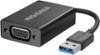
Hello Best Buy customer Hawaii808! In an attempt to answer your question, I did a GOOGLE search and, in addition, I went on Best Buy's website and I entered the search term => "USB to VGA adapter." I have provided two (2) product "recommendations" below; however, prior to making "any" purchase, please consult with a sales or tech support representative and make certain that prior to purchasing any product of this type that it will fit or fulfill your "specific" needs. I realize Best Buy customer Hawaii808 that you did not bring up the following; however, if you or anyone else would like a suggestion regarding how to incorporate a larger "monitor" along with the use of this HP laptop or other brands/types of PC's, I would offer the following. Consider the possibility of using a television set and here is how I have my TV set paired with this HP laptop => On my 32" Insignia TV, I use an "HDMI" cable to connect the laptop to my TV's HDMI "ARC 1" port. Then, go into your computer's display settings and select "112" for display "type" and then under scale and layout select "100% (recommended)" and then for resolution select "1366 X 768 (recommended)" and then for multiple displays select "duplicate these settings. To have it so all of the computer's icons fit on the TV screen which are located on the lower task bar and in the left vertical column of the desktop saver screen click onto the TV's menu button and go into the picture column and then scroll down to "advanced settings" and then set the TV's "OVERSCAN" feature to OFF! If one has a different brand TV there may be a different setting or name for the "OVERSCAN" setting or feature! I hope that my answer helps you and other Best Buy customers Best Buy customer Hawaii808.
I would recommend:
Sorry, there was a problem. Please try again later.I don’t see a port for a VGA cable. I’ll attach pics
Sorry, there was a problem. Please try again later.no
Sorry, there was a problem. Please try again later.