A:AnswerNo.
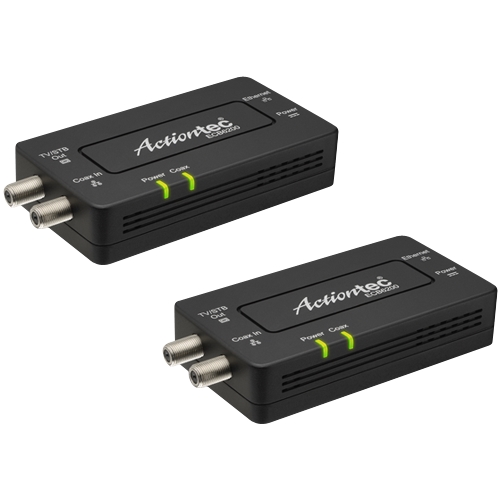
This has nothing to do with your wifi signal. That comes from your router/wifi access point and this has nothing to do with that or your wifi. You need to run this as a set of at least two. One of the units connects with an ethernet cable to a port on your router. It then converts that ethernet signal to transmit over the coaxial cable already installed throughout your house. Subsequent units then connect to cable outlets throughout your house and convert that signal back into ethernet to run an ethernet cable to your computer or devices you want to hardwire internet to. You need one unit by the router to convert the internet to go over coaxial, then use subsequent units to intake that signal and convert it back into useful ethernet connections. It's used in leu of running CAT5 or 6 ethernet cabling throughout the house if you already have the coaxial cabling run.
A:AnswerI don’t know about your specific router, but I have an Xfinity router that is MoCa capable and once I was able to activate the MoCa function in the router, I plugged both of these to other devices in the house and they work great.
A:AnswerYou can use a 4 or 8 port switch. If you have devices that have Gigabit ports then be sure to use a Gigabit switch. Plug it in and you will be good to go.
A:AnswerYou can run long enough ethernet cable from RV park supplied connection to RV then in RV connect router to connect all network devices.
This device is not the best solution.
A:AnswerBest buy sells the kit includes 2 devices which you need to connect one device to network.
If you want to connect another room to network you can buy a single device which is the other part number.
A:AnswerAfter connecting one to spectrum modem. You connet the supllied splitter
to the coax cable at the wall on first floor then connect cable box and device to the splitter.
A:AnswerNo. That cable will not carry a signal 2000ft. Maybe use your cell phone to create an internet hotspot in the cabin? If the cell signal is not strong, you can get an inexpensive cell phone booster.
A:AnswerI have Fios and the pass through on the MOCA device did not work, however it does come with a cable splitter and I used that to split the signal before the cable box and that worked perfectly. So you have the cable from the wall to splitter with one side going to the cable box and the other going to the MOCA device.
A:AnswerThe answer is "no" ... If I am understanding your question. You want to send a TV signal to your cable-set box. These MoCA adapters use the coax, but not to send TV signal. One unit plugs in to your modem and then delivers a networking signal through coax to the second adapter (think computer on the end of the second adapter). In any case, you would need to have coax near both ends.
A:AnswerThink of the product and the existing coax in your house as a substitute for Ethernet cable. If you have a cable modem, you can use the product to put your WiFi router in a different room (maybe more centrally located for better WiFi coverage). Attach Ethernet patch cables to the Internet port on the modem and Network port on the router. Then attach the patch cables to the adapters and the adapters to to your rooms’ coax ports. You can also use the product to attach an Ethernet device or switch in another room to your router. This is my use case. I connect an Ethernet port on my router (downstairs) to an Ethernet switch (upstairs).
A:Answerif you are running cable tv along with networking
1 - splitter1 to modem
1 - splitter1 to splitter2
1 - splitter2 to adapter1 (Ethernet to modem/router)
1 - splitter2 to existing coax
1 - existing coax to adapter2 (Ethernet to computer)
1 - adapter2 to set top box/tv
So - I would guess at least 6
A:AnswerYou may need to look into getting a mesh network (like the Google Nest system) because the MoCa adapters replace having to wire Ethernet cables thought the house by using the coax instead.
A:AnswerThis device is a connection oriented piece of technology. It's not wireless. You may want to look into homeplug products that send an information signal over your already in place power lines.