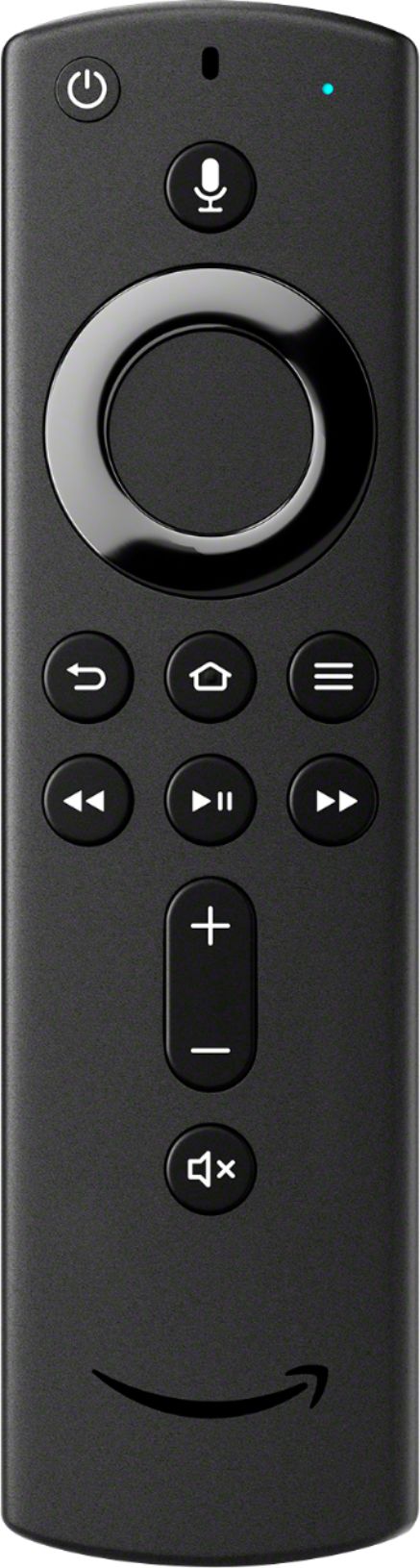
A:AnswerThis remote is specific for the Fire TV devices and will not control your TV. The TV controls that are on it only work volume and power if there is a Fire TV device connected.
A:AnswerHello,
This will not. This is a replacement remote for a Fire TV Stick Device. Best Buy does not carry Element , therefor they do not carry a replacement. I would suggest looking at the retailer that you purchased that TV from, they should carry a Element Fire TV Replacement Remote.
A:AnswerHi Frank,
No, this model is a replacement remote for a Fire TV Stick. The model you are looking for is the :
Amazon - Fire TV Stick 4K with Alexa Voice Remote, Streaming Media Player - Black
A:AnswerHello,
Those apps are all available, and it has FireFox and Silk Web Browsers already on the device. The only limit would be storage space, which apps take up, so its not limitless. Hope that helps.
A:AnswerHello,
This is not the replacement remote for the Toshiba Fire TV editions. You will need the:
New!Insignia™ - Fire TV Edition Replacement Remote for Insignia-Toshiba - Black
Hope that helps!
A:AnswerHello JR13, as long as your TV has an HDMI input any of the Fire TV devices will work on it. The 4K devices will work just fine, they just won't show the picture in 4K.
Have a great day!
A:AnswerHello Palmee, the Amazon Fire TV Stick does not come with a written manual, however there is a help section within the Settings tab on the top right of the screen. There are videos and other tips on how to get the most out of your new Fire TV Stick.
Have a great day!
A:AnswerHey Pete,
If you're looking to replace the Remote that came with the Toshiba Fire TV with the remote in question unfortunately the answer is no. You can purchase a replacement remote for the Toshiba Fire TV model through Amazon.com, but it needs to be the Toshiba branded Fire TV remote.
A:AnswerHello,
I believe that this remote will not work. You will need the "Insignia™ - Replacement TV Remote for Insignia or Toshiba Fire TV Edition" from bestbuy.com.
A:AnswerHello, Jeff! Yes, you can download the YouTube TV app from the app store on the Fire Stick! Once downloaded, you should be able to log into your account and watch the programs available to you! Have a great day!
A:AnswerHi Joe,
Will you be using it in conjunction with a Fire TV Edition, Fire TV Stick or Fire TV Cube? If so, then yes it will allow control of the television. It will not control it standalone without one of these devices. Have a great day!