“My MAC doesn’t have the plug in the back for my new mouse. I can’t get my curser to move. How do I get my new mouse connected?”
Answer This Question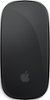
1-9 of 9 Answers
?
Sorry, there was a problem. Please try again later.Go into system and find mouse. It’s Bluetooth. Connect it and don’t turn off the mouse, Leave it on as it will stay connected to your Mac. But if you turn mouse off it will need to be re connected again in the mouse settings. Just make sure you keep it charge every few months.
Sorry, there was a problem. Please try again later.My mouse automatically connected to my MacBook Pro and didn’t need a plug-in of any sort it’s wireless.
Sorry, there was a problem. Please try again later.Turn the switch on the bottom on, and hold near your Mac, It should automatically connect. If not, you might should watch a YouTube video.
Sorry, there was a problem. Please try again later.The plug is a cport at bottom of the mouse on the back side
Sorry, there was a problem. Please try again later.Bluetooth
Sorry, there was a problem. Please try again later.You could Turn on Bluetooth and get your mouse connected/Activated
Sorry, there was a problem. Please try again later.This one connects by Bluetooth.
Sorry, there was a problem. Please try again later.Get a wireless mouse
Sorry, there was a problem. Please try again later.