Black Friday is hereShop new DoorbustersShop now

Skip to content
Gift Ideas
26 Cypress St
Williston, VT 05495
Opens tomorrow at 9 am
Find Another Store
Main Content

Questions & Answers

Your price for this item is $218.99
Clearance
The comparable value price is $299.00
Page Showing 81-100 of 223 questions
  • QuestionIs this a windows 10 laptop?

    Asked by D.

    • Answer No it is a Chromebook

      Answered by Scouteralan

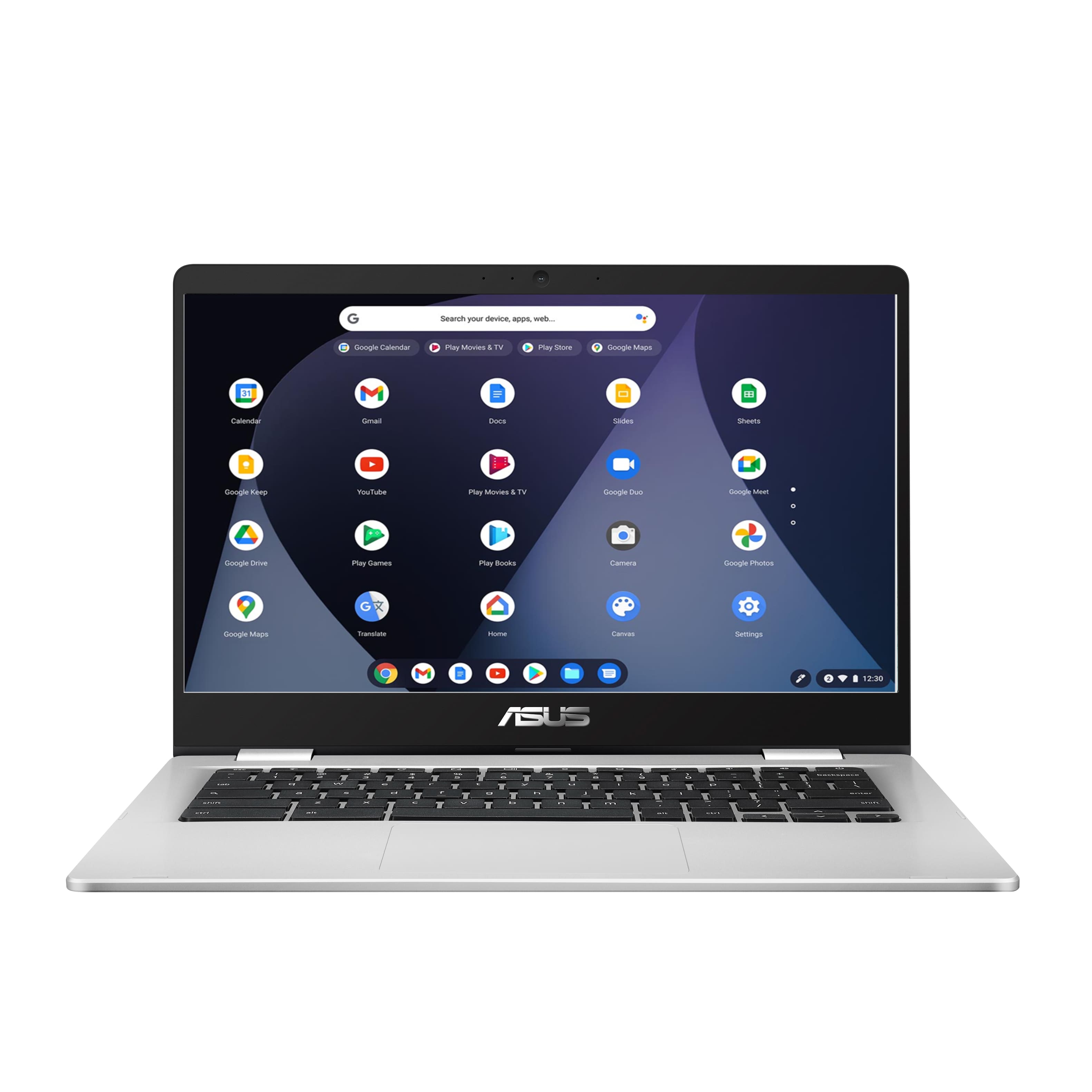
  • QuestionIs this touchscreen

    Asked by Lily.

    • Answer No, this is not a touch screen Chromebook. I personally don't like the touch screens, so fits my purpose well.

      Answered by PMTeach

  • QuestionHi, can skype be used? Is it via download and an application?

    Asked by Hassan.

    • Answer Yes it can

      Answered by Smash

  • Questiondo the open box come with a warranty?

    Asked by KJH.

    • Answer No

      Answered by BIGCAS

  • QuestionWill this run Jurassic World Evolutions 2?

    Asked by Dan.

    • Answer N/A

      Answered by BIGCAS

  • QuestionIs this unit touch screen?

    Asked by Anonymous.

    • Answer No, this is not a touch screen. I personally dislike touch screens, so it fits my purpose.

      Answered by PMTeach

  • QuestionDOES THIS HAVE WINDOWS

    Asked by MATTSBUDDY.

    • Answer No, this has chrome operating system.

      Answered by ASUS Answers

  • QuestionCould this be used as a streaming option? Does it support the obs- streaming software

    Asked by kay.

    • Answer Yes

      Answered by Smash

  • Questiondoes chrome have a magnifier?

    Asked by butch88.

    • Answer Magnifying Glass for Google Chrome™ FREE! The magnifying glass displays the zoomed area on the web page, making the selected area visible in detail. This magnifying glass extension shows a zoomed in area within the radius of the magnifying glass, without affecting the rest of the webpage.

      Answered by ITadmin

  • QuestionTouchscreen?

    Asked by Re.

    • Answer Hello Re. Thank you for your question. Based on the information provided on the retailer's website, this Asus Chromebook is not touch-screen. Bear in mind that we always recommend verifying this information directly with the retailer support. You can contact Best Buy's support team using the link below: ***https://www.bestbuy.com/site/electronics/customer-service/pcmcat87800050001.c?id=pcmcat87800050001*** You can also chat with a Best Buy agent by clicking the chat button that is located in the lower right corner of the retailer website. Thank you for choosing Intel!

      Answered by Intel team

  • QuestionIs it touch screen.

    Asked by NotBob.

    • Answer Hello NotBob. Thank you for your question. Based on the information provided on the retailer's website, this Asus Chromebook is not touch-screen. Bear in mind that we always recommend verifying this information directly with the retailer support. You can contact Best Buy's support team using the link below: ***https://www.bestbuy.com/site/electronics/customer-service/pcmcat87800050001.c?id=pcmcat87800050001*** You can also chat with a Best Buy agent by clicking the chat button that is located in the lower right corner of the retailer website. Thank you for choosing Intel!

      Answered by Intel team

  • QuestionScreen removable? Touch screen?

    Asked by Sandy.

    • Answer This is a regular laptop with an attached keyboard and no touchscreen. It does have ports if you need a different keyboard, mouse etc

      Answered by SilverD

  • QuestionCan you use install or does it come with Adobe flash?

    Asked by Beth.

    • Answer Chromebooks have a built-in Flash player that you can enable in site settings when you click on the lock in the address bar. Chromebooks have Adobe Flash built in. Sometimes if you click download Adobe Flash, it will say "Your Chromebook automatically has the newest version of Flash.
      Answered by ITadmin

  • QuestionCan this laptop play Tiger Woods PGA Tour 2008 ?

    Asked by nelly.

    • Answer Yes

      Answered by apostle

  • Questiondoes it have a touch screen

    Asked by jfjr.

    • Answer No

      Answered by Travisspenthouse

  • Questioncan I add a wireless mouse ? Thank you

    Asked by callduck.

    • Answer Yes, a wireless mouse can be connected to the Chromebook.

      Answered by ASUS Answers

  • QuestionIs it a good for artist

    Asked by Snuk.

    • Answer If you get a Wacom tablet it’s already ready to go with

      Answered by Travisspenthouse

  • QuestionIs this still good for gamiing?

    Asked by chris.

    • Answer No,way to slow for games

      Answered by Steve

  • QuestionCan the Chromebook use compact discs?

    Asked by Parken.

    • Answer Yes, It supports optical disc drive to read/write files only, it will not support video playback.

      Answered by ASUS Answers

  • Questionwhere's the turn on button and do you have to charge it up before using it?

    Asked by Annie.

    • Answer On button is on top right of keyboard. I had minimal battery life so I would recommend charging before use.

      Answered by HappyTeacher