“Will this router be able to replace the xfinity router but this router has a cable that connects to it and the Asus one does not. So how will this work?”
Answer This Question
1-5 of 5 Answers
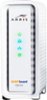
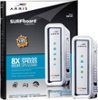
Your xfinity router is actually two devices in one: a router AND a modem. If you want to replace the xfinity device then you have two paths available to you. You can either look for a another two-in-one device or you can buy a router and a modem separately and then just connect them. I did the latter, using this ASUS router and a Surfboard modem. It works wonders, and much better than xfinity's device.
Sorry, there was a problem. Please try again later.In order to replace your xfinity hardware, you must determine if your home phone also runs through your modem. If the answer is yes, then you are much more limited in your options. If the answer is no, then you must first acquire a high speed cable modem which connects to the cable you mentioned. That will then connect to the wireless router, completing your setup.
I would recommend:
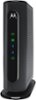
Sorry, there was a problem. Please try again later.I believe you are describing a modem that you rent from Comcast. This device is to give off a Wi-Fi signal only and does not operate as a modem. If you are looking for a modem and Wi-Fi router in one you can look at the Motorola SURFboard line.
Sorry, there was a problem. Please try again later.No. This will not replace your Cable Modem . . . which you need to receive service from Comcast/Xfinity. Look on your cable provider's website for compatible modems for your service.
I would recommend:
Sorry, there was a problem. Please try again later.Yes it will however you will have to purchase a separate cable modem compatible with your service provider, generally arris is compatable with most isp's. Talk to them to find out how many down channels you will need for your speed, they range from 4 channels down up to 32 channels down. you should be able to google the model you have now from xfinity and find out how many down it is and get the same.
I would recommend:
Sorry, there was a problem. Please try again later.