“With the audio jacks, do they support dual input (e.g. one connector for a headset with built in microphone)? Or will I need to get a USB connector to support this type of headset?”
Answer This Question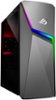
1-1 of 1 Answer
All audio ports have one function. There are 3 lines in the back: Line In - Allows you to connect an AUX cable from one device to the PC to play device audio to the PC. Front Speaker Out - Connect a speaker (or headset) to play audio to the connected output. Mic In - Connect a 3.5mm microphone for audio in. One port is available on the top in the front which you can customize for any of the 3 ports from the rear. If you want to use a TRRS jack (3 black rings on the jack) you will need a splitter to separate the mic/audio, or a USB connector to relay the info to the PC via USB.
Sorry, there was a problem. Please try again later.
