“I connected two monitors DVI-->displayport into this desktop and only one of the monitors is able to be detected. I believe maybe the other display port is bad? I switched the cords around and both of the cords work fine when plugged into the working port”
Answer This Question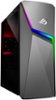
1-2 of 2 Answers
try hdmi?
Sorry, there was a problem. Please try again later.You need to configure the monitors in the Display properties and check that the video driver and Windows are up to date, and check the correct and working video cable is being used.
Sorry, there was a problem. Please try again later.