“Can I use to connect 2009 iMac to 2016 MacBook Pro to use IMac as a monitor”
Answer This Question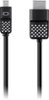
1-1 of 1 Answer
Hi, GiGi. The Belkin Mini DisplayPort to HDMI Cable, F2CD044 lets you stream high-quality audio and video content from your laptop or tablet to your HDTV. Simply plug the cable to the Mini DisplayPort or Thunderbolt port of your smart device then plug the other end to your HDTV’s HDMI port. As long as the system requirements are met, it should work fine with this set up.
Sorry, there was a problem. Please try again later.