“Online gaming question. I use this range extender to get better connection when I play games on my ps3 and xbox 360. connection is pretty fast, but about every hour or so, the connection will randomly drop. i can usually get connection back within a minute but it gets kind of annoying when it happens in the middle of a game. is there anything in the extender settings i can change so this problem won't happen so often?”
Answer This Question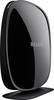
1-6 of 6 Answers
Not any setting on the extended router that I saw, BUT you might want to check the Wifi settings on your device. There is a setting that says to "ignore weak Wifi connections". Hope that helps! :)
Sorry, there was a problem. Please try again later.Try unplugging it wait few seconds plug it back in. Is might reset the systems and the problem. Also reset your your modem this might help. When our internet company put in a new modem it kept dropping connection so I unplugged and waited and plugged it back in it corrected the problem. I wasn't getting full signal with either now I am.
Sorry, there was a problem. Please try again later.Unfortunately, no. It may be due to wireless interference. Ensure the extender is in a closer position to grab a stronger signal from the main router.
Sorry, there was a problem. Please try again later.Move your extender. It is probably picking up some kind of interference.
Sorry, there was a problem. Please try again later.No I do not use it for that
Sorry, there was a problem. Please try again later.If there is a lot if items connected to the booster I've noticed this can happen from time to time
Sorry, there was a problem. Please try again later.