“troubleshhoing URGENT Hello I bought a NB 600 Belkin, 3 months ago, and it has stopped to work yesterday, I have checked all the connection and I have tried to use i with another network, but it is still not working What I have to do ? Please reply my urgently”
Answer This Question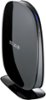
1-3 of 3 Answers
Your best bet is to look for a firmware update.
Sorry, there was a problem. Please try again later.Do a factory reset. Contact Belkin at http://cache-www.belkin.com/support/dl/MAN_F9K1102_8820-00777_RevA02_N600.pdf page 17
Sorry, there was a problem. Please try again later.first you unplug the modem and router for about 20 seconds then you plug the modem in first and wait until all the lights come on then you plug the router in you wait until all the lights come on then you should be ready to go IF NOT CALL BELKIN THEN
Sorry, there was a problem. Please try again later.