“Can't program the universal remote. Having trouble syncing tv to remote.....what is the code I should use?”
Answer This Question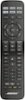
1-4 of 4 Answers
Depends on your brand of tv. The instruction manual that comes in the package provides the codes for about a hundred different tv's. If your tv is a Sony, you're probably out of luck though. Several types of Sony TV's will not accept the "Universal" codes provided, including the one I have. I believe you can go to the Bose website and look for assistance with these types of code issues.
Sorry, there was a problem. Please try again later.Hi Walt, We apologize for the setup difficulty. Programming instructions can be found on our owner's website here: http://bit.ly/131BRhS If you are still having trouble, please contact our technical support team who can assist with troubleshooting. They can be reached at 1-800-380-4831 and are available 8:30am-10:00pm M-F, 9am-7:00pm Sat EST. Thank you.
Sorry, there was a problem. Please try again later.The instructions left out one step. After you enter the code you press the source button till all the buttons light up. Then you enter the code again. Then you press the volume + then exit. I was going crazy trying to program the remote until I checked out a how to video on YouTube. The instructions omitted the volume+ step.
Sorry, there was a problem. Please try again later.I had problems also. Although Bose claims it can replace your Cable and/or TV remote I'm not sure if it will do all of the functions these remotes do. I did get the unit to change channels but that's it. I just use the Bose remote to turn the speaker system on and off and then use the other remotes for the functions I want them to perform. it's a pain but it works for me!
Sorry, there was a problem. Please try again later.