A:AnswerI would imagine so, if you use either:
1. wireless scanner
2. USB scanner
3. networked scanner
4. scanning program app
You might need more usb ports, depending if you use many usb items, like a wireless mouse and only have 1 full size port.
Just buy an external usb hub to connect other peripherals.
If you only have 1 micro-usb port on chromebook,there ARE hubs for that too. Micro-USB to Full size USB hubs. You'l have to search a bit to find those though.
A:AnswerI don't believe that this fax interfaces with computers at all. I normally just print out a letter sized page from my computer, via my B&W printer.
Then place that page(s) of paper into fax unit's top slot, Face Down, enter fax number of recipient and hit button to transmit it.
[I once had a higher end, brother, laser All-In-One unit. That one DID have a USB connection, so that I could send print jobs to it and it acted as a printer.
Never tried the laser model to transmit a fax, directly from PC though. It might have been able to do so, but I donated that when I last moved, so I'll probably never know].
But this low end film unit, as far as I know, does not connect to a PC of any type, so win10 compatibility is a moot point.
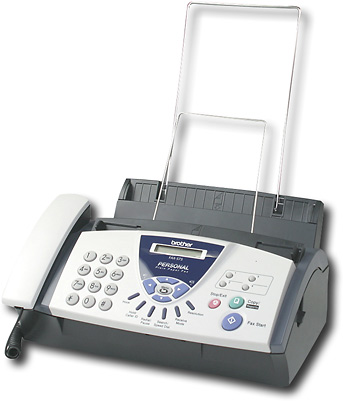
A:AnswerIf you have internet connectivity, you could try initiating an outbound fax from one of the FREE faxing websites.
Direct that fax , from the online fax website, to your fax machine's number and see.
Quickest way I know of, unless you have 2 phone lines in your residence.
If you have 2 lines in your home, you could send fax from line #1 and connect fax, for receipt, on line #2.
Would require a 2nd fax unit, to transmit. Or a computer that has an old analog modem and a fax program to use for sending.
Hope that helps.