A:AnswerYou can copy the data on to an external drive and then move it to the new system. We also suggest you to contact Geek Squad and they will assist you further with this information.
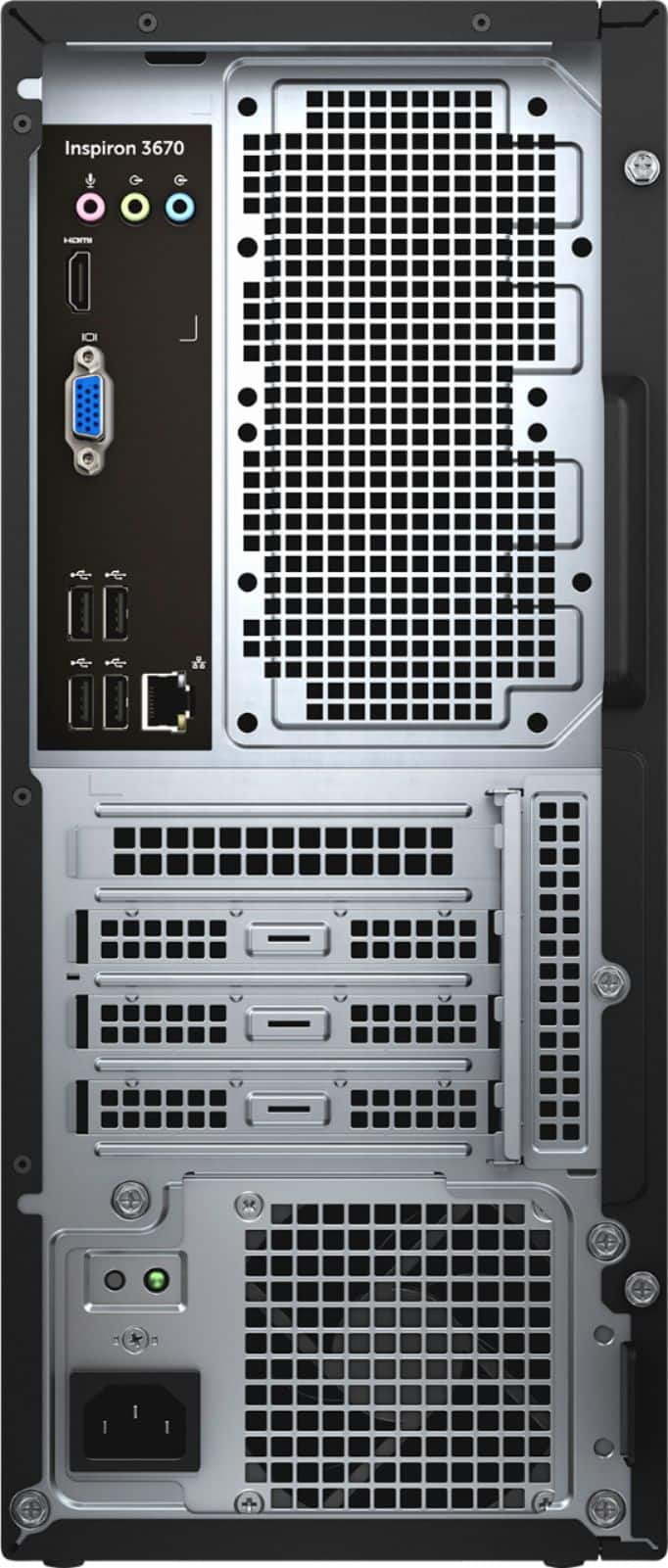
A:AnswerThe following ports are available on the back of this system. Please check if these meet the requirement to connect your devices:
1 x Microphone port
1 x HDMI port
1 x VGA port
4 x USB 2.0 ports
1 x Ethernet (RJ45) port
1 x Line-out port
1 x Line-in port
A:AnswerThis computer will most likely only come with a power cord and a basic keyboard & mouse. Any other cables you don't already have, such as a monitor cable, USB cable for your printer, or cables for other peripherals, you will need to buy.
A:AnswerHello! This desktop tower does not have a built in camera. You will need to either pair it with a monitor that has a built in camera or use a webcam accessory.
A:AnswerWe are sorry for the experience. Please reach out to the Dell technical support team for assistance in resolving the issue. They are available 24/7 on Facebook and Twitter(@Dellcares).
A:AnswerYes, the system comes with pre installed software and applications. Hence, it just has to be unpacked, connect(plug in) to the power source, the monitor and the input devices and start using it.