1-3 of 3 Answers
If you are viewing normal television channels, the picture will be relatively blurry. This is true on any large t.v. as standard t.v. channels do not have the resolution to properly "fill in" the screen. Try changing the aspect ratio to a smaller picture in the menu options. The best picture will be achieved via HD sources such as HD t.v. channels or Blu-ray discs followed by DVDs. Just a fact of modern t.v.'s, I'm afraid.
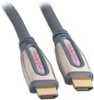
Sorry, there was a problem. Please try again later.I just posted a review but in short, get a good HDMI cable the SUPPORTS 120Hz, It will say if it does on the back of the box. It can look really bad after awhile (sometimes instantly for some) without one that does support it. But its a world of difference with a good cable!
I would recommend:
Sorry, there was a problem. Please try again later.This happens with mine as well, even with top quality cables, HD cable channels, Blueray movies and PS3 games. Is there a patch or fix for this? Google this problem and it's rampid and seems to be preventing people from buying the TV. I bought it, and now it's too late. Let's hope there's a way to correct this.
Sorry, there was a problem. Please try again later.