“Why doesn't my wireless mouse work? I put new batteries in the mouse and I replugged the small wireless connector My wireless mouse is grey and black....”
Answer This Question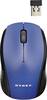
1-3 of 3 Answers
Make sure mouse is on and and has a steady red beam with good batteries restart pc try again if not then exchange.hope this was helpful
Sorry, there was a problem. Please try again later.Confirm the USB port is working. Also plug it into the computer directly not a multi USB port adapter. Most mouse and keyboards wont work through these devices. Also some mice have a switch on the bottom that needs to be turned on.
Sorry, there was a problem. Please try again later.Try hitting the reset button on the bottom.
Sorry, there was a problem. Please try again later.