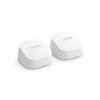
“Can this be used to extend coverage, add on to existing units i have in my home? I have a 3 pack Wi-Fi 6 kit already.”
Answer This Question
1-2 of 2 Answers
Yes, these will easily connect to your existing Eero 6 (3-pack) network. You have already setup the main station, and then you connected each of the two additional units. Purchasing another will be setup the same way as the second two units were. You can create a wireless backhaul (mesh network) from these units into your existing system, but the preferred method is to connect them with Ethernet cabling to each additional unit. If you really only need the wireless backhaul, you could go with the cheaper Extender units and save yourself $30-$40 for each additional device. Your 3-pack actually only contained one of these Eero 6 Routers, as the other two devices were the cheaper Eero 6 Extenders, and you were forced to do a wireless backhaul with those. If you do go wireless backhaul, just plug the new units into power and they will see your existing network and add/configure them via the Eero app on your phone. If you go wired backhaul, you will need to run an Ethernet cable to each new location. You can easily connect one or more wired switches to your Eero 6 router to increase Ethernet port count and availability so that is not an issue. Heck, I have three wired switches in my house connected to my Eero 6 Routers.
I would recommend:
Sorry, there was a problem. Please try again later.Yes. Just follow the eero app steps in the add or replace a device. It will also update just after you add it so plan on waiting a few minutes after install,
Sorry, there was a problem. Please try again later.