Questions & Answers
Page Showing 21-30 of 30 questions
Q: QuestionCan I connect Dufy cameras to a tv screen
Asked by Lino.
- A:Answer They do work with Google Home, Alexa, and Homekit, which have features that can work with the corresponding TV.
Answered by Eufy Team

Q: QuestionI want to set up two systems. One at home and one at work. How do I do that since you can’t download the app twice.
Asked by Rebelone.
- A:Answer Hi. You can add up to 8 HomeBase to an eufysecurity account. you need to add two sets of devices to the app for simultaneous use
Answered by Eufy Team

Q: QuestionIs this the model that will be updated with HomeKit Secure Video this year?
Asked by Garsun.
- A:Answer Hi. Thank you for asking valuable questions. We are pushing to update with Homekit Secure Video but i may not be updated in the this Generation of Eufycam.
Answered by Eufy Team

Q: QuestionDoes this work on 5g internet
Asked by Leviathan65.
- A:Answer No.. only works on the 2.4ghz network
Answered by Ebonovic
Q: QuestionWhats the difference in this system and the EUFY "E" system?
Asked by Joe.
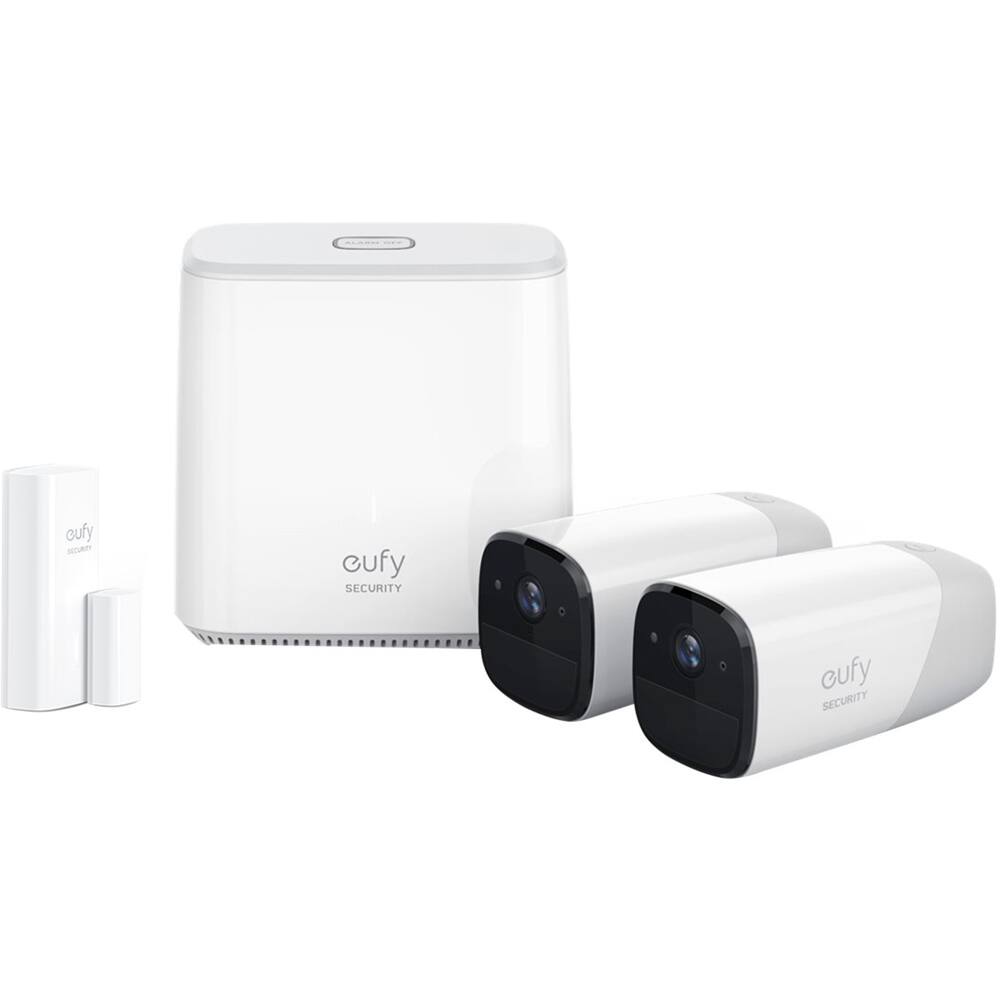
- A:Answer Hey there, very sorry for the late reply. There are two models of eufyCam series on sales currently, eufyCam (bullet style-old model) and eufyCam E (sea snail style-new model). The main differences between the eufyCam E and the eufyCam are as follows: 1.The EufyCam E and eufyCam are different in appearance design; 2.The eufyCam E has IP65 weatherproof, and the eufyCam has IP67 weatherproof; 3.The HomeBase has a backup battery and supports AI but the HomeBase E doesn’t. Note: It depends on the model of HomeBase whether the whole system supports facial recognition or not (facial recognition has no relation with the model of camera). So as long as you have a HomeBase (instead of HomeBase E), you can pair it to both camera and camera E to enjoy the facial recognition. Please refer to the following link to learn more detailed information about the difference between eufyCam and eufyCam E:https://www.kickstarter.com/projects/1116368506/evercam-the-wirefree-security-cam-with-365-day-bat/posts/2412073.
Answered by Eufy Team

Q: QuestionWhat is the wifi range for the camera location?
Asked by ozman.
- A:Answer It at least 25 feet. Our camera is actually 35 feet away in a straight line through the house and get great reception.
Answered by Mali
Q: Questionwhen will IFTTT BE ENABLED ?
Asked by Anthony.
- A:Answer Thanks so much for your interest in our eufyCam series! Due to the current technical difficulties, we may not release the IFTTT within a short time. We will try our best to forward your concern to our engineer team and hope they can further consider its availability in the future! Thank you!
Answered by Eufy Team

Q: QuestionWhen batteries to camera can no longer be recharged Do i have to buy new camera.or is there a new batteries that can be installed.
Asked by Igor65.
- A:Answer The battery for EufyCam 2 is non-removable. If the battery can no longer be recharged , please kindly contact our after-sales service Department and call 1-800-988-7973.
Answered by Eufy Team

Q: QuestionEUFY 2C camera not charging via home base. Has been on in excess of five hours and showing 30% charge. Have another that appears to be having similar problem Suggestion?
Asked by levy.
- A:Answer The cameras will fully charge in 12 hours. Give it some time. If you're still seeing 30% battery after the allotted time, give us a call so we can look further into this with you: 800-988-7973
Answered by Eufy Team

Q: QuestionWhy doesnt the app notify me each time there is a movement on the camera - It will record but I dont seem to have a notification on the phone. The only way I see it is by going into the app on my phone and viewing it that way
Asked by Tanya.
- A:Answer Please simply try the following troubleshooting: if still got problems , please contact us. Phone:1-800-988-7973 1. Be sure to enable notifications on your phone settings. Go to your phone settings >Notifications>Enable EufySecurity notifications. 2. Be sure to disable snooze shortcut and enable motion detection on your camera setting. Go to My device>Camera name>Camera Settings>Motion Detection. 3. Be sure to enable push notifications in the eufySecruity app. Go to Mode(right corner on your app)>Home/Away>Camera Name/Sensor Name>Push Notification. 4. Please make sure you have added EufySecurity to the app whitelist on your phone settings. 5. Please uninstall and install the eufy Security app on your phone to see if the issue can be resolved.
Answered by Eufy Team

Page 2, Showing 21-30 of 30 questions
Best-selling Best Buy
- Ultimate Deal$299.00$299.00
- $59.99$59.99The price was $99.00
- Ultimate Deal$299.99$299.99
- Ultimate Deal$99.00$99.00
- $14.99$14.99The price was $19.00
- $24.99$24.99The price was $29.99
- $329.99$329.99The price was $469.99
- $14.99$14.99The price was $19.00