“Why can't we see the watch screens. I want to use it as a watch and i want to see the numbered hours.”
Answer This Question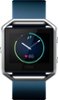
1-10 of 10 Answers
I'm sure the display is not always on for batter life. However, you can set it to come on when you flick your wrist to look at it. That seems to work pretty good. As far as the display I think there are only 4 different views to choose from and I hope they will add more soon.
Sorry, there was a problem. Please try again later.You can change the faces, you just log in online or through the app and select the one you want and then sunc your blaze.
Sorry, there was a problem. Please try again later.There is a setting option "Quick view" that'll turn the screen on every time you raise your wrist (to take a look at the hour lets say), downside is that the watch keeps turning on at night if you move around a lot, your significant other won't like that. You can change the watch display on the fitbit app. It has 4 diff watch screens.
Sorry, there was a problem. Please try again later.At the Fitbit logo swipe right and the watch face will show. You have 4 choices of a watch face. None look like a normal watch with numbers around a circle but it does have hour and minute hands. The other 3 faces all have numerical faces to indicate time.
Sorry, there was a problem. Please try again later.You are able to change the display through the Fitbit app on your phone. Change it in the settings of the Fitbit on the app.
Sorry, there was a problem. Please try again later.There are multiple screens to pick from.
Sorry, there was a problem. Please try again later.You can! The default watch face can be changed, but only from the app
Sorry, there was a problem. Please try again later.You should be able to set up the watch face from your Fitbit app in your phone. Also you can set up when the screen comes active. In my case I have it so I can see the time as I turn my wrist.
Sorry, there was a problem. Please try again later.you can change the watch face by going into the app clicking on the devices, choose your device, and click on clock display, you can choose from 4 faces
Sorry, there was a problem. Please try again later.You have to go to the fitbit site that you watch is sync with and goto the settings to change the watch look.
Sorry, there was a problem. Please try again later.