“Do you need this item for the Nest Thermostat to work?”
Answer This Question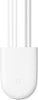
1-7 of 7 Answers
Once you have the right information, the installation was easy and straight forward coming from a guy that is not too handy. Just like others that have had the issue of No C wire behind the thermostat, I turned to purchasing this power connector. The following I learned from doing a ton of research and hopefully it will help out many others. Turn off the power to the furnace. If you only have 1 zone control in your home (meaning you only have 1 thermostat in your home), you wire this power connector to the furnace board. If you have 2 zones or more (meaning more than 1 thermostat), you wire the power connector to the zone controller, not the furnace board. If you have more than 1 zone, you will need 1 power connector for each zone that has a Nest thermostat installed. The Zone controller for me was a rectangular box attached to top of my furnace (see my image, my zone controller is the rectangular box that says Lennox). I don't know what shape or where yours will be located. Once you open your zone controller cover, you will see terminals (where wires are connected from the thermostats) for each zone in your home. Each terminal should be labeled. In my image, I have 2 zones (2 thermostats). Zone 1 you will see the power connector wired to it because zone 1 is my Nest thermostat. I did not add a 2nd power connector to Zone 2 yet, because I still have a non Nest thermostat installed for my zone 2. I will purchase another Nest thermostat and a 2nd power adapter and wire that to the zone 2 on my zone controller.
Sorry, there was a problem. Please try again later.I want to add something that I've learned after purchasing this. If you have more than 1 thermostat/zone in the house, you will need to wire this to the zone controller, not directly to the furnace. If you have more than 1 Nest thermostat, you will need a a Nest Power Connector for each thermostat/zone.
Sorry, there was a problem. Please try again later.yes
Sorry, there was a problem. Please try again later.They say you need it if you only have 2 wires, load a crap it still does NOT work. Don't waste your time/money.
Sorry, there was a problem. Please try again later.Not if you have an active C wire. This is only a bypass option for those who don't.
Sorry, there was a problem. Please try again later.My Nest Learning thermostat was constantly showing low battery. I would have to pull it off the wall and charge it. . After some research, I discovered If you don’t have a c wire connected to your thermostat. Your Nest will not stay charged.
Sorry, there was a problem. Please try again later.If your thermostat has power related issues, like the battery draining too quickly or Wi-Fi constantly disconnecting, you can typically fix them by connecting a common wire (C wire) or by installing the Nest Power Connector. Either one may provide a stable power source for your Nest thermostat when your system can’t deliver enough consistent power to it. Learn more about Nest Power Connector here: https://support.google.com/googlenest/answer/10523126
Sorry, there was a problem. Please try again later.