“Where is the power button to shut the computer off when not in use and why do you have to put a pin # in every time to sign in?”
Answer This Question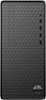
1-1 of 1 Answer
Hi Ren! Shut down the PC by pressing the Windows key +X, then select "shut down and sign out". We do not recommend using the physical power switch, as it will not properly close the files that are running. You can remove the password requirement by opening the Start menu and typing netplwiz in the search bar. Click the top result to run the command. Uncheck the box next to "Users must enter a user name and password to use this computer". Then click "Apply".
Sorry, there was a problem. Please try again later.