“Can you add an internal dick drive to this computer”
Answer This Question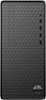
1-1 of 1 Answer
Hi Chuck! The two M.2 slots in the HP M01-F3224 are occupied by one 512GB SSD and the Wi-Fi/Bluetooth Module. You can either add a disk drive to the PCIe x16 slot or PCIe x1 slot., or replace the existing Wi-Fi module with an M.2 SSD.and use a USB Wi-Fi adapter to maintain wireless connectivity. The motherboard does not support SATA connections.
Sorry, there was a problem. Please try again later.