A:AnswerI added more memory and mid-range video card, now plays latest COD games quite well! But be aware the power supply not that powerful, limiting vid card choices!
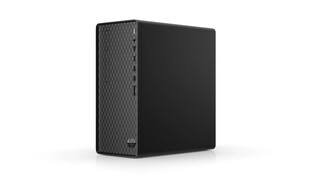
A:AnswerThis is a brand new HP desktop. There is a 15-day return policy on this HP desktop. If you have any other questions about the return policy, reach out to the customer service team at Best Buy.
A:AnswerWe are sorry to hear about your challenges. We recommend reaching out to HP Support for further assistance: https://support.hp.com Or you can reach out to the Geek Squad at Best Buy.
A:AnswerIf by "power system" you mean a computer, then yes, that's not problem. If it's a new computer, even if it ships with Windows 10 you'll be able to upgrade to 11 for free.
A:AnswerThank you for reaching out, apologies for what you're experiencing. Is the computer on the same network as the printer? Is it online? Go to devices>printers and see if it's there. If so, click on the printer and make sure "use printer offline" is not checked. You can also use the HP Print and Scan Doctor to diagnose and cure errors. Video here: https://www.youtube.com/watch?v=MKHuTz77tIU
A:AnswerYou can upgrade to that CPU in this model. This link has more info about what upgrades are compatible. https://support.hp.com/us-en/document/c06678632
