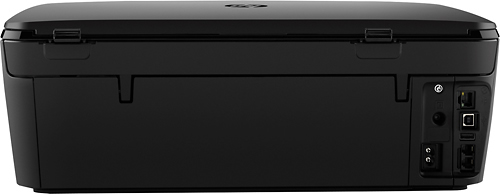
A:AnswerIf you mean hardwired via USB then yes if you mean hardwired via RJ-45 ethernet cable then yes also personally I stick my cat seven ethernet cable into my router and plug that USB 3.0 into the back of my computer this model has terrible Wi-Fi chip built-in most likely not made by broadcom. Interference is terrible pertaining to Wi-Fi on this printer but bringing is very well and the price is great I hope that helps the answers seeking
A:AnswerI believe when .copying from the glass top level it is one strength 300 and the when being fed from the feeder it is 600. or Vise versa. Different mode of print may be diff. specifications for print... Just my thought.
A:AnswerFollow the prompts on the display screen of the copier/scanner. It will ask you if you want to scan directly to your computer or to your e-mail. If you installed the software correctly (there is a disk that comes with machine) it should scan directly to email. Just press the e-mail icon on the display screen.
A:AnswerProbably with Ipad Air 3 only. Ipad Air 2 has OS9 (Air 3 has OS10) Specs for this say compatibible with OS 10, so I guess not. I don't own any apple products. Yes, It does scan directly to my PC and laptop (Win 10).
A:AnswerFrom what I understand, you may use the printer wirelessly without a router, from your computer, smartphone, or other wireless enabled device by using Wi-Fi Direct. To use it the printer software must be installed on the computer.