Questions & Answers
- Model:
- CF394A#BGJ
- |
- SKU:
- 4420701
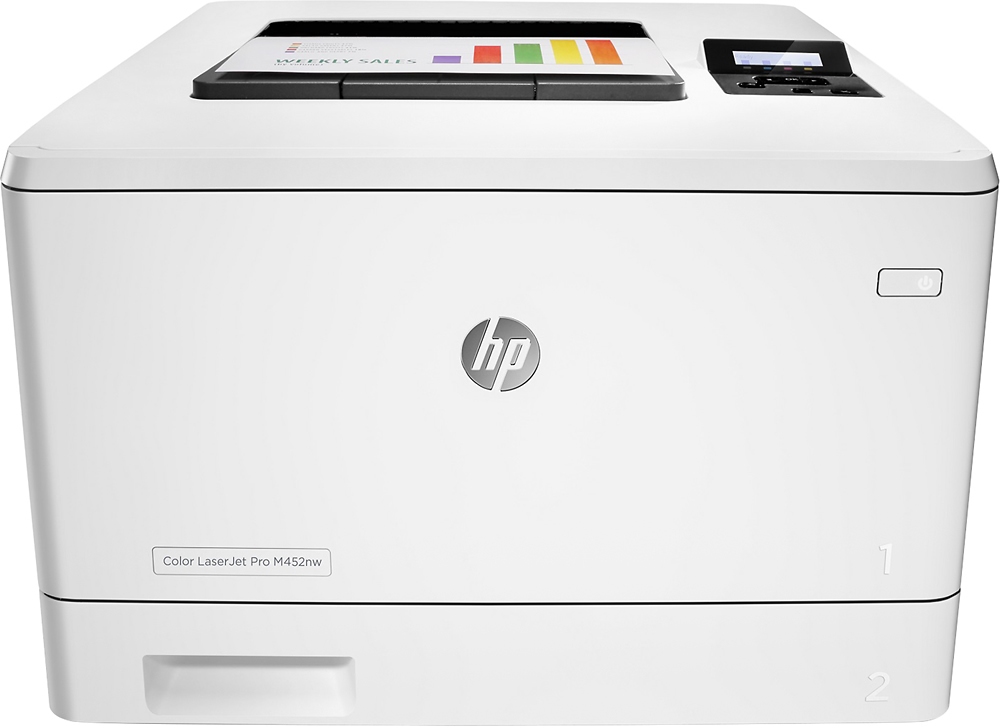
Q: QuestionWhat is the difference between the "dn" and "dw" models?
Asked by Anonymous.
- A:Answer The d in both cases means it can print duplex (front and back) printing The n is for wired networking. The w is for wireless (AND wired) networking.
Answered by khaihon
Q: QuestionWill this printer work with Windows 10 computers?
Asked by Anonymous.
- A:Answer Great question. Yes, this printer will work with Windows 10 computers. All new printers are compatible with Windows 10. You can download the printer driver from the HP website or use the software CD that comes with the printer. I hope this helps.
Answered by HP Team

Q: QuestionHow many prints can you get with the temp set & with the high yeild sets?
Asked by jim33.
- A:Answer Good question. The standard toners all have a yield of up to 2,300 pages. The black XL toner can print up to 6,500 pages and the colors can print up to 5,000 pages. I hope this helps.
Answered by HP Team

Q: QuestionIs this machine also a copier or just a printer? I thought all printers were also copiers but If this one is, we can't figure out how.
Asked by Nikki.
- A:Answer No. This model is just a printer and not an all-in-one. i.e. copier, scanner, printer and fax.
Answered by PITTGUY
Q: QuestionDoes this printer feed cardstock well?
Asked by dd.
- A:Answer Yes, the printer does feed cardstock. If you are doing only one, you can use the bypass aka manual feed. If you are doing a lot, you should use the tray. It will also help if you feed a regular sheet so that you know how to "flip" it if you are printing duplex.
Answered by PITTGUY
Q: QuestionTHIS PRINTER NEEDS SPECIAL TONER TO SUBLIMATE?
Asked by SAMYHARO.
- A:Answer All laser and inkjet printers require sublimation ink or toner to be capable of doing sublimation prints. ink sublimation must be sublimated with in 24 hours or less and laser prints will last for months before needing to be sublimated. Most people prefer to use a laser printer for this because you do no have to worry about clogged heads or ink drying in your print heads or any fiddling around. Toner cartridges can be put in when you are doing sublimation and be replaced by your regular cartridges when you go back to regular printing. you do not have to worry about your toner drying out as it is already a dry powder. Most available toner for sublimation is readily available for older laser printers but if you look hard you can find it for printers that are about 2 to 5 years old. New laser printers are much harder to find cartridges for. Good luck with your quest and remember. Have fun doing it!
Answered by Victor
Q: QuestionDoes this printer accept and print on transparent paper? If how is the quality?
Asked by DeeVee.
- A:Answer Good question. Yes, you can print on transparency paper. You have to make sure the transparency paper is made for laser printers AND also change the paper type settings on the printer itself. The print quality will be the same as any laser print. Here is the print resolution for this printer: Black (best): 600 x 600 dpi, Up to 38,400 x 600 enhanced dpi Color (best): 600 x 600 dpi, Up to 38,400 x 600 enhanced dpi I hope this helps.
Answered by HP Team

Q: QuestionWould I be able to print borderless when printing brochures or flyers?
Asked by cF2016.
- A:Answer Good question. Unfortunately, this printer does not support borderless prints. I recommend the OfficeJet Pro 8710 for borderless printing. For more information on the 8710, please visit the following link: http://store.hp.com/wcsstore/hpusstore/pdf/m9l66a.pdf I hope this helps.
Answered by HP Team

Q: QuestionCan this printer print white on transparent decal paper
Asked by juanchil.
- A:Answer Yes with ghost white toner, sold separately
Answered by ArtsyTechie
Q: QuestionDoes this printer have a multi-paper feed? Where is it?
Asked by maxine2328.
- A:Answer There are two paper trays, one for individual or odd-size papers or envelopes and the other for a stack of letter or legal size papers. I believe a third paper tray just like the second is available for a price. This is a great printer. It is fun just to watch it print a page on both sides.
Answered by Picky
Q: QuestionThis printer is recommended to make t shirt with sublimation technic? Can you use regular paper to sublimate?
Asked by SAMYHARO.
- A:Answer This printer is not designed for sublimation and there are no current HP sublimation printers.
Answered by HP Team

Q: QuestionCan the Black cartridge be removed and a ghost white tone be put in that spot for t-shirt transfers
Asked by Ginny.
- A:Answer Thank you for reaching out. While you may not be able to find an official HP toner cartridge, if you did find a third party toner to fit this one it should work.
Answered by HP Team

Q: QuestionCan I choose to print just black?
Asked by DR.
- A:Answer Yes can choose black and white as well as two sided really love the printer so far
Answered by Roadbiker
Q: QuestionDoes this printer print an A7 envelope 5.25 X 7.25 inches
Asked by SRH.
- A:Answer I believe it will print any size beginning from 3"x5" up to legal size. This printer is new to me, but I had its predecessor for years and found 3x 5 does not always go well- be sure it is sturdy paper or card stock or it might jam. Of course you have to use the #1 print tray.
Answered by Picky
Q: QuestionI want to print photos but am frustrated with the ink jet printers. Is the print quality, on photo paper, as good as ink jet printers for photos?
Asked by Photographer.
- A:Answer No. A high quality ink printer will always be better than toner based.
Answered by Skinny
Q: QuestionWill this handle paper stock that is between 65 - 80 lbs? If yes, will it feed from the paper tray or will I need to use the sheet feed?
Asked by DABCI.
- A:Answer Yes, it will work with up to 110lb paper through the paper tray.
Answered by HP Team

Q: QuestionWill the paper tray hold legal sized paper?
Asked by Stateof2.
- A:Answer The paper will printer legal sized paper.
Answered by CommunityAnswer
Q: QuestionWhat is the internal memory size?
Asked by Michelle.
- A:Answer This printer features 256 MB NAND Flash, 256 MB DRAM memory.
Answered by CommunityAnswer
Q: QuestionHas anyone printed pictures with this printer and if so were the pictures nice?
Asked by Tina.
- A:Answer I have not printed pictures using this printer; however, I have printed greeting cards and the greeting cards were very nice. I also did a flyer with a soup bowl from a picture. It came out nicely also. You can check with HP's website about what type of paper they recommend for printing pictures.
Answered by Pittguy
Q: QuestionWhat photo paper can be used with this printer?
Asked by Coloradical.
- A:Answer Any laser printer paper. If you are doing something special. Or want better color out put probably better to stick with the HP papers. The printer driver has options for the HP paper.
Answered by MWaite
Most-viewed items
- $1,399.00$1,399.00The price was $1,499.00
- $198.99$198.99The price was $389.98