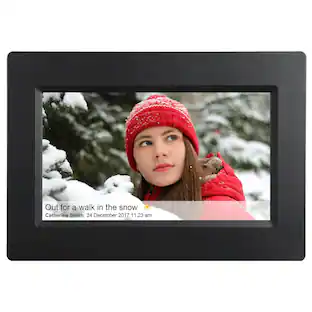
Sunpak - 10.1” Wi-Fi Touchscreen Digital Frame - Black
Customers are saying
Customers enjoy the 10.1” Wi-Fi Touchscreen Digital Frame, especially noting its ease of use and picture quality. The setup is also considered simple, and users appreciate the Wi-Fi connectivity for remote photo uploads. The touchscreen interface and ample storage capacity contribute to a positive user experience.
10.1" (Diagonal) touch screen
Display clear photos and videos with 1280 x 800 high definition on the 10.1 inch IPS LCD panel. The touch screen allows you to view and operate photos easily on the digital photo frame.
Share photos and videos remotely and securely
Send your favorite photos or videos through the pre-installed app from anywhere in the world. You and your loved ones can enjoy your most special moments within seconds. The pre-installed app for iOS and Android gives you full control over your frame. The built-in 32GB memory allows you to load and save your photos and videos directly on the digital frame. This frame supports mircoSD Cards, as well as devices with a USB-C connection.
Auto-Rotation capability
Position your digital photo frame either in Landscape or Portrait modes. The image on the digital frame will automatically rotate to fill the entire frame without compromising image quality. This is perfect for wall or tabletop placement.
Easy setup
The user-friendly interface design makes it quick and easy-to-use for all ages. Take just a few steps to complete the setup and intuitive touch screen makes the usage much easier than ever.
A bridge for every generation
This Sunpak 10.1 inch digital photo frame makes it easy for everyone to stay connected, offering a cherished space for those not on social media, as well as a delightful surprise for the tech-savvy user with regular updates of beloved memories.
- BrandSunpakModel NumberSF-101-225WFTS6Product Name10.1” Wi-Fi Touchscreen Digital FrameColorBlackProduct Width10.5 inchesProduct Height7.25 inches
Reviews
Rating 4.6 out of 5 stars with 205 reviews
- Ease of use (58)
- Picture Quality (57)
- Setup (6)
- Storage Capacity (4)
- Touchscreen (4)
Customer Images
The vast majority of our reviews come from verified purchases. Reviews from customers may include My Best Buy members, employees, and Tech Insider Network members (as tagged). Select reviewers may receive discounted products, promotional considerations or entries into drawings for honest, helpful reviews.







Compare similar products

The Sunpak 10.1” Wi-Fi and touchscreen digital frame allows you to share pictures and videos to your digital frame via Wi-Fi. You can send images and videos from practically anywhere via the pre-installed app. The frame also features built-in 32GB memory, as well as up to 32GB of memory externally. This IPS HD touch screen with 1280 x 800 resolution can display amazingly clear and vivid images in Landscape or Portrait mode automatically, depending on the rotation of your frame. This is the ideal solution for sharing photos and videos of various occasions, such as birthday, wedding, graduation ceremony, family gatherings, etc. Your most special moments can be displayed on the digital photo frame. Invite family and friends to connect through the app and share special moments from anywhere, at anytime.

Aluratek’s 10 inch Wi-Fi Digital Photo Frame with Touchscreen LCD Display is a wonderful way to bring your treasured memories to life with incredible image clarity in rich and vibrant colors on the true color IPS LCD panel at 1280 x 800 resolution at an ideal 16:10 aspect ratio. Use multiple smartphones or email addresses to send photos and videos to one frame or use one smartphone or email address to send photos and videos to multiple frames. Display photos from your most recent vacation, graduations, anniversaries and birthdays and relive them over and over again.

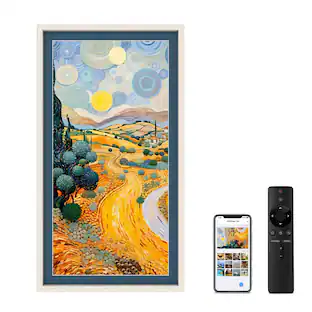
Make a meaningful gift with the Sonicgrace 10.1" digital photo frame—perfect for parents and grandparents who love seeing updated family photos. The HD IPS display (1280x800) and 16:10 screen ratio provide a clear, vibrant viewing experience. Simply copy photos to a FAT32 microSD card (supports up to 128GB; card not included) and use the included IR remote to start slideshows and adjust settings. Powered by 5V Micro USB for convenient everyday use.Note: No Wi‑Fi and non-touch screen; local photo playback via microSD only.

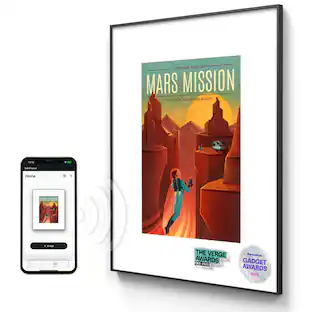
Share unlimited photos and videos from your phone to Carver Mat, Aura's bestselling HD frame. Featuring a 10.1" landscape display, intelligent photo pairing, and built-in speakers for video, Carver Mat boasts a stylish, paper-textured mat to make your photos really pop.
| Pros for Sunpak - 10.1” Wi-Fi Touchscreen Digital Frame - Black | |||
|---|---|---|---|
| Ease of use, Picture Quality, Storage Capacity, Touchscreen, Setup | Ease of use, Picture Quality, Storage Capacity, Touchscreen, Size | There were no pros for this product— | Storage Capacity, Ease of Use, Overall Performance, Design, Connectivity |
| Cons for Sunpak - 10.1” Wi-Fi Touchscreen Digital Frame - Black | |||
| There were no cons for this product— | Connectivity, Setup, App | There were no cons for this product— | There were no cons for this product— |
Specs
Customers often buy these together







More to consider
 $49.99The price was $69.99
 $79.99The price was $89.99
 $82.99The price was $84.99










Capture the moments Sponsored




Discover related products
 $12.99The price was $13.99
 $215.99The price was $229.90







Keep exploring
 $109.99The price was $119.99