Questions & Answers
- Model:
- G3110
- |
- SKU:
- 9108645
Highly rated by customers for: Software Quality
Page Showing 21-33 of 33 questions
Q: Questioncan you scan and FAX directly from the scanner?
Asked by Anonymous.
- A:Answer You cannot fax directly from this scanner. An HP Officejet AIO would be a better choice for that purpose.
Answered by HP Team

Q: QuestionIs this scanner "Twain" compatible?
Asked by Anonymous.
- A:Answer Yes, this scanner is twain compatible. You can view more information at the following link: http://h20195.www2.hp.com/v2/GetPDF.aspx/c01521609.pdf
Answered by HP Team

Q: QuestionOCR?Does this scanner have OCR capability? What would be a comparable scanner (mu;tiple 35-mm slide copying, e.g., and high resolution?
Asked by Megan.
- A:Answer Yes, the HP Scanjet G3110 scanner features, Readiris OCR (integrated into HP Photosmart Essential). A more versatile option is the HP Scanjet 8300 Professional Image Scanner. It has a higher grade Readiris “Pro” OCR, a great bundle of document management software, higher resolution scanning, and has a higher capacity transparent materials adapter. You can view this product below:
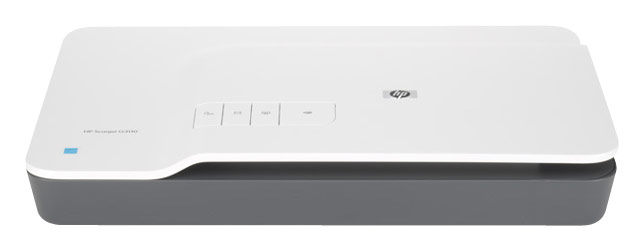
I would recommend:
Answered by HP Team

Q: QuestionCan I use double slides? These were meant to be viewed with a stereoscope for 3D effect.
Asked by Anonymous.
- A:Answer The HP Scanjet G3110 Photo Scanner will not scan double slides correctly. At this time, Hewlett-Packard does not have a solution for scanning double slides.
Answered by HP Team

Q: Questionwhen will this item be available?When will this item be available?
Asked by Anonymous.
- A:Answer We don't have a date of when the photo scanner will be available again. I recommend keeping an eye on our website for more information.
Answered by HelenBBY
Q: Questionwill this scan as an attachment to a Word Document/Also willit scan to an email
Asked by Anonymous.
- A:Answer The HP Scanjet G3110 Flatbed Photo Scanner does not have an option to scan a document or picture as an attachment to a Word Document. You would need to scan it first and then manually make it an attachment. This scanner does have scan-to-email functionality.
Answered by HP Team

Q: Questionwill it also work on the older 110 and older types of negatives?
Asked by Anonymous.
- A:Answer The HP Scanjet G3110 Photo Scanner has a Built-in Transparent Materials Adapter (TMA) with a Input Capacity of Four 35 mm slides or five 35 mm negative strips. Media Size - Min / Max 1.75” x 1.75” (35 mm slides) / 1.67” x 6” (35 mm negative strips).
Answered by HP Team

Q: QuestionCompatible with OS 10.3?
Asked by Mats.
- A:Answer The HP G3110 is compatible with Mac X v 10.2.2 or higher.
Answered by HP Team

Q: QuestionCan this scanner scan dental xrays?
Asked by Anonymous.
- A:Answer The HP Scanjet G3110 Flatbed Photo Scanner features a transparent materials adapter (TMA) that can scan slides and negatives, although it will only scan 35mm. Unfortunately, this scanner will not work for scanning dental xrays unless they are in the 35mm size.
Answered by HP Team

Q: QuestionCan you scan slides in their cardboard covering?I do not want to separate slide negative from cardboard or plastic covering. How many slides can you scan at one time, and can I leave them intact.
Asked by Anonymous.
- A:Answer In order to scan slides and negatives with the HP Scanjet G3110 Photo Scanner (L2698A), they must be removed from any protective covering in order to fit correctly into the Transparent Materials Adapter (TMA). This scanner can hold up to four 35 mm slides or five 35 mm negatives at once.
Answered by HP Team

Q: QuestionDoes it recognize a text, is it possible to save the text after scanning a book?
Asked by Anonymous.
- A:Answer Yes, this scanner has OCR software included that will be able to scan and save editable text.
Answered by HP Team

Q: QuestionCAN I SCAN PHOTO'S AND BURN TO A DISC?
Asked by Anonymous.
- A:Answer Yes, but you need to do it using a PC. If you are looking to scan “directly” to a disk, this product will not work.
Answered by HP Team

Q: QuestionCan it plug in to a laptop, or just a tower?
Asked by Anonymous.
- A:Answer The HP Scanjet Flatbed Photo Scanner G3110 can be used with a laptop as long as you have a USB slot available and load the software on the laptop.
Answered by HP Team

Page 2, Showing 21-33 of 33 questions
Top Rated
- Tech Fest Deal$99.99