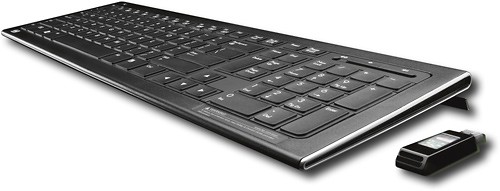
A:Answer If the keyboard is a Bluetooth device, you can pair it with your Bluetooth compatible computer. If it's not a Bluetooth keyboard, you'll have to use another method of connecting it to your computer: either a USB 'dongle' if the keyboard is wireless or hardwired to the computer. Remember, if both devices are Bluetooth compatible, you are still required to pair the keyboard to the PC. You should also check your computer instructions for paring Bluetooth devices and be sure to read the pairing instructions that came with your Bluetooth keyboard. You should note that Bluetooth keyboard typically operate with a slight delay: that is when you type a letter there is a short pause between what you've typed and the time it appears on the screen. If you want to use a wireless keyboard, look into one of Logitech's that use a USB receiver (dongle). Wireless keyboards can be problematic because the other wireless devices found in one's house--there is a better chance for interference affecting the wireless keyboard's signal. I've had several wireless keyboards, and now I use wired keyboards--they're the best. By the way, the HP Wireless Elite has great feel and is a nice USB wireless keyboard, but it can get 'twitchy' when around other wireless devices. But it has a nice feel and profile--if you haven't used a wireless keyboard, do it! It's kind of a right of passage.