“To set up wifi, does not display the AP display on the fridge to setup wifi to my phone..”
Answer This Question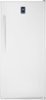
1-1 of 1 Answer
On your phone Download the insignia app, sign-in (best buy credentials) click add device, then smart freezer fridge … then toggle to Settings/ wifi. Select insignia-xxxxxxx "unsecure network" and click connect. Then toggle back to the insignia app (click continue) IGNORING the "make sure AP is flashing on display" and select in your 2.4ghz wi-fi and enter your password. Looks like apple has allowed the push notification by default. To check in iOS go to setting/ notifications / insignia and make sure the "allow notifications are toggled on. In android 8.0 / 8.1 go to settings / Apps and notifications (allow notification dots) … then back to notifications (all apps) scrolls to insignia and select allow and your preferences such as show on lock screen / override do not disturb
Sorry, there was a problem. Please try again later.