“What is the button on the side of the battery charger for”
Answer This Question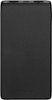
1-2 of 2 Answers
The Button allows you to see the charge percentage [25%, 50, 75, 100]. When you press it, it lights up the device on the side.
Sorry, there was a problem. Please try again later.Press the LED Status button to show the remaining battery level. Press and hold the LED Status button to enter small charging current mode. For more information, here is the link for the Quick Setup Guide: https://files.bbystatic.com/MceOicqGBNEZvF823dpoww%3D%3D/Quick%2Bsetup%2Bguide
Sorry, there was a problem. Please try again later.