“Does it is compatible with a Quasar tv model Q50UST1? Thanks!”
Answer This Question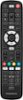
1-1 of 1 Answer
Hi Liz! The Insignia™ 3-Device Universal Remote is a versatile option for controlling multiple devices, including TVs. If you don’t have the code, you can still set up the remote: Power on your TV. Press the “device” button (usually labeled “TV”) on the remote. Press and hold the “setup” button until the LED light blinks. Use the “CH+” and “CH-” buttons to cycle through available codes (if any). When the TV responds (e.g., turns off), press the “OK” or “SEL” button to save the code. Test the remote to ensure it controls your TV. JC | Insignia Support https://www.bestbuy.com/site/insignia-3-device-universal-remote-black/6495829.p?skuId=6495829
Sorry, there was a problem. Please try again later.