Questions & Answers
- Model:
- NS-50F501NA26
- |
- SKU:
- 6607830
Q: QuestionCan i mirror stuff on my phone to the tv?
Asked by Jess.
- A:Answer Hi there. Yes, you can mirror content from your phone to your Insignia 50” Class F50 Series Fire TV, and how you do it depends on the type of phone you have. If you're using an Android phone, you can swipe down from the top of your screen to open the Quick Settings panel, then tap on “Cast”, “Smart View”, or “Screen Mirroring”, depending on your phone model. Your TV should appear in the list of available devices—just tap it to start mirroring. Make sure both your phone and TV are connected to the same Wi-Fi network. If you're using an iPhone, you can use AirPlay if your Fire TV supports it. Swipe down to open the Control Center, tap “Screen Mirroring”, and select your Fire TV. If AirPlay isn’t available, you can install a free app like AirScreen on your Fire TV, which allows your iPhone to connect wirelessly. If you have any questions or need further assistance, please don't hesitate to reach out. Ivy | Insignia Support
Answered by InsigniaCustomerSupport
Q: QuestionWhat is the input voltage? 110 - 120V or 120 - 240V?
Asked by bogu.
- A:Answer Thank you for your inquiry! The Insignia™ 50” Class F50 Series LED 4K UHD Smart Fire TV typically operates on a standard input voltage of 120V AC, which is common for consumer electronics sold in North America. Specifically, it supports 110–120V, 60Hz power input.
Answered by InsigniaCustomerSupport

Q: QuestionHow do i get the cable channels to show up when unit is turned on? Now we have to arrow left to input, select input and hit enter. My father has some dementia and we just want the tv to go right to cable viewing. And can I pair Verizon remote?
Asked by cconhill.
- A:Answer Thank you for your inquiry! To make the Insignia™ 50” Class F50 Series LED 4K UHD Smart Fire TV automatically start on the cable input, you can adjust the settings so it powers on to the last used input. This is especially helpful for users with memory challenges, like your father. To do this, turn on the TV, press the Home button on the remote, and go to Settings > Display & Sounds > Power Controls > Power On. From there, select “Last Input”. This ensures that when the TV is turned on, it will go straight to the cable input (like HDMI1). After selecting “Last Input,” press the Home button again, go to Settings > Inputs, and select the specific HDMI port where your cable box is connected (e.g., HDMI1 or HDMI2). This helps the TV remember and prioritize that input.
Answered by InsigniaCustomerSupport
Q: QuestionCan I see member or purchaser reviews?
Asked by Anonymous.
- A:Answer Hello! Thank you for your question. Yes, you can view member and purchaser reviews for the product. Just scroll down to the product description section on the product page, and you’ll find all available customer reviews there. Sidhartha | Insignia
Answered by InsigniaCustomerSupport
Q: QuestionThe anntenna channels do not show on the anntenna list.
Asked by docook.
- A:Answer Hi Insignia Customer! Thank you for your question. If your antenna channels aren’t showing up in the list, we recommend running a new channel scan by going to the TV settings and selecting Live TV, then Scan for Channels. Make sure your antenna is firmly connected and positioned for the best signal. If the channels still don’t appear, please contact our support team at 1‑877‑467‑4289 or [email protected] and we’ll be happy to help. Thank you for reaching out. Poojitha | Insignia
Answered by InsigniaCustomerSupport
Q: QuestionHow do I view all channels?
Asked by docook.
- A:Answer Hello, thank you for your question. To view all available channels on your Insignia 50" F50 Series Fire TV, please contact Insignia Support at [email protected] or 877‑467‑4289 for detailed step‑by‑step assistance. Insignia Support
Answered by InsigniaCustomerSupport
Q: QuestionIf I purchase TVs do you folks haul my old TVs?
Asked by Hauling.
- A:Answer Hello, Thank you for contacting us. Insignia does not handle delivery or haul‑away services directly. For information on whether Best Buy can remove your old TVs when delivering a new one, please visit the product page on BestBuy.com or contact Best Buy at 1‑888‑237‑8289, as they manage all haul‑away options. Narendra | Insignia
Answered by InsigniaCustomerSupport
Q: QuestionHow long is the manufactures warranty?
Asked by Kim.
- A:Answer Hello Kim, thanks for your question. This Insignia™ 50" Class F50 Series LED 4K UHD Smart Fire TV (Model NS‑50F501NA26), the manufacturer provides a 1‑year limited warranty that covers both parts and labor. Adam | Insignia
Answered by InsigniaCustomerSupport
Q: QuestionHOW LONG IS THE WARRENTY ON THIS PRODUCT? Is an extended warranty available?
Asked by Anonymous.
- A:Answer Hello, thank you for your question. This Insignia™ TV includes a 1‑year limited warranty on parts and labor. If you’re interested in extended coverage, Geek Squad Protection Plans are available through Best Buy. For more details about these plans, you may contact Best Buy at 1‑888‑237‑8289. If you have any other questions, feel free to reach out to us at 1‑877‑467‑4289. Sudeep | Insignia
Answered by InsigniaCustomerSupport
Q: QuestionHi. I purchased this TV and I am considering getting rid of Amazon. Will this TV still work well without Amazon prime as far as regular shows etc. or will the remote be nonfunctional? Thank you for your time.
Asked by Inquiringminds.
- A:Answer Hi there, Yes, the TV will work perfectly fine without an Amazon Prime subscription. However, you will need a free Amazon account to set up and use the Fire TV features. You can still enjoy Live TV, HDMI devices, and apps like YouTube, Netflix, and Hulu. The remote will function normally as well. Manisha | Insignia Products
Answered by InsigniaCustomerSupport
Q: QuestionWhat are the initial setup steps?
Asked by Bruce.
- A:Answer Hello Bruce, Thank you for contacting us. For setup guidance on the Insignia 50" F50 Series Fire TV, please visit the product page on BestBuy.com, where you’ll find features, setup details, and the user manual. If you need additional help, you can also reach out to Best Buy Support at [email protected]. Narendra | Insignia
Answered by InsigniaCustomerSupport
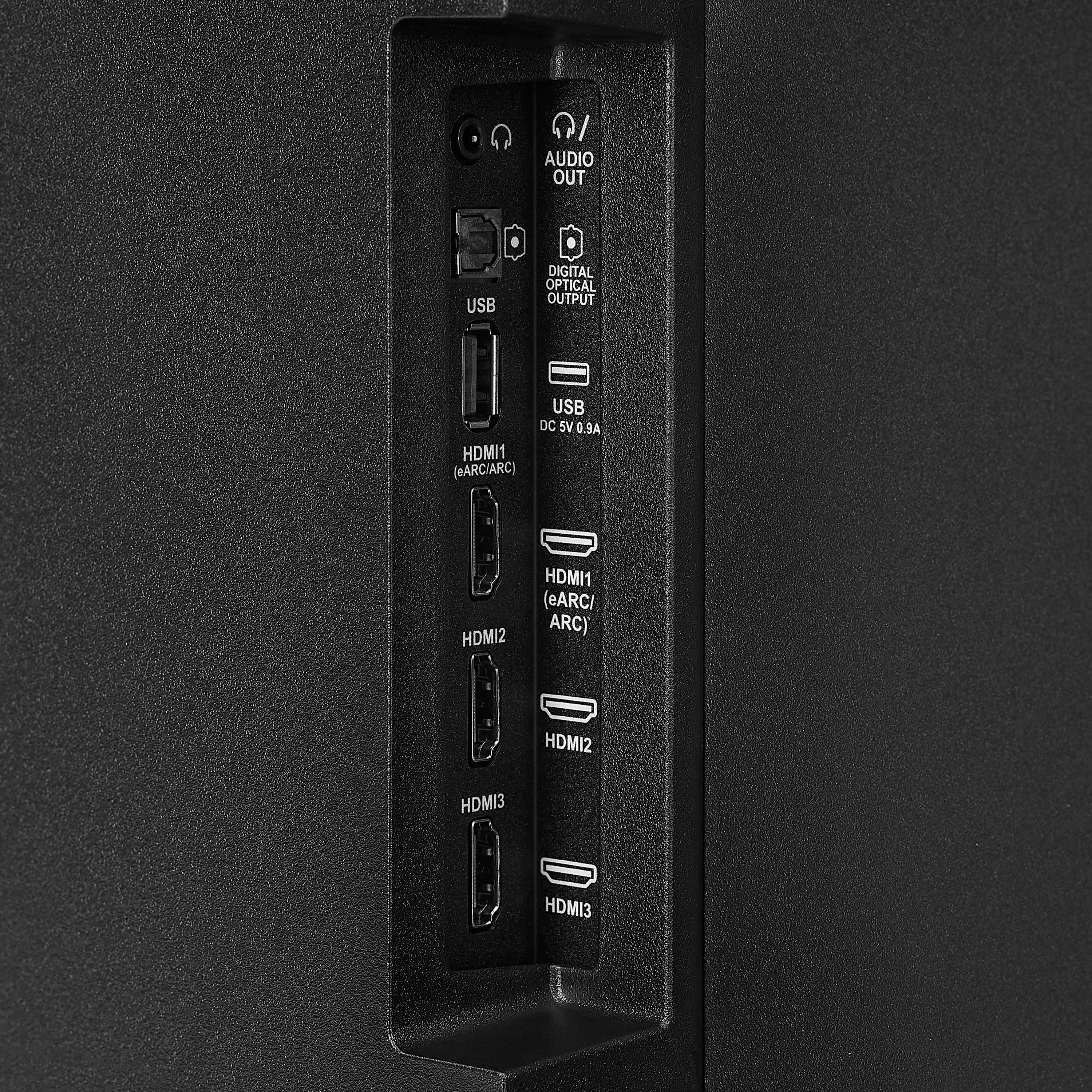
Q: QuestionCan this be used as a computer monitor?
Asked by Balto.
- A:Answer Yes it's got spots in the back of the TV you can hook your computer
Answered by Great
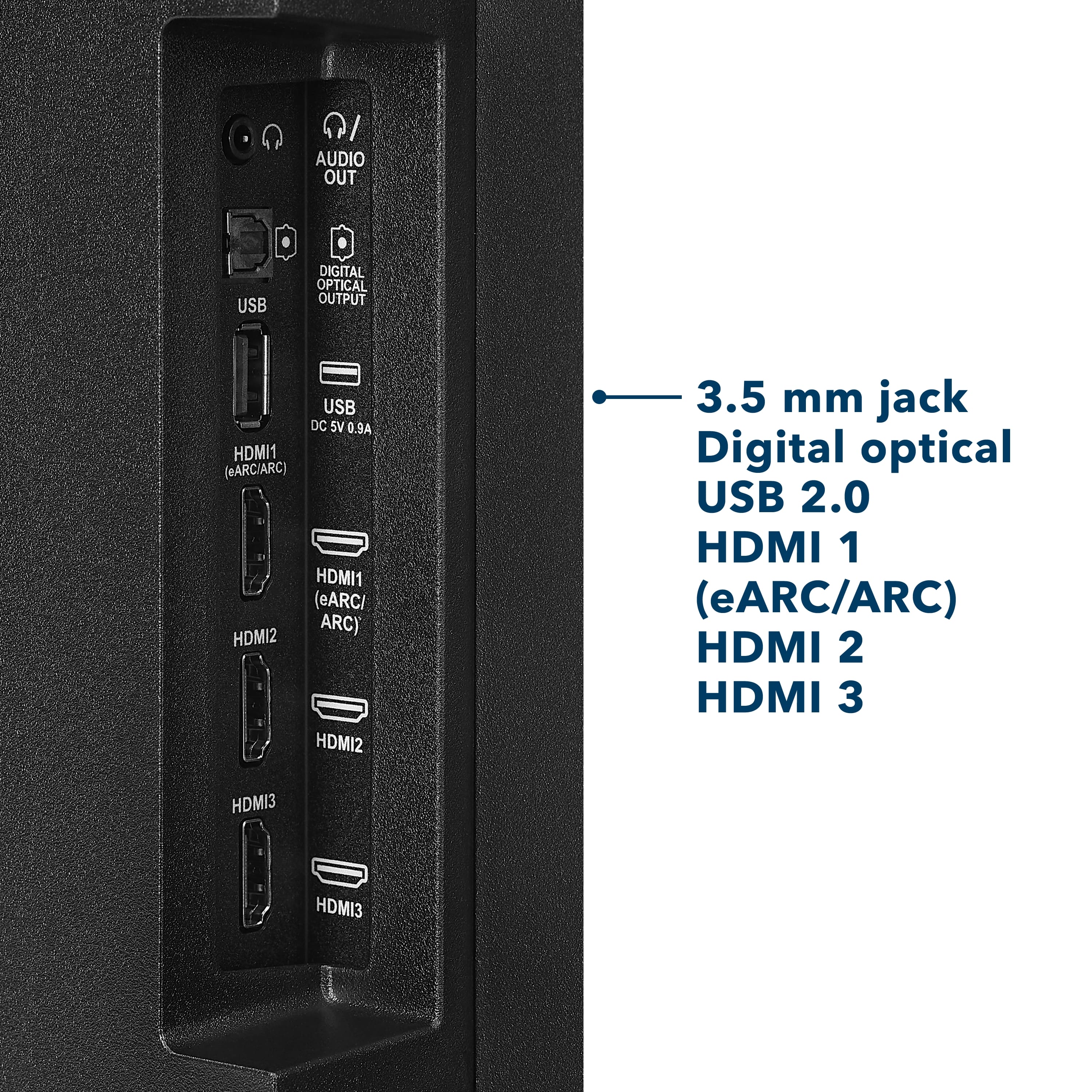
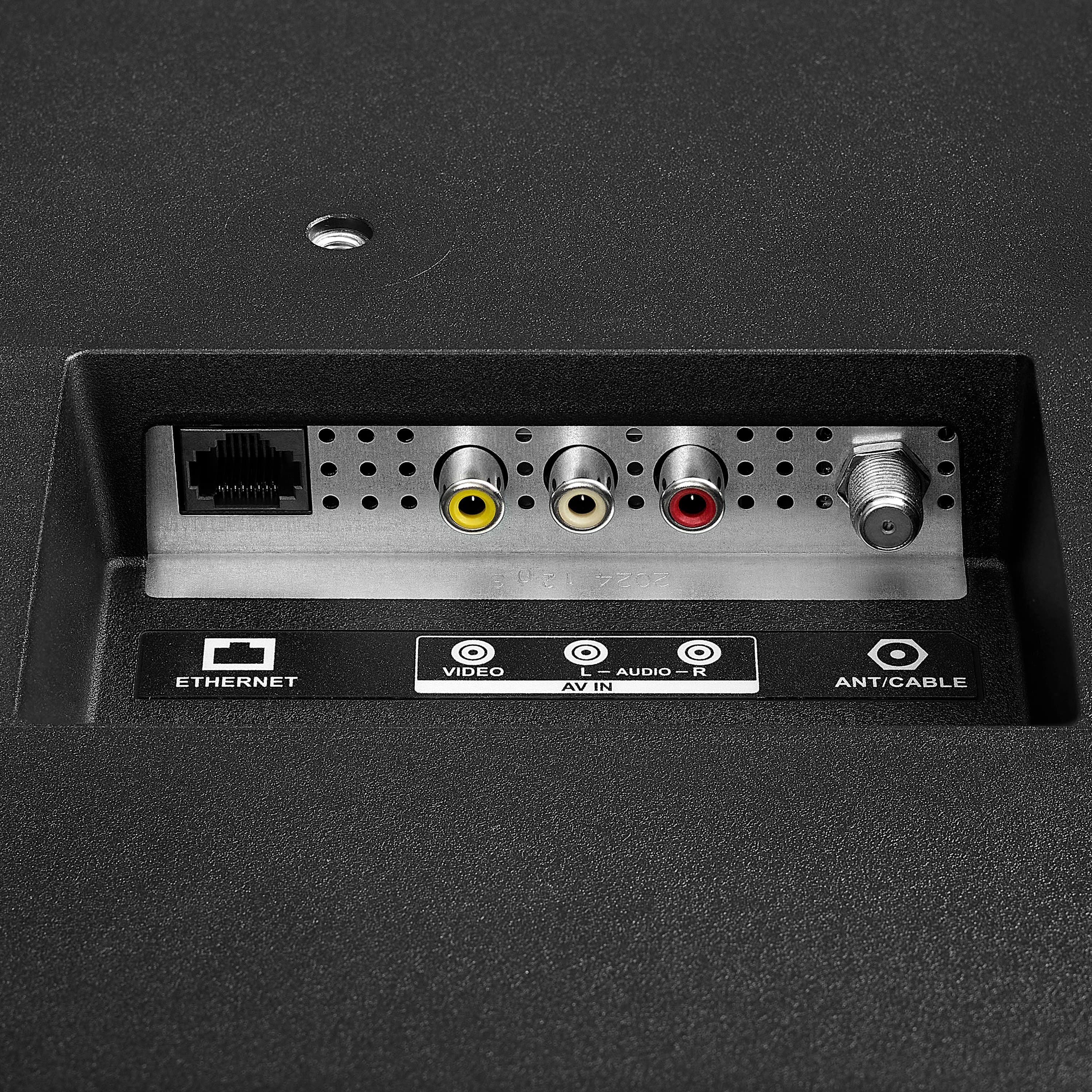
Q: QuestionDoes this TV have RCA plug video and audio inputs?
Asked by Anonymous.
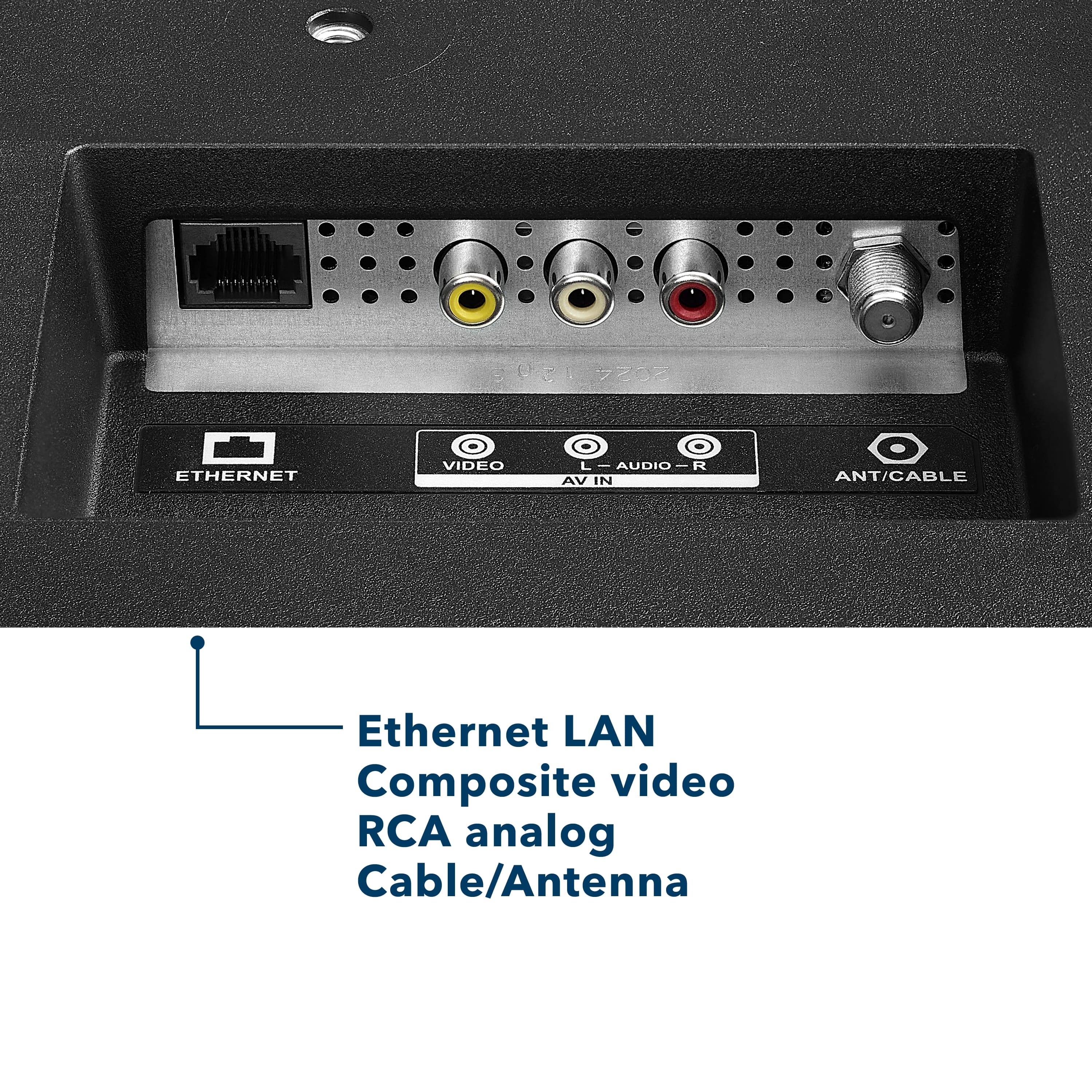
- A:Answer Hello! Thank you for your question. Yes, the Insignia™ – 50" Class F50 Series LED 4K UHD Smart Fire TV (Model NS‑50F501NA26) does have RCA composite video and audio inputs. This allows you to connect older devices that use RCA cables. Darshan | Insignia Products
Answered by InsigniaCustomerSupport
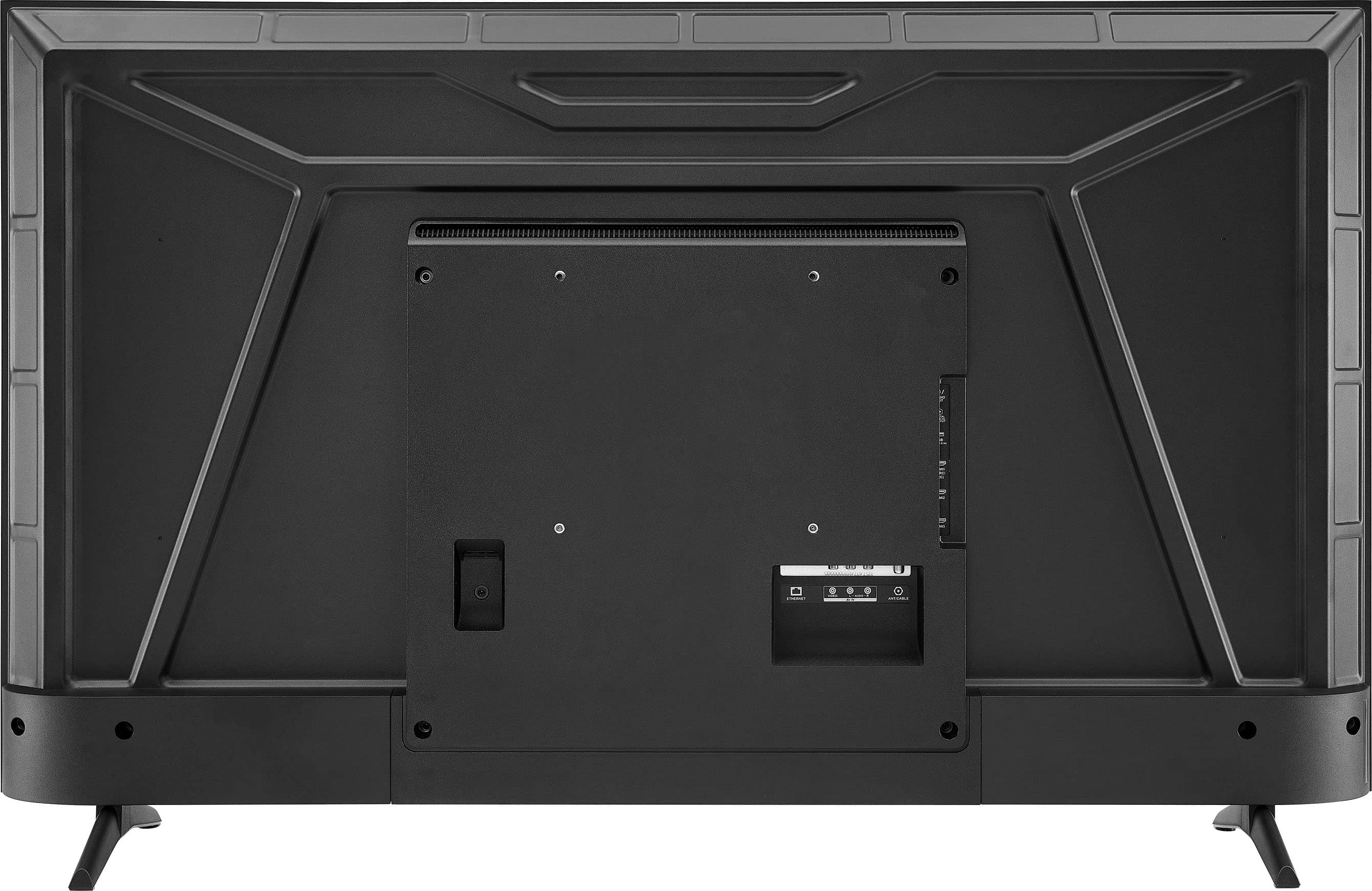
Q: QuestionINSIGNIA 50" Class F50 Series LED 4K UHD Smart Fire TV NS-50F502NA26 On TV, where is the A/C Portal/Connector for Power? Thank you
Asked by cMorr.
- A:Answer Hello! Thanks for your question. For the Insignia 50" F50 Series Fire TV (Model NS‑50F502NA26), the A/C power connector is located on the back of the TV, positioned in the lower‑left area when viewed from behind. Mueez | Insignia
Answered by InsigniaCustomerSupport
Q: QuestionWould I be able to setup Alexa Home Theater on this TV?
Asked by PAKRATT9.
- A:Answer Yes its great.
Answered by Granmom
Q: QuestionWhat are the dimensions of the 50 inch?
Asked by Anonymous.
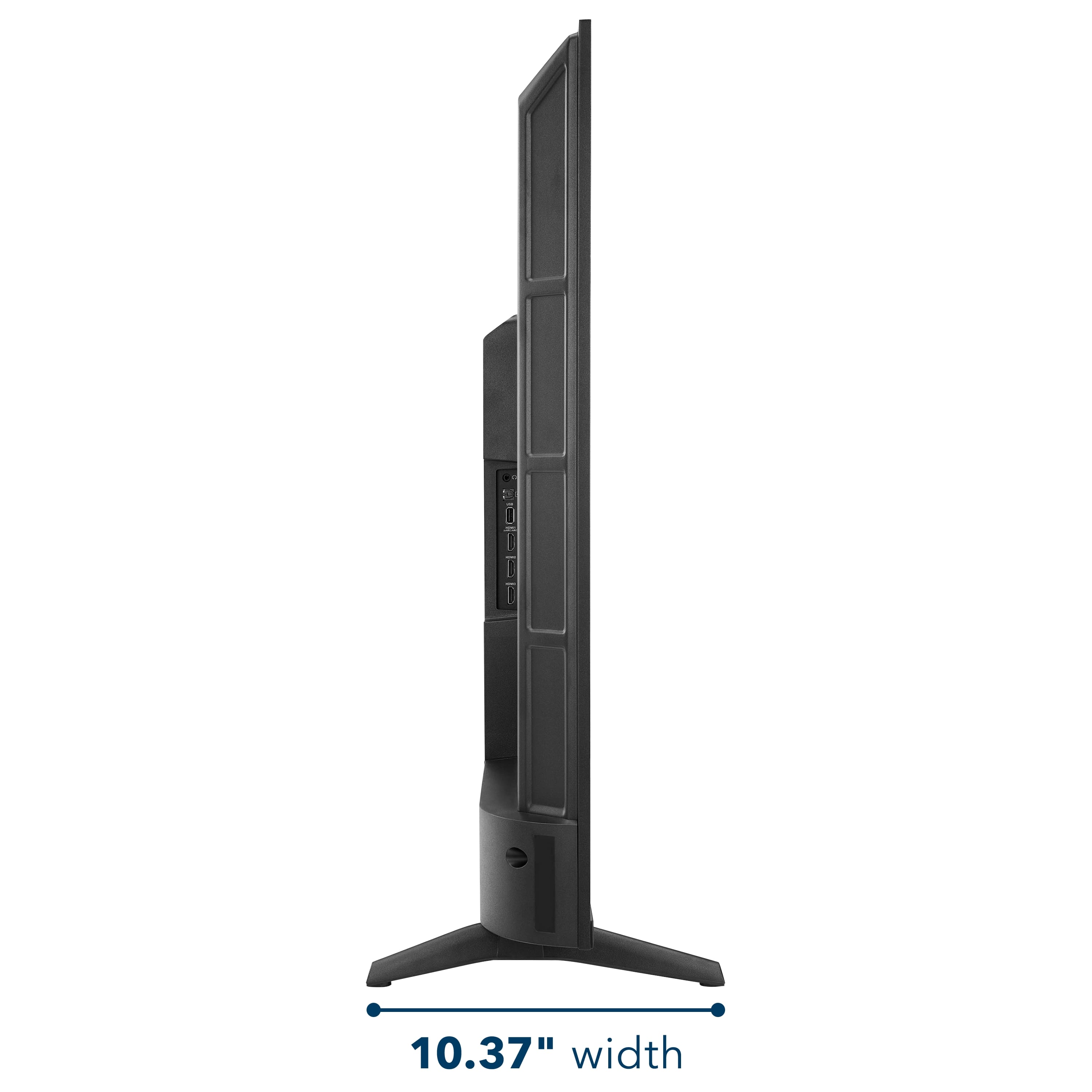
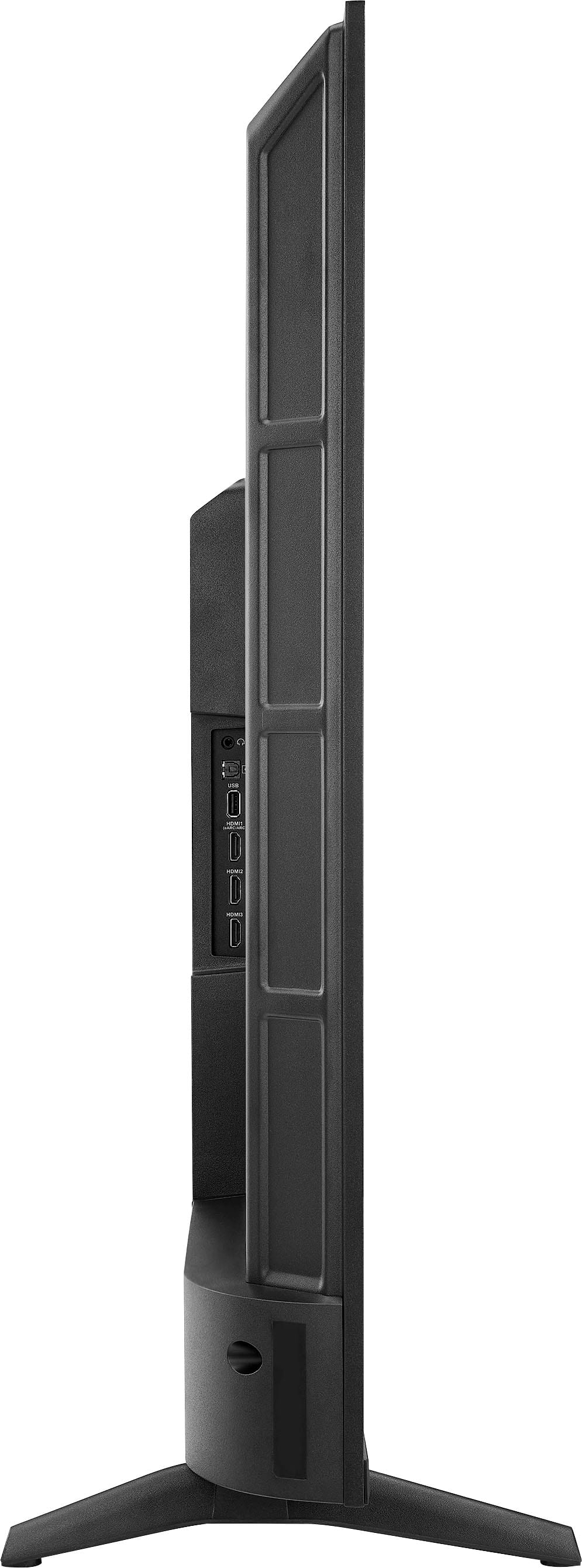
- A:Answer Hello, Thank you for contacting us. The dimensions of the Insignia 50" F50 Series TV are as follows: height with stand 27.5 inches, width 43.8 inches, depth with stand 10.4 inches, height without stand 25.7 inches, depth without stand 3.2 inches, weight with stand 20.26 pounds, weight without stand 19.89 pounds, stand width 36.7 inches, and stand depth 10.4 inches. Narendra | Insignia
Answered by InsigniaCustomerSupport
Q: QuestionIs this tv compatible with AirPlay for easy screen mirroring with IPhones?
Asked by TL.
- A:Answer Hello, Thank you for contacting us. Yes, the Insignia 50" F50 Series 4K Fire TV supports Apple AirPlay, so you can easily screen mirror from your iPhone or other Apple devices. Narendra | Insignia
Answered by InsigniaCustomerSupport
Q: QuestionAll of a sudden the volume on TV sounds muted and low. I’ve unplugged to try and reset however, no change. Just purchased August of last year (2025). What can I do to resolve?
Asked by TJ.
- A:Answer Dear Insignia Customer, thank you for your question. I’m sorry to hear that the volume on your Insignia 50" Class F50 Series LED 4K UHD Smart Fire TV suddenly sounds muted and low. Please contact us at 1-877‑467‑4289 or [email protected] and we will be happy to check and help you with this. Rafay | Insignia
Answered by InsigniaCustomerSupport
Q: QuestionHow to get the ethernet cable to function instead of wifi, I'm getting 169 megabytes per second but it would be much faster if the ehternet worked.
Asked by ethernet.
- A:Answer Hello! Thank you for your question about the Insignia 50" F50 Series 4K UHD Smart Fire TV; to use your Ethernet connection instead of Wi‑Fi, simply connect an Ethernet cable to the LAN port on your TV and to your router, then turn off Wi‑Fi in the Network settings so the TV can automatically switch to the wired connection for faster and more stable internet performance. Darshan | Insignia
Answered by InsigniaCustomerSupport
Q: QuestionI’m using the tv on the stands. Is there any way to also attach it to the wall behind it so my cats won’t knock it over?
Asked by Poni.
- A:Answer Hello Insignia Customer! Thank you for your question. The Insignia 50" Class F50 Series TV (model NS‑50F501NA26) can sit on its stands, but if you want to keep your cats from knocking it over, the safest option is to securely mount it to the wall with a compatible wall mount. For help choosing the right mount or scheduling installation, you can contact Best Buy at 1‑888‑237‑8289. Sidhartha | Insignia
Answered by InsigniaCustomerSupport
Top Rated
- Limited Time Deal$159.99


 Pedlogig FEAR LIMITID WARRANTY Cintateg LARANTIA LIMITADA AD FSC SC* C150839 FEATURES 21400 Smaan Reskton Ced CM ipun MRC C Componite rput Digital Crpu po Armanna aboe input Headphors SAT Ad Cutput Wrelens NCLUDED voce tamote Aids Aymura A Pow."](https://pisces.bbystatic.com/image2/BestBuy_US/images/products/2dd2a379-3045-411a-98ea-5c8a4feb02ac.jpg;maxHeight=54;maxWidth=54;format=webp)