“Hi. I wanted to know if I can hook this up to my computer and if so what kind of chords I would need. I also wondered if it needed to be physically connected or if it could access my computer some other way and how I would do that as well. Thank you .”
Answer This Question
1-3 of 3 Answers
Hey, I use this TV as my monitor for my computer. As far as I know the only way to connect it is to hard wire with a hdmi cable. If you're computer supports 4k you will need a hdmi cable that is 4k compatible. Sometimes while the pc is booting up the TV will think something is wrong with the hdmi input because there is no sound and ask you to change the mode. You will need to hit cancel, if you do change it you will have no sound when the pc boots up. Hope this helps.
Sorry, there was a problem. Please try again later.A regular HDMI works great.
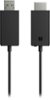
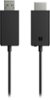
Sorry, there was a problem. Please try again later.try this Microsoft - Wireless Display Adapter V2 receiver - Dark- 4974200 $49.99 $49.99 Titanium
I would recommend:
Sorry, there was a problem. Please try again later.