“Switch between stereo and TV I have regular two channel stereo and a Samsung TV with five [no sub woofer] speaker surround sound. I would like to have a switch that will allow me to play stereo or TV trough the five speaker surround sound. Ideally, it would switch automatically, depending on the source. Thanks”
Answer This Question
1-4 of 4 Answers
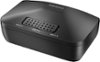
There should be a 3.5 AUDIO OUT jack on the back of the Samsung TV. You can use a splitter to convert it to 2 RCA female jacks. This splitter may have come with your TV (mine did). Then you can use a standard RCA male/male cable to connect it to your theater system's RCA AUX IN port. I used this with an Insignia RCA switch to also connect my external 5-disk cd player to the same AUX port on the home theater system. I just set the theater system on AUX and use the switch to select the input I want since I would not be watching TV and listening to CDs at the same time. The switch will allow you to add up to three devices (red/white audio and standard red/white/yellow video, great for old video game consoles or a VCR).
I would recommend:
Sorry, there was a problem. Please try again later.This wouldn't be an automatic solution, but manually it'll work fine
Sorry, there was a problem. Please try again later.It is not automatic. It is a manual switch
Sorry, there was a problem. Please try again later.Unfortunately I do not know of any automatic switches that would work with the type of connections those devices use.
Sorry, there was a problem. Please try again later.